Knowledge Agents respond from connected sources and allow you to check what materials the answer came from.
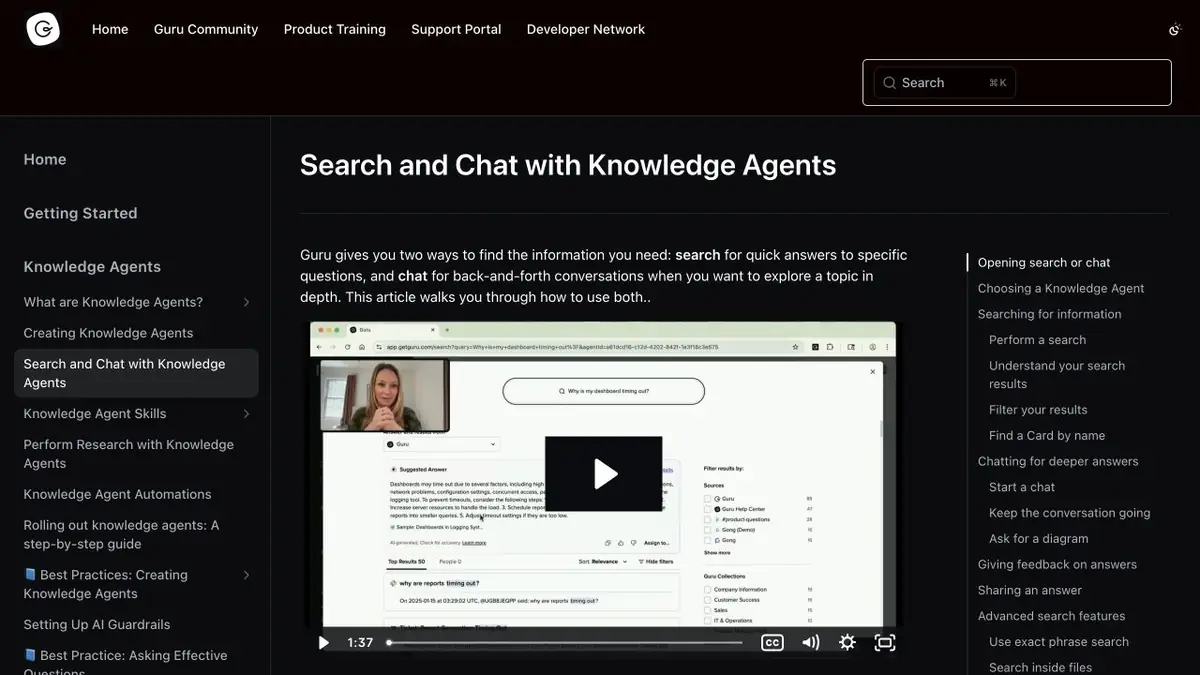
What an employee can check
When a company changes instructions, the value of the answer is determined by the source. Guru connects working materials and asks a question through Knowledge Agents. Open the original card or other specified material and check the date, owner and relevance. A link to the right page is more important than a similarity of wording, especially if the search produces several versions of the rule.
Checking the knowledge base card and checking the answer solve different tasks. The owner can confirm the article itself, but the employee still needs to make sure that the answer applies to his circumstances.
Example for internal reference
Prepare two fictional instructions for returning the equipment. In one, specify the term for the office, in another procedure for remote employees. Ask about returning the monitor from another city and open the link from the answer. If the agent makes a rule for the office, review the title of the documents, the description of the source and its purpose. Repeat the question with a different wording to check that the match persists.
What information the user sees
One administrative response does not show what an ordinary employee will see. Check the request in your account with the right set of permissions. See if the answer remains a rule that the employee can confirm with an open source. To check closed materials, use training documents. If the result is inaccurate, analyze the reason for the content of the source and access rights separately. This analysis will show whether to edit the article or correct the settings.
Suitable tasks
- Follow the rules of internal procedure.
- Collect a reference answer with links for the new employee.
Strengths
- Displays links to source materials.
- Allows you to access connected sources.
Limitations
- The availability of the answer depends on the rights and the content connected.
- The reference to the document does not confirm the applicability of the rule to any case.
Selection and conditions
- Free access
- Not confirmed
- Trial period
- Not confirmed
- No sign-up required
- Not confirmed
- Russian interface
- Not confirmed
- Local installation
- Not confirmed
- API
- Not confirmed
“Not confirmed” means there is not enough information. The feature may still be available; check the developer’s terms.
- Input formats
- Text, Document
- Result
- Text
Terms
Connect relevant documents and check the access of an ordinary employee.From task to first result
Practical example
- Task
- Follow the rules of internal procedure.
- What to prepare
- Allowed set of documents or saved working context with notes about the project.
Task brief or prompt
Find out what decisions on the project are confirmed by available sources. Specify the source of each decision, its date, if known, and unresolved issues. Separate the baseline information from the assumptions.
Expected result
Summary of confirmed decisions with verifiable references or indications to sources.
How to check the result
- Open these documents or context records.
- Make sure that the outdated discussion is not presented as a decision.
An editorial teaching example of a task brief, not the result of hands-on testing of the service. Check that the required mode is available, that you have rights to the source material and that the intended use of the result is permitted.
Check details
Official sources
- Search and dialogue with Knowledge Agents
- Connecting Guru Sources
- Verification of Knowledge Base Cards
This description is based on the developer’s material. Features, prices and availability may change; check the primary source before use.