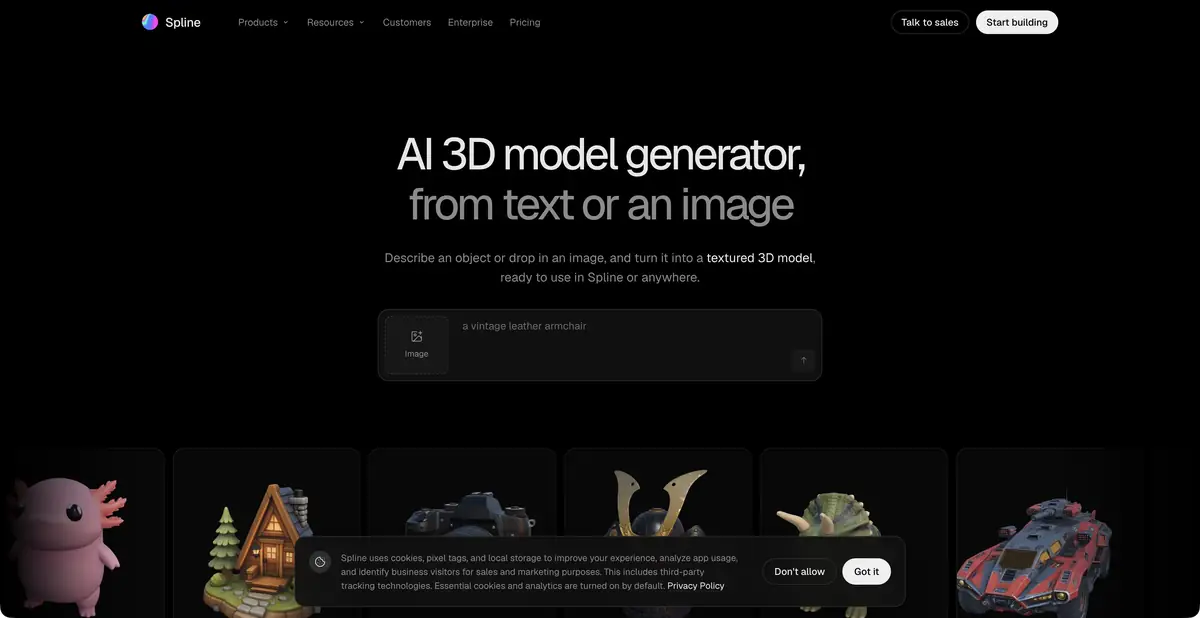
Spline connects the generation of three-dimensional objects with its own scene editor. AI Agent changes the usual elements of the project, and finished objects can be modified, animated and used in interactive work.
The object becomes part of the scene
Spline is interesting to a designer who needs a three-dimensional element in the interface, presentation or interactive page. You can generate an object by description or image and then place it in your own Spline editor. This work does not end: the scale, materials, light and behavior of the object need to be coordinated with the rest of the scene and the purpose of the project.
The generator uses several available engines. Current documentation lists Hunyuan, Trellis and Meshy among them. Spline must therefore not be presented as the developer of all the underlying three-dimensional models. Its original contribution is the editor, scene structure, collaboration and interactivity tools.
Model Generation and Agent Actions
Documentation describes the process of selecting a preview image with further model construction. It is better to make the input reference understandable: one object, a clear angle and a distinguishable silhouette. After receiving the object, inspect the mesh and shape without texture. A beautiful material can hide an uneven base or a fused handle that will show up when rotating.
AI Agent solves another problem: creates and changes elements of the scene itself, materials, lighting, animation and interaction. His actions remain the usual editable changes to the project. This is convenient for consistent work, but does not replace behavior checks: the text promise of animation does not mean that the visitor will see it at the right time.
Example: a small interactive showcase
Create a learning scene with a simple pot on a round stand. To generate, specify one item without a complex ornament and check the volume from all sides. Then ask the agent to adjust the soft light and quiet turn of the object when interacting. The size of the scene and the location of the camera are selected under the future page.
Open the preview and check if the pot is visible on a narrow screen, whether the top is trimmed and whether the action is clear to the user. Try controlling the mouse and touch. Several detailed models can significantly weight the scene, so evaluate the loading and smoothness on a conventional device. Check the export separately at the place where it will be published.
Resources and conditions of publication
AI functions use workspace credits included in paid plans. The free base editor is not equal to the free three-dimensional generation. The consumption can include both preliminary images and mesh generation, so one finished object does not necessarily correspond to one write-off. Check the balance and estimate of cost before a series of attempts.
Generation runs in the cloud and does not require a local GPU. Downloading models, publishing scenes, code and different formats each have separate plan conditions. Runtime API, webhooks and MCP should not automatically be described as a public model-generation API. For commercial work, check source-material licenses, the selected engine’s restrictions and the available export route.
Suitable tasks
- Create a 3D object by text or image
- Configure scene and interactions with AI Agent
- Prepare an interactive element for the page
Strengths
- Own scene editor and interactivity
- Editable AI Agent Actions
- The object generation is built into the project
Limitations
- AI-generation requires a paid plan and credits
- Detailed models make the scene heavier
- Formats and methods of publication depend on the plan
Selection and conditions
- Free access
- No
- Trial period
- Not confirmed
- No sign-up required
- Not confirmed
- Russian interface
- Not confirmed
- Local installation
- No
- API
- Not confirmed
“Not confirmed” means there is not enough information. The feature may still be available; check the developer’s terms.
- Input formats
- Text, Image
- Result
- 3D model, Interactive scene
Terms
Here free=no refers to AI generation, not the basic editor. 3D generation runs in the cloud and consumes credits from a paid workspace. Runtime API and MCP are not treated as a separate generation API.From task to first result
Practical example
- Task
- Create a 3D object by text or image
- What to prepare
- Description of the table lamp or your own photos of the object from different sides. Clarify the purpose of the model and the target 3D-editor.
Task brief or prompt
Prepare a rough 3D model of the table lamp for the interior scene: a stable base, separate lampshade, simple materials. Use your own references. First, evaluate the form, then prepare an export format available in the selected plan.
Expected result
A rough object model for subsequent checking in a 3D editor. Geometric accuracy and production readiness are not assumed.
How to check the result
- Examine the silhouette from all sides, cavities, fine details and intersections.
- Check the scale, materials and opening of the exported file in the target editor.
- Before commercial use, check the selected plan's license and the rights to reference materials.
An editorial teaching example of a task brief, not the result of hands-on testing of the service. Check that the required mode is available, that you have rights to the source material and that the intended use of the result is permitted.
Check details
Official sources
- Official Spline Generation
- AI 3D Generation: Inputs, Engines and Cloud
- Agent of the Edited Scene
- AI Credit Plans and Rules
This description is based on the developer’s material. Features, prices and availability may change; check the primary source before use.