

Meshy turns a description or picture into an editable three-dimensional object. It provides a starting point for a game, visualization or print: check geometry, materials and export suitability in your own software.
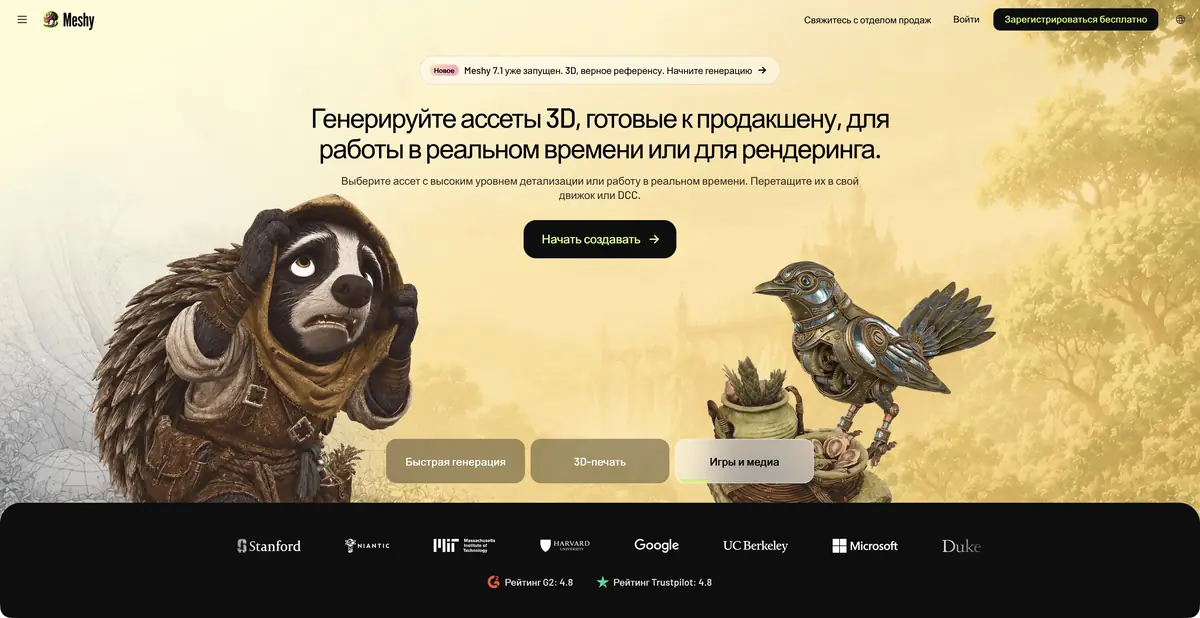
A three-dimensional object instead of a flat illustration
Meshy is useful for quickly exploring an object's shape in three dimensions: rotate it, assess its silhouette and place it in a scene. Inputs can be text descriptions or images; separate tools handle textures, mesh processing, rigging and animation. The web app and API access the same platform's capabilities. An attractive view on the generation page does not mean the object is ready for a particular engine or printer.
From an idea to a file
Decide first what the result is for. Small game props need a readable silhouette and reasonable mesh complexity; product visualization needs materials and proportions; printing needs a watertight volume and sufficiently thick details. A clear reference image helps set the direction, but the algorithm still constructs the unseen side.
After generation, inspect the object from every side. Refine geometry and texture separately so that changing a color does not alter a successful shape. The official help describes FBX, OBJ, USDZ, GLB, STL and Blender export formats; the available set depends on the operation. Existing models have a separate AI texturing workflow. The API, plugins and MCP let you integrate asset preparation into a longer production workflow.
Example: props for a small game scene
Let’s say a simple plastic pot is needed for the garden scene. In the description, specify a wide open top, a stable base, one color and the absence of a small ornament. Do not start with the desire to get the whole scene with plants at once: it is easier to check a separate object.
First inspect the pot without dramatic lighting. Is there a cavity inside? Have the edges fused together? Does the wall thickness look consistent? Then import a test file into your working application and check scale, normals and material.
Predefined criteria help avoid spending the whole quota on random variations. Start with the model's shape and suitability for the scene; assess small decorative details afterwards.
What needs attention after generation
Polygon counts, UV mapping, surface intersections and material behavior become clearer when a model is imported into a real project. For printing, check it separately in a slicer: STL availability alone does not prove printability. Characters need checks for deformation during movement as well as appearance. Upload photos of real products or other people's concepts only with the necessary rights.
Access and licensing
There is a free plan with limited resources and paid levels for more intensive work. The license and privacy of the result differ according to plans: CC BY 4.0 is officially indicated at the free level with the requirement of attribution. The terms of the paid result can not be automatically transferred to free.
Before subscribing, compare the required download formats, API access, queue and commercial use terms. For a serious project, test the full workflow: generation, export, opening the file in your own software and saving the license alongside the source files.
Suitable tasks
- Prepare a draft game prop
- Check the three-dimensional form against the concept
- Create and modify textures
- Prepare a model for 3D printing checks
Strengths
- Text and visual input
- Model and texture processing in one workflow
- Official APIs, MCP and plugins
- Several common export formats
Limitations
- Geometry and materials require inspection after import
- Attribution and privacy conditions depend on the plan
- An STL file requires your own check in a slicer
Selection and conditions
- Free access
- Yes
- Trial period
- Not confirmed
- No sign-up required
- Not confirmed
- Russian interface
- Not confirmed
- Local installation
- Not confirmed
- API
- Yes
“Not confirmed” means there is not enough information. The feature may still be available; check the developer’s terms.
- Input formats
- Text, Image, 3D model
- Result
- 3D model, Image
Terms
The free plan has a quota; CC BY 4.0 requires attribution. Check privacy, API access and resources for the chosen plan.From task to first result
Practical example
- Task
- Prepare a draft game prop
- What to prepare
- Description of the table lamp or your own photos of the object from different sides. Clarify the purpose of the model and the target 3D-editor.
Task brief or prompt
Prepare a rough 3D model of the table lamp for the interior scene: a stable base, separate lampshade, simple materials. Use your own references. First, evaluate the form, then prepare an export format available in the selected plan.
Expected result
A rough object model for subsequent checking in a 3D editor. Geometric accuracy and production readiness are not assumed.
How to check the result
- Examine the silhouette from all sides, cavities, fine details and intersections.
- Check the scale, materials and opening of the exported file in the target editor.
- Before commercial use, check the selected plan's license and the rights to reference materials.
An editorial teaching example of a task brief, not the result of hands-on testing of the service. Check that the required mode is available, that you have rights to the source material and that the intended use of the result is permitted.
Check details
Official sources
This description is based on the developer’s material. Features, prices and availability may change; check the primary source before use.

