Luminar Neo helps to process photography through specialized tools of light, portrait and composition. Generative operations have their own terms of access even with an indefinite application license.
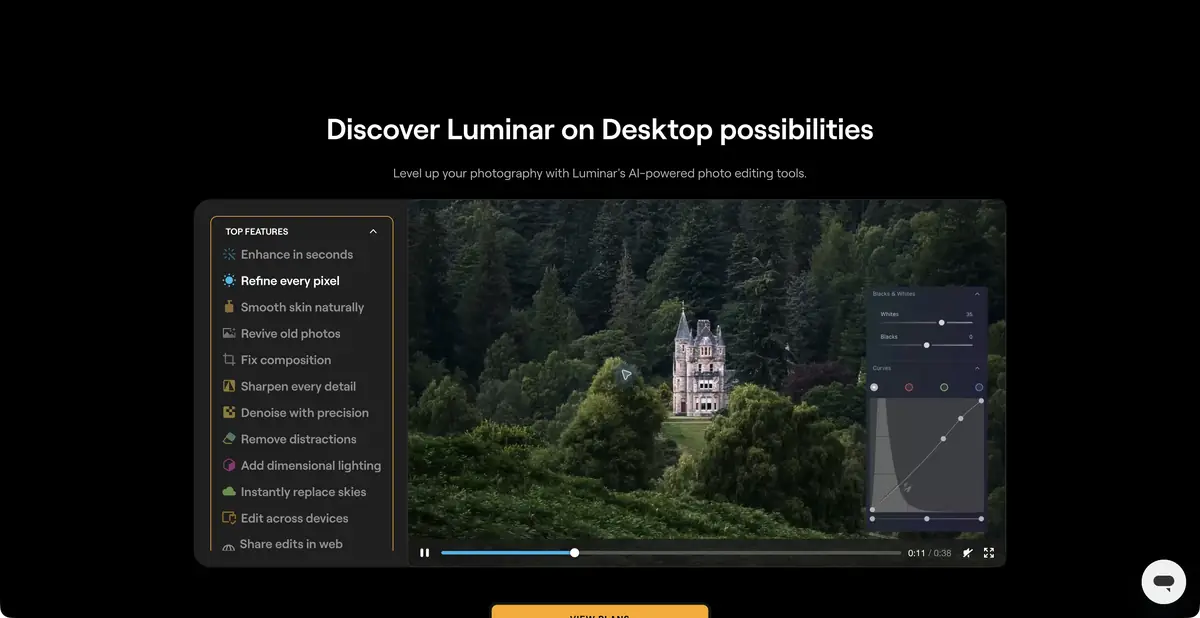
Multiple tools around a single frame
Luminar Neo is designed as a photo editor in which automation is tied to tasks that the photographer understands. Some tools change light and contrast, others help to highlight the object, refine the portrait or replace the sky. Such a set is convenient for consistent improvement of the already shot frame. It is important to distinguish between correcting the original photo and adding something that was not on the shot.
Layers and masks can limit the intervention. Even if the tool automatically found a person or background, check the selection and effect strength. Too uniform skin, a bright edge along the horizon and light directed in different directions quickly give out inconsistent processing.
When generation is required
The official help distinguishes GenErase, GenSwap and GenExpand. They respectively remove distractions, replace or add an object, and extend the image boundaries. Text is used only where the specific tool supports it; ordinary color correction does not thereby become text-to-image generation.
AI Assistant analyzes the photo and text question, offers settings and helps to choose a tool. He needs the internet. The recommendation of the assistant remains the starting point: the permissible degree of change is determined by the purpose of the frame and the photographer. When working with documentary materials, added objects and replacing the sky change the meaning of the image.
Example: to bring the landscape to a calm look
For training processing, choose your own frame with a dark foreground and bright sky. First, level the overall exposure, then gently light the foreground through available means of light and masks. Compare the stones, grass and tree boundary with the source. It is not necessary to start with the replacement of the sky: often the problem is associated with the distribution of brightness.
If a small object is obstructed in the corner, test the removal on the copy. Check if the texture has been repeated and if the path outline has changed. Save the option before and after the generative edit. For printing, further evaluate the image at the final size: strengthening the parts can give unpleasant halos.
What does it mean to buy an app
The Skylum page shows the desktop run for Windows and macOS and the plugin with compatible editors. Packages for multiple platforms, material sets and updates vary. Before paying, compare the tools you need with a specific offer, as well as check the system requirements for your device.
A perpetual desktop license does not provide perpetual access to every generative tool. Under Skylum’s current terms, some AI tools are included for a limited period, with renewal through Luminar Prime afterward. Fair-use terms restrict automated bulk generation, among other activities. The separate Luminar Engine is not the API of a standard personal license.
Suitable tasks
- Adjust the light and background in the photo
- Finishing a portrait with masks
- Remove object or expand frame boundaries
Strengths
- Specialized Light and Portrait Tools
- Layers and AI Masks
- Desktop App and Plugins
Limitations
- Some AI tools require a separate extension
- Generative changes can disrupt the reliability of the frame
- Plans and requirements vary across platforms
Selection and conditions
- Free access
- Not confirmed
- Trial period
- Not confirmed
- No sign-up required
- No
- Russian interface
- No
- Local installation
- Not confirmed
- API
- Not confirmed
“Not confirmed” means there is not enough information. The feature may still be available; check the developer’s terms.
- Input formats
- Image, Text
- Result
- Image
Terms
Activation requires a Skylum account. The full official list of desktop interface languages does not include Russian. Local execution of all AI operations is not confirmed; AI Assistant requires internet access. Access periods for generative tools are separate from the application license.From task to first result
Practical example
- Task
- Adjust the light and background in the photo
- What to prepare
- Several own RAW or photos of one shooting, including complex shadows and thin edges of the object.
Task brief or prompt
Working task in the photo editor: to align the exposure and white balance, to moderate the noise, to highlight the object with a mask for a separate correction. Preserve the natural texture and color. This is a sequence of actions with settings, not a promise of textual management of each application.
Expected result
A processed photo with a saved original and a verified local correction.
How to check the result
- Examine the skin, tissue, hair and makeup boundaries at the same scale.
- Check the supported format, final size and availability of cloud operations.
An editorial teaching example of a task brief, not the result of hands-on testing of the service. Check that the required mode is available, that you have rights to the source material and that the intended use of the result is permitted.
Check details
Official sources
This description is based on the developer’s material. Features, prices and availability may change; check the primary source before use.