

A web platform for accessing third-party AI models, from conversations with ChatGPT to photo editing and video generation. Separate chats, history and configurable tools help manage several tasks in one account.
One workspace for different AI tools
YesAI combines text chat, image creation and video creation in one account. You can discuss material with ChatGPT, prepare an illustration and move on to a video. The platform provides an interface to third-party models; it does not develop those models.
The current web version features 13 sections: two text, seven for images, two for video and two auxiliary. Below is a complete list with links to each tool inside YesAI. The composition of the Telegram bot and API may differ; available modes and payment terms need to be checked for the selected section.
AI models for text: ChatGPT and Gemma
For questions, translation, summaries and content preparation.
- ChatGPT
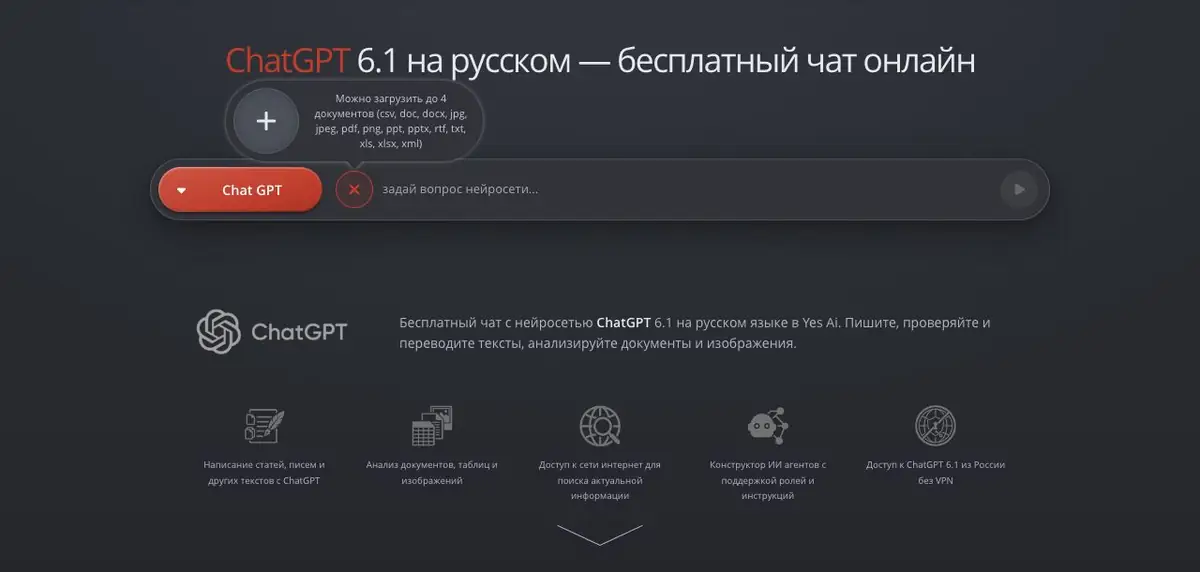
It helps draft an article, analyse a document, translate text or make a table easier to understand. YesAI provides conversations with history, role settings and web search for this model. Support for a particular attachment depends on the selected model and mode.
- Gemma
A text assistant for questions, translation and summaries, such as extracting key points from long material. Set a role for a conversation or use web search for current information.
AI tools for images: seven options
Seven sections for generating and editing images. Choose by task and available settings.
- Nano Banana
It generates images from descriptions and edits uploaded photographs, changing surroundings, clothing or individual objects. References define character appearance, pose and visual style. During successive edits, explicitly list the details to preserve.
- Midjourney
Useful for illustrations, advertising scenes and exploring expressive visual ideas. YesAI supports image, style and character references. Stylisation, variation and negative-prompt settings help guide the result. Check which parameters are available in the selected mode.
- GPT Images
It generates images from text and references, and changes objects and details in existing pictures. You might use it for a cover or product scene that you will refine further. Match format and quality settings to the task, and inspect lettering and small elements before publishing.
- Qwen Images
Combines generation by description with editing of the original photos: environment replacement, removal of the background and restoration of images. Supports references and LoRA, so it is suitable for both new illustrations and for working with a given visual material. During restoration, the model can complete details that were not visible on the original.
- FLUX
It uses text and references to create new images and edit existing ones. Styles and compatible LoRA adapters help define the image’s character, for example in a consistent illustration series. Choose a suitable model and adapters in settings: LoRA adapters from different families are not interchangeable.
- Stable Diffusion
It creates images from prompts, applies LoRA adapters and edits selected areas through inpainting. Checkpoint, sampler and processing settings support stylised illustrations, portraits and product scenes. Save promising results with their settings so you can return to the style later.
- SDXL
It generates realistic and stylised images from text and supports visual references and LoRA. Editing a selected area through inpaint fixes part of an image without restarting the whole scene. Choose settings and additional models compatible with the current interface.
AI tools for video: Kling AI and Veo
Creating videos from a scene description and input images.
- Kling AI
It generates clips from scripts or reference images and animates finished illustrations. YesAI’s web version supports video extension, so a successful clip can become the start of the next episode. Available duration and settings depend on the mode.
- Veo
It generates video with sound from text and source images: you can describe action, camera movement and characters’ lines. It suits short scenes, photo animation and testing an idea before filming. The web interface supports extending clips; check voiceover and other settings in the selected mode.
Processing existing files: DeepFace Video and Image Upscaler
Face swapping in video and image upscaling.
- DeepFace Video
It transfers a face from a photograph into an uploaded video. Use the original clip and a clear portrait; matching angles and face visibility strongly affect the result. This is a specific video-processing operation for creative material agreed with the participants.
- Image Upscaler
It upscales existing photographs and illustrations, including files uploaded from your device. This helps prepare an image for a larger format or later cropping. Compare faces, lettering and texture with the original afterwards: extra detail may be invented.
Texts, files and recurring tasks
In ChatGPT, you can provide a document, examine disputed clauses or a table, and build a draft from notes. Listed attachment formats include PDF, TXT, DOC, DOCX, XLS and XLSX. Check the conclusions against the original.
YesAI provides preset and custom roles, agent instructions, context management and web search. For editorial tasks, for example, you can save requirements for tone, facts and response structure in advance. This avoids explaining the same work from scratch each time. Check the terms for individual modes, including search, before starting.
Images with references and clear settings
The service’s practical value is clear when working with photographs. In Nano Banana and GPT Images, uploaded references can have separate roles: take clothing from one picture, a character from another and a background from a third. This approach is useful for product images, advertising scenes and illustration series. An overly complex combination of source images can still produce an inaccurate result; the project itself warns that different models handle it differently.
The web version accepts more than the usual JPEG and PNG files: the update describes uploads of WebP, TIFF, GIF, AVIF, BMP, SVG, HEIC/HEIF and JFIF. Midjourney offers settings for stylisation, variety and unusualness, as well as a negative prompt. On a computer, you can compare the finished image with the original using a before/after divider to inspect changes in particular areas.
Text and images can also work together. With illustrations enabled, ChatGPT can create an image using the model selected in settings. Image charges are separate from the text answer. A free conversation therefore does not imply that every image is free to create.
From a finished image to motion
For a product video, first establish lighting and composition in an image, then describe camera or object movement in Kling AI or Veo. Duration, resolution, cost and extension features depend on the chosen model and mode.
History, mobile view and a shared balance
You can create separate conversations for text, images and video. Your account stores history and results, so work prompts do not need to be recovered from scattered chats. Keep your own copies of finished files and check retention periods for the selected tool. The web interface also supports smartphones: start a task on a computer and continue in the same account on your phone.
If you already use the Telegram bot Yes AI Bot, you can link your profiles. The project’s instructions say to sign in on the website through Telegram and confirm your email; the balance then becomes shared. Creating two independent accounts is not enough. A shared balance does not automatically transfer all old messenger history either.
Payment without a mandatory subscription to each model
The service uses two internal units: points and coins. According to the current price list, points renew daily with a paid package, coins can be bought separately, and some operations cost coins only. Price depends on the model, resolution, speed and volume of work. The website lists bank cards, СБП and ЮMoney; current amounts are in the price list.
Some tools are free under current promotions. VIP offers additional options, but “unlimited” has conditions: active invited users, enough account balance, operation type and anti-abuse rules. These unlimited offers do not extend to the API. Read the full current terms, especially before a large series.
API and onboarding support
Developers can use separate YesAI API documentation to connect supported models to their own website, app or bot. The GPT Images documentation, for example, covers text and reference-based generation, task queues and error handling; integration requires a token. Check limits and parameters for the particular method rather than copying them from web-chat settings.
For normal work, the project forum is useful: instructions, examples of prompts and analysis of settings are published there. This is especially helpful at the stage of acquaintance with references and video. Commercial use of the results is possible taking into account the rules of the selected model and the rights to the source materials; the service does not promise absolute uniqueness of images.
Suitable tasks
- Prepare text, illustration and short video for publication
- Analyze documents and tables in ChatGPT
- Build an advertising scene from several references
- Organize separate chats for work projects
- Add content generation to your product through the API
Strengths
- Multiple text and visual models in one web interface
- Roles, instructions and context management for repetitive tasks
- Reference settings, image comparison and moving on to animation
- Conversation history and a mobile-friendly interface
- A shared balance with the Telegram bot after linking accounts
- Public API documentation and forum with practical instructions
Limitations
- The service provides access to third-party models; their functions and availability differ
- Free promotions and unlimited VIP offers are subject to specific terms
- Paid images and additional operations are billed separately
- Answers and visual outputs need checking; usage rights depend on the model and source files
Check details
Official sources
- ChatGPT features and general terms of YesAI
- Starting with the web version: chats, history and mobile access
- Roles and context management in the web version
- Reference settings and upload formats
- Illustrations through a conversation with ChatGPT
- Midjourney settings, video extension and image comparison
- A shared balance for the web version and Telegram bot
- Current YesAI pricing
- Terms for unlimited generation
- Image Generation API Documentation
- Official YesAI Web Tools Directory
- A detailed overview of YesAI's web tools and API
- A map of YesAI's official pages
This description is based on the developer’s material. Features, prices and availability may change; check the primary source before use.


