

Wan is a family of video generation models with official weights, code and a user platform. Open releases let you build your own workflow for creating short shots.
Start with one clear shot
With Wan, start by describing a single action: a camera approaching a cup, wind moving fabric or a person turning their head. Multiple scenes and contradictory movements in a short prompt make results harder to assess. Specify the main subject, motion direction and what should remain still.
The family has text-to-video and image-to-video modes. In the first, the model builds a frame from a description; in the second, it relies on a source image. The mode changes how materials are prepared and results checked.
Open models and ways to run them
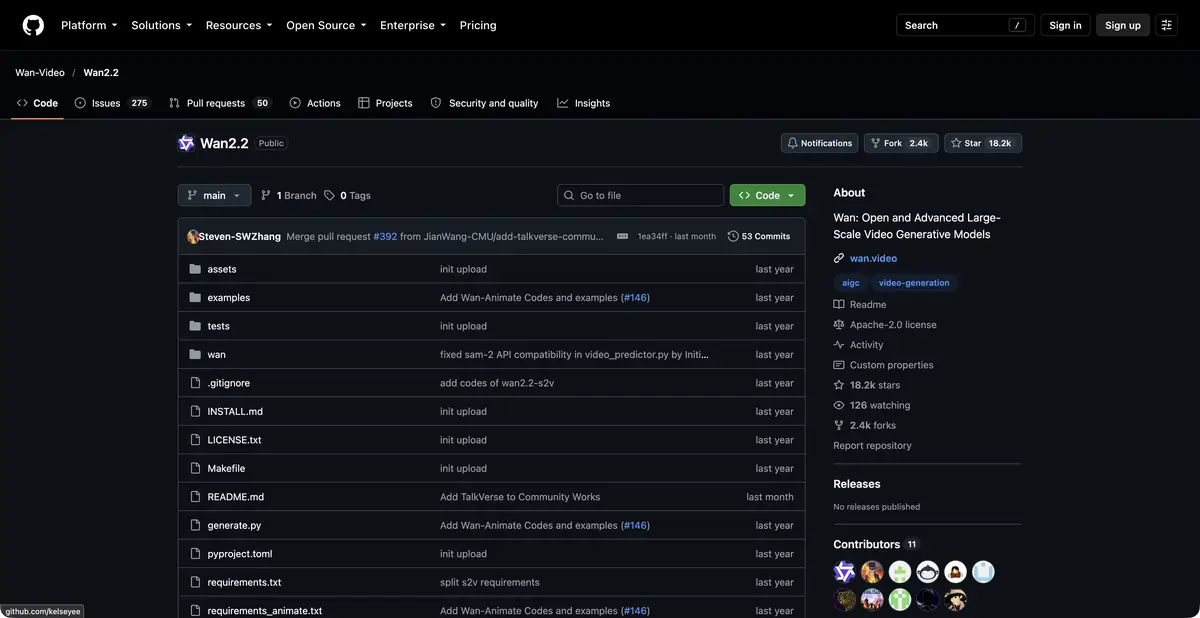
In the official repository, instructions and examples of generation, model options and settings are published. This is useful for a team that needs to include generation in their own process, rather than depending only on the user interface. At the same time, setting up the environment and selecting equipment remain independent work.
Different models require different amounts of memory. Even a smaller variant is not necessarily easy to run on any computer: consider GPU memory, resolution, video length and the optimizations used. Compare requirements for the specific release and command shown in the instructions.
Example: animate an original image of an object
For a small lamp's product listing, prepare a photo without a complex background. Request a short, gentle camera push-in, preservation of the housing's shape and consistent lighting. Start with simple movement to make object deformation easier to spot.
Watch the full video and inspect the beginning, middle and end separately. Check whether details disappear or the number of legs or buttons changes. If markings become distorted, the shot cannot serve as an accurate depiction of a real product.
How process control helps
When running it yourself, you can save parameters and source materials, choose a suitable model and reproduce experimental conditions. This does not guarantee identical results in every environment, but makes selection clearer. Record resolution, generation settings and the reason for accepting each variant.
For a video series, set shared rules for palette, duration, camera behavior and permissible changes. AI can still break visual continuity, so final shots often require editing and further correction.
Access, license and costs
Official open releases are available under the accompanying license. GPU, storage and cloud execution costs still apply. The wan.video user platform has its own rules and limits; these cannot be inferred from the repository license.
Check rights to the original footage and the consent of identifiable people. Do not use a convincing synthetic video as evidence of an event. Check the developer's materials for the specific version's capabilities, download options and programmatic interfaces.
Suitable tasks
- Create a short video shot from text
- Animate your own image
- Organize generation on your equipment
- Explore video model controllability and limitations
Strengths
- Official code, weights and examples of running models
- Text-to-video and image-to-video use cases
- Selection of models for different computational conditions
Limitations
- Self-hosting requires a suitable GPU
- The shape of objects and movement can be distorted
- Open release license and web service terms differ
Selection and conditions
- Free access
- Yes
- Trial period
- Not confirmed
- No sign-up required
- Not confirmed
- Russian interface
- Not confirmed
- Local installation
- Yes
- API
- Not confirmed
“Not confirmed” means there is not enough information. The feature may still be available; check the developer’s terms.
- Input formats
- Text, Image
- Result
- Video
Terms
Open releases permit self-hosting under their licenses; GPU costs are separate. Check the user platform's terms and programmatic access separately.From task to first result
Practical example
- Task
- Create a short video shot from text
- What to prepare
- A brief for a single shot; for image-to-video mode, an original frame of your own.
Task brief or prompt
One calm shot: the camera slowly moves toward a cup on a wooden table by a window. Morning light, a gentle movement of steam, a still background. No scene changes, text or sudden movements.
Expected result
A short shot to select and edit later, without a promise of exact motion reproduction.
How to check the result
- Check that objects retain their shape from frame to frame.
- Watch the beginning and end for camera jumps or unwanted scene changes.
An editorial teaching example of a task brief, not the result of hands-on testing of the service. Check that the required mode is available, that you have rights to the source material and that the intended use of the result is permitted.
Check details
Official sources
This description is based on the developer’s material. Features, prices and availability may change; check the primary source before use.


