A web service for transcribing existing files using Whisper. It offers recognition modes, speaker separation, translation and text or subtitle downloads; automated programmatic access is not supported.
A clear task: turn a file into text
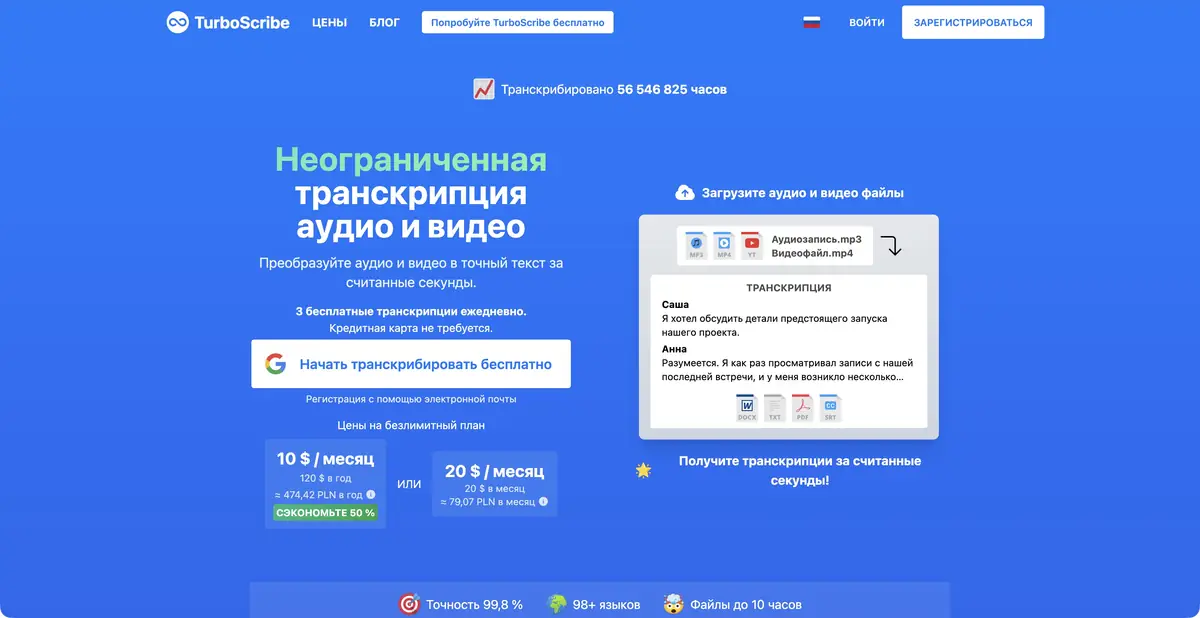
TurboScribe focuses on transcribing existing audio and video recordings. Users upload material through its web interface, select a language and settings, and receive text for further work. The service states that it uses Whisper. It is not a new recognition model; its independent product features are the interface, processing workflow and export.
Common audio and video containers are supported. Users can enable speaker recognition and choose modes with different processing priorities. Outputs include text documents and subtitles, including SRT and VTT. A video input is primarily a source of speech here, rather than material for comprehensive creative editing.
Settings do not replace listening
Select the language and number of participants deliberately. If people speak simultaneously or music obscures words, a neatly formatted transcript may still contain errors. The developer recommends built-in audio restoration as a last resort for poor recordings, so it should not be enabled automatically for every file.
Translation and recognition in the original language are different operations. Check the original transcript first, especially surnames, monetary amounts, units and negations. For quotations, retain the timecode and return to the audio: a fluent sentence does not prove that the participant said those exact words.
Example: an archive of research interviews
Start with one short recording you have permission to process. Give the file a clear name, select the language and enable speaker separation if needed. Review the beginning, middle and end, then correct recurring names and misattributed remarks.
Export a document for the text editor and timecoded subtitles for the video editor. Keep a separate list of unclear passages. If several interviews cover one topic, a shared glossary will help you check subsequent files consistently. This organization saves more time than repeatedly processing one recording without clear evaluation criteria.
The free mode and an important API restriction
A free mode limits daily file counts and duration and gives lower processing priority. A paid plan extends volume and batch uploads; individual files still have length and size requirements. Check current quotas on the official page. An account is used, and the site offers a Russian interface.
The official documentation explicitly states that TurboScribe has no API or automated access: files are uploaded through the web interface. Choose another product for your own programmatic pipeline. Processing on the user's computer is not confirmed, and the use of Whisper does not make TurboScribe itself available for self-hosting.
Suitable tasks
- Transcribe an existing interview
- Identify different speakers
- Export DOCX or text
- Prepare SRT or VTT for editing
Strengths
- Focused upload-to-export workflow
- Russian interface available
- Several recognition modes
- The absence of an API is explicitly documented
Limitations
- No API or automated access
- Free access limits files and priority
- Noise and overlapping speech reduce reliability
- Local TurboScribe execution is not confirmed
Selection and conditions
- Free access
- Yes
- Trial period
- Not confirmed
- No sign-up required
- Not confirmed
- Russian interface
- Yes
- Local installation
- Not confirmed
- API
- No
“Not confirmed” means there is not enough information. The feature may still be available; check the developer’s terms.
- Input formats
- Audio, Video
- Result
- Text, Subtitles
Terms
A free mode has daily limits; a paid plan extends processing. File size and duration remain subject to the selected mode. Web interface with an account and manual file uploads. The official site lists a Russian interface.From task to first result
Practical example
- Task
- Transcribe an existing interview
- What to prepare
- A short recording of your own conversation, with participants’ consent to processing.
Task brief or prompt
Task brief: transcribe the recording in its original language. Preserve the meaning of what is said; mark unclear passages separately and check them against the audio. Verify names, numbers and titles manually.
Expected result
A draft transcript; speech recognition does not guarantee that every utterance is correct.
How to check the result
- Listen to passages containing numbers and names.
- Mark omissions and unclear passages; do not fill them in by guessing.
An editorial teaching example of a task brief, not the result of hands-on testing of the service. Check that the required mode is available, that you have rights to the source material and that the intended use of the result is permitted.
Check details
Official sources
This description is based on the developer’s material. Features, prices and availability may change; check the primary source before use.