A service that turns speech into editable text and subtitles. Automatic processing, meeting recording and commissioned human proofreading are distinct features with separate terms.
Transcription followed by editorial work
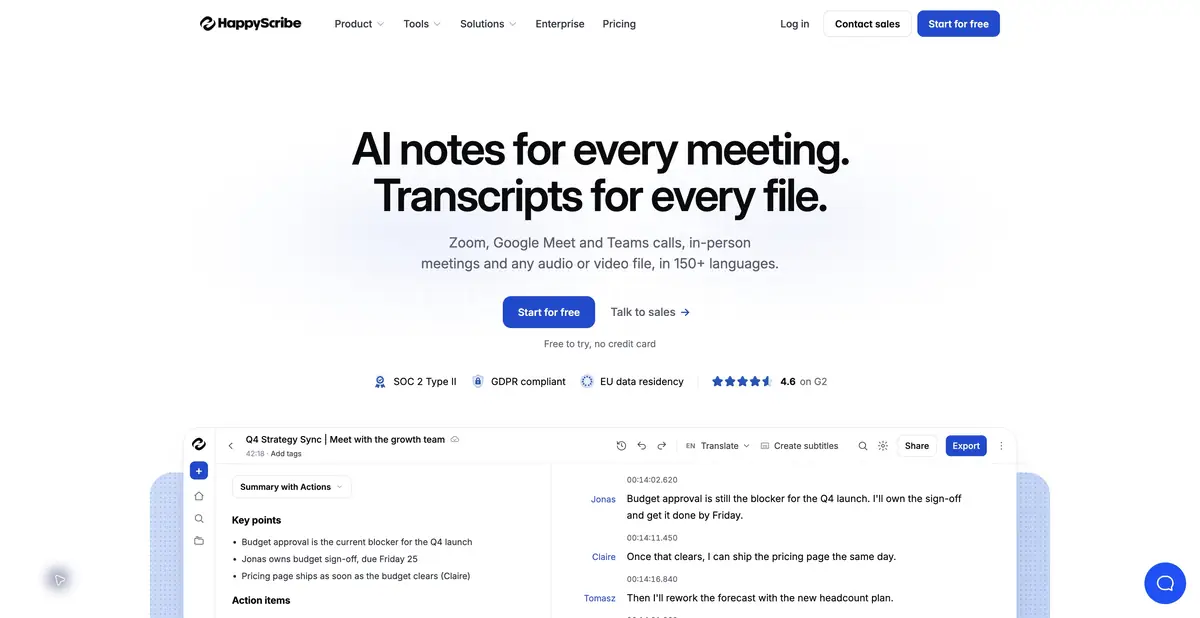
Happy Scribe accepts audio and video, recognizes speech and provides an environment for corrections. It is used for interviews, research conversations, educational videos and subtitles. The current product also includes meeting notes for supported platforms. This card focuses on the path from a recording to checked text or captions.
Automatic transcription and human services are distinct. Claims about professional proofreading do not apply to an AI draft. If the material is for publication, decide who will correct names, terms, unclear passages and punctuation: your team's editor or a separately commissioned professional.
Text and subtitles need different checks
A transcript must preserve meaning and identify speakers correctly. Subtitles also require timecodes, suitable line lengths and sufficient reading time. Happy Scribe offers multiple export formats, depending on the plan. An SRT file for a video editor and an MP4 with burned-in captions serve different purposes.
The service provides a REST API to create transcripts, retrieve exports, manage folders and receive processing-completion notifications. This is useful for recurring production but requires integration work. API availability does not remove account quotas or conditions.
Example: an educational video with two speakers
Upload the recording, specify the language and check the opening section. Correct participants' names and recurring terms, then inspect speaker changes. Before translation, clean up the source transcript: an unclear phrase rarely becomes more accurate through automatic translation.
For subtitles, shorten overloaded lines without losing meaning and watch the video at normal speed. Pay particular attention to numbers, negations and labels for demonstrated actions. Download a small sample in the required format before handing it to an editor, and check encoding, timecodes and line breaks.
What the free offer includes
Official plans distinguish the free trial allowance for uploaded files, meeting-recording conditions, monthly resources, history and team features. Free video exports may carry a watermark. Exact limits are not fixed here because different workflows within the product have different terms.
The main workspace requires registration. Separate free utilities on the website do not establish account-free access to the entire service. Fully local processing is not confirmed. Agree on uploads and access when handling others' interviews, and check proofreading costs and output formats before processing a large archive.
Suitable tasks
- Transcribe an interview
- Prepare and translate subtitles
- Commission human proofreading separately
- Automate uploads and exports through the API
Strengths
- Text and subtitle editor
- Multiple export formats
- Documented REST API
- Human proofreading is a separate service
Limitations
- Automatic transcription needs corrections
- Formats and watermarks depend on the plan
- File trial allowances differ from meeting recording
- Local processing is not confirmed
Selection and conditions
- Free access
- Yes
- Trial period
- Yes
- No sign-up required
- Not confirmed
- Russian interface
- Not confirmed
- Local installation
- Not confirmed
- API
- Yes
“Not confirmed” means there is not enough information. The feature may still be available; check the developer’s terms.
- Input formats
- Audio, Video
- Result
- Text, Subtitles, Video
Terms
A free plan includes a trial AI allowance for files and limits for other modes. Subscriptions and human services have separate payment rules. Web service with an account; API access is configured separately. Free supplementary tools have their own conditions.From task to first result
Practical example
- Task
- Transcribe an interview
- What to prepare
- A short recording of your own conversation, with participants’ consent to processing.
Task brief or prompt
Task brief: transcribe the recording in its original language. Preserve the meaning of what is said; mark unclear passages separately and check them against the audio. Verify names, numbers and titles manually.
Expected result
A draft transcript; speech recognition does not guarantee that every utterance is correct.
How to check the result
- Listen to passages containing numbers and names.
- Mark omissions and unclear passages; do not fill them in by guessing.
An editorial teaching example of a task brief, not the result of hands-on testing of the service. Check that the required mode is available, that you have rights to the source material and that the intended use of the result is permitted.
Check details
Official sources
This description is based on the developer’s material. Features, prices and availability may change; check the primary source before use.