

tl;dv turns conversations into a team-accessible meeting library with transcripts and notes. It helps find relevant context and transfer confirmed results to other tools.
Save team knowledge after a conversation
When everyone keeps separate notes, a decision's history quickly becomes scattered across personal files. tl;dv gathers supported meetings, transcripts and AI summaries into one workflow. Its main purpose is to help revisit conversations and find context, rather than simply save audio.
The official website describes working with popular meeting platforms, and the help also explains capture through a desktop app without a bot. Features are different: the mode without a bot should not automatically be considered a video recording with all the functions of a normal capture.
Notes and questions on several meetings
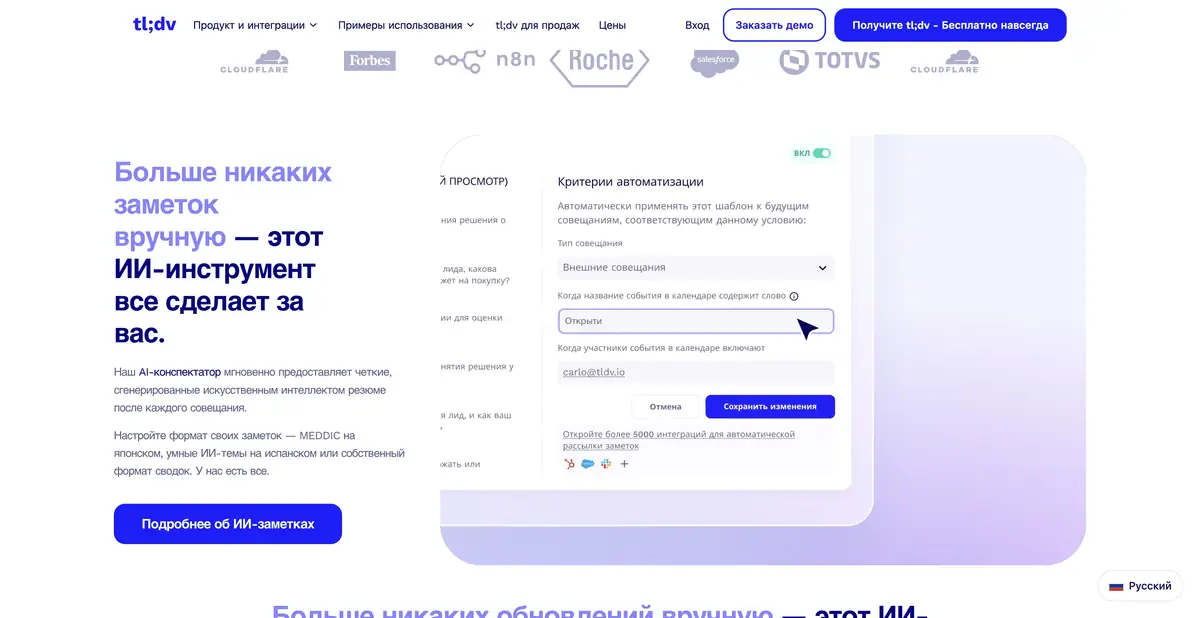
AI notes can highlight topics, decisions and next steps. Searching across meetings helps find passages related to the team's question. It is useful to define the summary structure in advance — for example, the client's problem, the proposed solution, objections and follow-up checks.
When the service summarizes several conversations, check the context of each example. Two clients can use the same word for different tasks. The frequency of mention is also not equal to the priority: an important rare remark should not disappear just because it is less common than others.
Example: gather feedback on a new feature
For product analysis, select several meetings with relevant users. Ask for specific difficulties and questions, retaining links to source passages. Separate the client's words from the team's own ideas for solving the problem.
After checking, make a short table: situation, quote or link to the relevant moment, impact on work and a question for clarification. Do not turn a generated item into a feature promised to a customer.
Integrations, API and access control
tl;dv supports connections to work tools, and its current English-language help describes API access and webhooks on suitable paid plans. You can programmatically retrieve meeting information, transcripts and notes, and build custom integrations. Specific permissions depend on the meeting organizer and subscription.
A recording's visibility in the app and permission to export it through the API are separate matters. For team deployment, check the meeting owner, report-sharing rules and integration access separately. Enable automatic CRM transfers after checking several typical recordings.
Terms of use and verification of results
Free access is available; advanced AI features, team settings and integrations depend on the plan. Official help may be updated faster than its translations, so resolve conflicting terms using current documentation and your account. Exact prices and quotas are not fixed here.
Notify participants of recording and processing the conversation under applicable rules. Transcripts can contain errors in names, numbers and overlapping speech. Check significant agreements against the original and share confidential information only with necessary recipients.
Suitable tasks
- Build a shared repository of work meetings and notes
- Find decisions and context across multiple conversations
- Analyze customer feedback alongside source excerpts
- Transmit confirmed results through integrations and API
Strengths
- Team organization of knowledge from meetings
- Customizable notes and context search
- Several ways to capture supported conversations
- Documented APIs, webhooks and integrations
Limitations
- Capture modes have a different set of capabilities
- Transcript errors require checking important details
- API permissions are separate from meeting visibility
- Advanced features depend on the plan and organizer
Selection and conditions
- Free access
- Yes
- Trial period
- Not confirmed
- No sign-up required
- Not confirmed
- Russian interface
- Not confirmed
- Local installation
- Not confirmed
- API
- Yes
“Not confirmed” means there is not enough information. The feature may still be available; check the developer’s terms.
- Input formats
- Audio, Video
- Result
- Text
Terms
Free access is available. Capture and AI capabilities vary; the API requires a suitable plan and meeting-organizer permissions.From task to first result
Practical example
- Task
- Build a shared repository of work meetings and notes
- What to prepare
- A recording of a work meeting made with participants’ consent, plus a list of correctly spelled names.
Task brief or prompt
Task brief: identify the meeting’s decisions, assigned people and unresolved questions. Do not assign responsibility to someone unless the participants explicitly agreed to it. Check every disputed point against the recording.
Expected result
Draft meeting minutes with decisions and questions; participants must confirm any assigned tasks.
How to check the result
- Check names, deadlines and agreements against the recording.
- Remove invented tasks and obtain consent to process the conversation.
An editorial teaching example of a task brief, not the result of hands-on testing of the service. Check that the required mode is available, that you have rights to the source material and that the intended use of the result is permitted.
Check details
Official sources
- Official tl;dv product
- Official help and recording methods
- API: current requirements and access rights
- tl;dv integrations
This description is based on the developer’s material. Features, prices and availability may change; check the primary source before use.


