

Read AI connects meeting recordings and summaries with context from connected work tools. It helps find decisions, reconstruct discussion history and prepare next steps based on sources.
Return to a decision with its context
Answering "When did we agree on that?" usually requires a sequence of meetings and correspondence, rather than one set of minutes. Read AI combines conversation summaries with data from connected tools. Search and Ask Read help find the right context while linking answers to work sources.
Start with access boundaries. A connected calendar, email account or CRM contains more information than one meeting. Before enabling an integration, understand what it reads, who can see results and how team members are informed about conversation processing.
What happens to the meeting
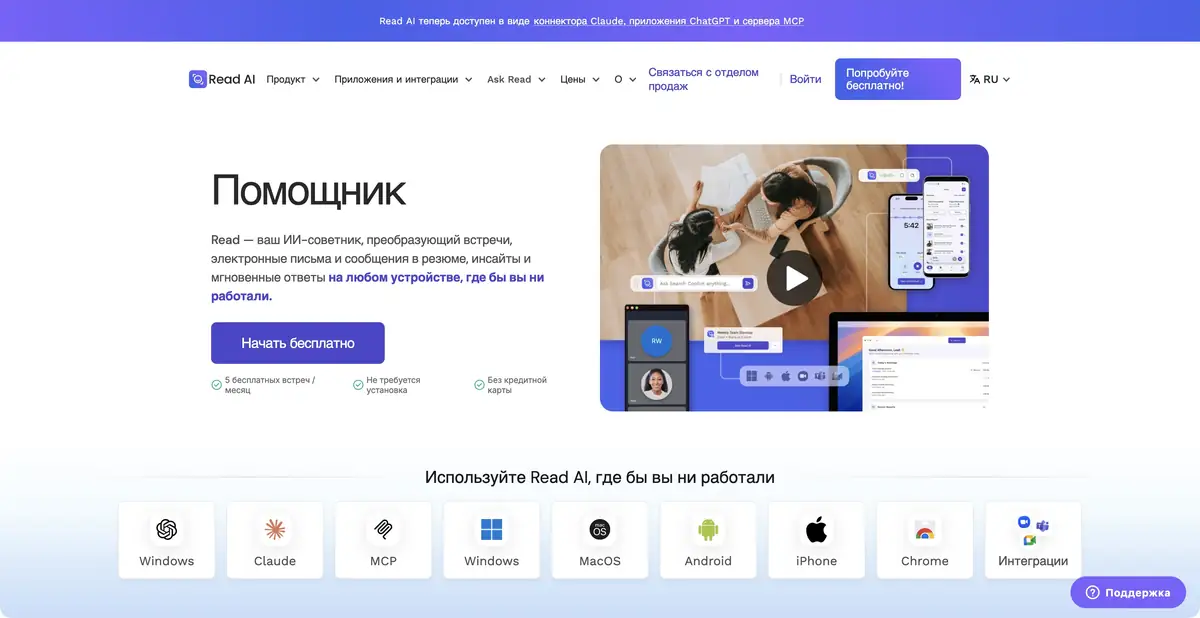
The platform creates transcripts, summaries, key questions and action items. Recording, playback and highlights are available in supported modes. Desktop and mobile applications are available, along with integrations with common video conferencing services.
Read AI also has conversation analytics, including engagement metrics and recommendations for speakers. Such assessments should not be taken as an objective characteristic of a person. For personnel or other significant decisions, clear criteria, correct context and verification of the initial data are needed.
Practical example: reconstruct a customer inquiry's history
Suppose a customer asks again about the timeline for a product change. Find previous discussions and frame the question: what was decided, who confirmed it and which conditions remain open? Open the cited source for each important detail.
Separate a promise to a client from an internal team proposal. If someone says "November would be nice," do not enter that in the CRM as an agreed delivery date.
Integrations and automation
Official help describes connections to work apps, webhooks, MCP and API. These transfer verified information to other systems or access context from compatible tools. Integrations and upload allowances depend on the plan.
When automating, it is useful to leave a confirmation step before creating an external commitment or changing important fields. A company name recognition error can look convincing and repeat in multiple places at once. Check not only the final summary, but also the rules for its automatic distribution.
Plans and careful work with data
A free tier limits the number of meetings processed; paid plans expand transcription, integrations, playback and management. Storage, recording access and enterprise-security terms vary. Check features for your own plan rather than assuming an overview page applies to every account.
Get the necessary consents and follow the rules of the organization. The quality of the result depends on the language, sound and how clearly the participants formulated the decision. Even a correct link does not eliminate the need to read the fragment and check whether it relates to the question.
Suitable tasks
- Find a decision and supporting passage from an earlier meeting
- Prepare verifiable conclusions and a list of open questions
- Link discussions to the context of connected work systems
- Transfer verified information through the API and integrations
Strengths
- Search across meetings and connected work context
- Transcripts, notes and highlights
- Official applications for different devices
- API, MCP and integrations are documented
Limitations
- The result depends on permissions of connected sources
- Automatic tasks and assessments require verification
- Recording and access to materials must be coordinated
- Playback and advanced integrations depend on the plan
Selection and conditions
- Free access
- Yes
- Trial period
- Not confirmed
- No sign-up required
- No
- Russian interface
- Not confirmed
- Local installation
- Not confirmed
- API
- Yes
“Not confirmed” means there is not enough information. The feature may still be available; check the developer’s terms.
- Input formats
- Audio, Video, Text
- Result
- Text
Terms
The free plan limits the number of meetings. Connected sources, recording, playback and integrations have separate permissions and terms.From task to first result
Practical example
- Task
- Find a decision and supporting passage from an earlier meeting
- What to prepare
- A recording of a work meeting made with participants’ consent, plus a list of correctly spelled names.
Task brief or prompt
Task brief: identify the meeting’s decisions, assigned people and unresolved questions. Do not assign responsibility to someone unless the participants explicitly agreed to it. Check every disputed point against the recording.
Expected result
Draft meeting minutes with decisions and questions; participants must confirm any assigned tasks.
How to check the result
- Check names, deadlines and agreements against the recording.
- Remove invented tasks and obtain consent to process the conversation.
An editorial teaching example of a task brief, not the result of hands-on testing of the service. Check that the required mode is available, that you have rights to the source material and that the intended use of the result is permitted.
Check details
Official sources
- Official Read AI product
- Plans and included features
- Official guide: applications, API and integrations
This description is based on the developer’s material. Features, prices and availability may change; check the primary source before use.


