

Shedevrum combines visual content generation and publishing within the application. The official help describes images, short videos, text and interaction with other users' work.
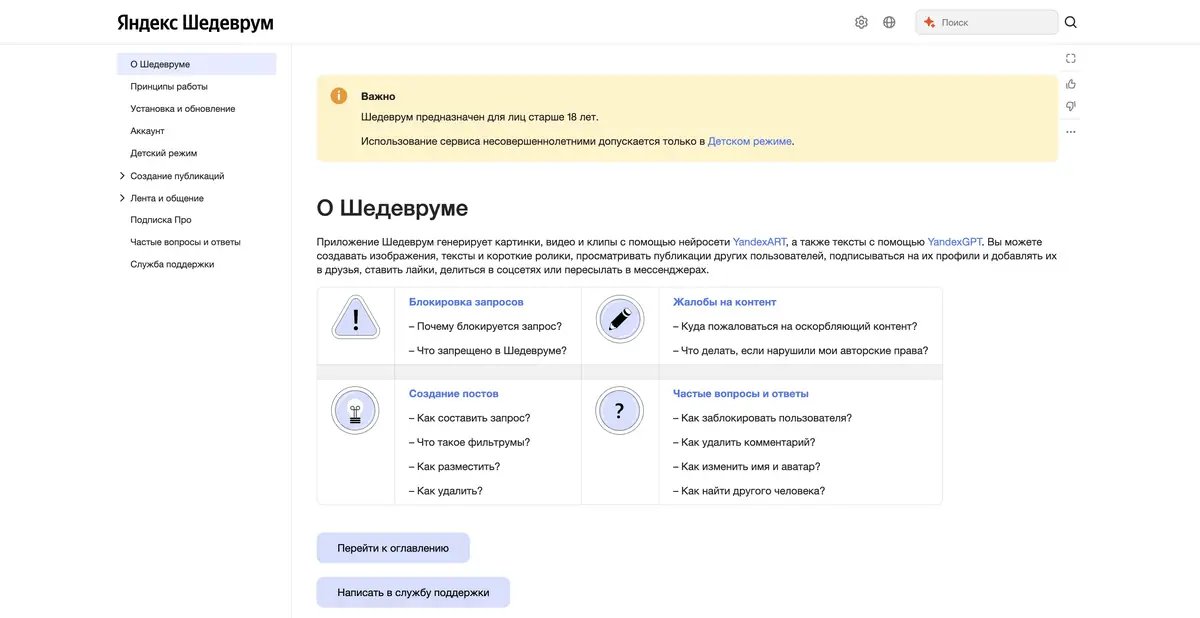
Create a picture and decide what to do with it
In Shedevrum, you can describe an image and move from an idea to several visual options. Unlike a purely technical model, it includes a user environment with posts and a feed. Decide in advance whether you are preparing a private draft or work you intend to show others.
For a clear prompt, specify the main subject, setting and lighting. Define the composition: a close-up object, a wide landscape or empty space for text. Assess results against the task first, rather than the number of attractive details.
Visual and text generation
Yandex identifies YandexART as the technology for images and videos, and YandexGPT for text tasks in Shedevrum. The application offers several ways to create posts. Check the current help for specific modes, duration and available parameters: capabilities change over time.
A short video is not the same as a controlled shoot that precisely repeats every movement. For a specific product or character, carefully check its appearance between shots. Proofread generated text before publication too: a model can make wording fluent but inaccurate.
Example: a series of visual ideas for a cafe
Suppose a cafe is exploring a mood for its seasonal menu. Start with one dish and a defined palette: an understated background, soft light and recognizable presentation. Compare composition and space for a caption. Do not present a generated dish as a photograph of a real order.
After selecting the images, transfer the approved text to a separate editor. This process helps to separate the artistic idea and the actual description of the product.
The feed is a separate part of the product
In Shedevrum, you can view other people's posts, follow profiles and interact with work. These features help find visual references, but someone else's result does not become a freely reusable source simply because it appears in the feed. Check rights before adapting it or using it commercially.
Before publishing, read the service rules and account settings. The official help specifies age restrictions and a separate child mode. Public posts should not be used to store confidential company materials or personal photographs without consent.
Access and restrictions
Use the official app and Yandex help. Basic features are limited; Pro expands access and offers a trial. Check models, privacy and output-use terms before paying. The user interface is separate from Yandex's generative-model API.
Compare the finished result with the original task: subjects, color, object count and the absence of unintended text. For practical work, one suitable variant with clear usage rights is more useful than a large selection of striking but unusable images.
Suitable tasks
- Find a visual idea from a text description
- Make a short creative video in an available mode
- Prepare a post with an image and text
- Explore creators' visual collections in the feed
Strengths
- Official application with Russian-language help
- Pictures, texts and short videos in the user environment
- Posts and a feed for creative work
Limitations
- The result requires verification of details and rights
- Modes and terms for advanced features vary
- There are age restrictions and publication rules
Selection and conditions
- Free access
- Yes
- Trial period
- Yes
- No sign-up required
- Not confirmed
- Russian interface
- Yes
- Local installation
- Not confirmed
- API
- Not confirmed
“Not confirmed” means there is not enough information. The feature may still be available; check the developer’s terms.
- Input formats
- Text, Image
- Result
- Image, Video, Text
Terms
Basic features are limited; Pro expands the available modes and offers a trial. Check available models, privacy, downloads and use of the result under the terms of the chosen mode.From task to first result
Practical example
- Task
- Find a visual idea from a text description
- What to prepare
- A short description of the intended illustration and the chosen aspect ratio.
Task brief or prompt
Editorial illustration: a small workshop, a notebook and a green desk lamp on a table, soft daylight, a simple composition and space on the left for a headline. No lettering, logos or watermarks.
Expected result
An illustration with a clear composition and space for text; this is a brief, not a published generated result.
How to check the result
- Check object geometry and any unintended lettering.
- Check the dimensions, license and commercial-use terms for the selected mode.
An editorial teaching example of a task brief, not the result of hands-on testing of the service. Check that the required mode is available, that you have rights to the source material and that the intended use of the result is permitted.
Check details
Official sources
This description is based on the developer’s material. Features, prices and availability may change; check the primary source before use.


