

ProxyAI brings access to third-party image and video models together in a single browser-based workspace. You can create an illustration, refine it and move on to animation, paying for individual operations from your balance.
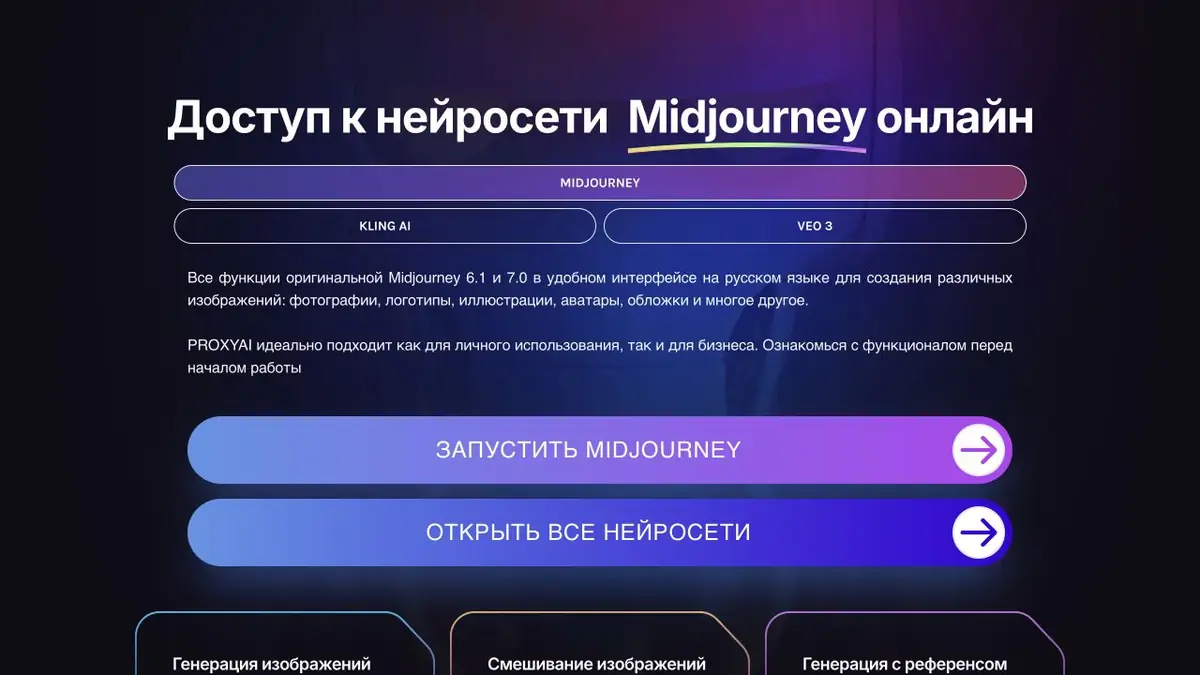
What tasks is ProxyAI suited to?
When a project needs both an image and a short video, it is awkward to keep learning a different interface and payment process. ProxyAI brings several visual AI tools together in a single workspace: you create a chat, choose a tool and work with a text prompt or an original image. The interface and instructions are available in Russian; there is no need to install a separate app.
The platform provides access to third-party models; it does not develop its own Midjourney, Kling or Veo. Assess it using the modes available in ProxyAI itself: a model appearing in the list does not mean every feature and term from its developer’s website is reproduced here.
Images: from prompt to refinement
The main section covers Midjourney, including text-based generation, image blending and references. A reference guides the visual direction, but exact products, faces or lettering still need checking. For an article cover or advertising concept, choose the composition first and refine details afterwards.
After generation, you can create variations, use Remix, increase the size with Upscale and extend the surroundings with Outpaint. For example, you can widen a narrow image to leave room for a heading. According to the instructions, these modifications work only on images generated within ProxyAI; they cannot be used to edit files uploaded from elsewhere. Apply Upscale after the other edits: an upscaled result cannot be modified again.
Videos and individual tools
The Kling AI pages describe video generation from text, animating a source image, using several visual elements and extending the result. The Veo section lists video generation with sound and image animation. For a short scene, define action, camera movement and sound separately, then check that they fit together after generation.
There are also Sora video and “Sora Images” image sections using text and references. The latter name belongs to ProxyAI’s interface; it does not indicate a separate model developed by the service. Video can be upscaled to 4K: that processes existing material, not a promise of native 4K generation.
- Midjourney in ProxyAI
Image generation and refinement, references and instructions.
- Kling AI in ProxyAI
Text-to-video, image animation and work with elements.
- Veo in ProxyAI
Short video scenes with synchronized sound.
- Sora in ProxyAI
A published section for text-to-video and image-to-video generation.
- Sora Images section
Images from a description, a reference and multiple input files.
How to organize a small project
Suppose you need an opening for a video about a ceramics workshop. Start a separate chat and describe the lighting, setting and object positions. Save a successful prompt, choose an image and fix the composition before upscaling. Send a suitable frame to animation mode and request one simple action, such as a slow camera move along the workbench.
Before publishing, check object shapes, lettering, motion and sound. For commercial material, use properly licensed sources and do not present a synthetic scene as documentary footage.
Balance, saving work and limitations
The service describes pay-per-generation use from a rechargeable balance without a mandatory subscription; cost depends on the operation and mode. It states that Russian bank cards are accepted. Help pages say there is no free trial and generation errors are not charged. Check the current cost in your workspace before starting; exact rates are not fixed here.
Favourites help you return to a successful prompt and result, but do not replace your own archive. The official instructions limit file retention, including favourites, to 20 days. Download the images and videos you need in advance, along with the task settings. Check the available models, modes and payment methods in your account.
Suitable tasks
- Illustrations and covers from a text description, with further refinement.
- Choosing a visual direction from references and blending images.
- Expanding the composition into a banner or cover with room for text.
- Animating a prepared image and creating short video scenes with sound.
Strengths
- Several visual models in a shared browser-based workspace.
- A Russian-language interface and step-by-step guides with examples.
- Separate modes for references, variations, outpainting and upscaling.
- A top-up balance for paying for selected operations without a mandatory subscription.
- Chats, favorites and downloads of completed outputs.
Limitations
- Access to third-party models depends on ProxyAI's available modes and terms.
- The official help documentation states that no free trial is available.
- Midjourney modifications are only available for generation within ProxyAI; external files cannot be edited in this way, and after Upscale, re-modifications are not available.
- Results, including favorites, are stored on the server for up to 20 days.
- Public API documentation has not been confirmed; the output needs review.
Check details
Official sources
- ProxyAI: Midjourney and platform capabilities
- ProxyAI basics: account, payment and saving work
- Editing Midjourney images in ProxyAI
- Kling AI in ProxyAI
- Veo in ProxyAI
- Sora in ProxyAI
- Sora Images in ProxyAI
This description is based on the developer’s material. Features, prices and availability may change; check the primary source before use.


