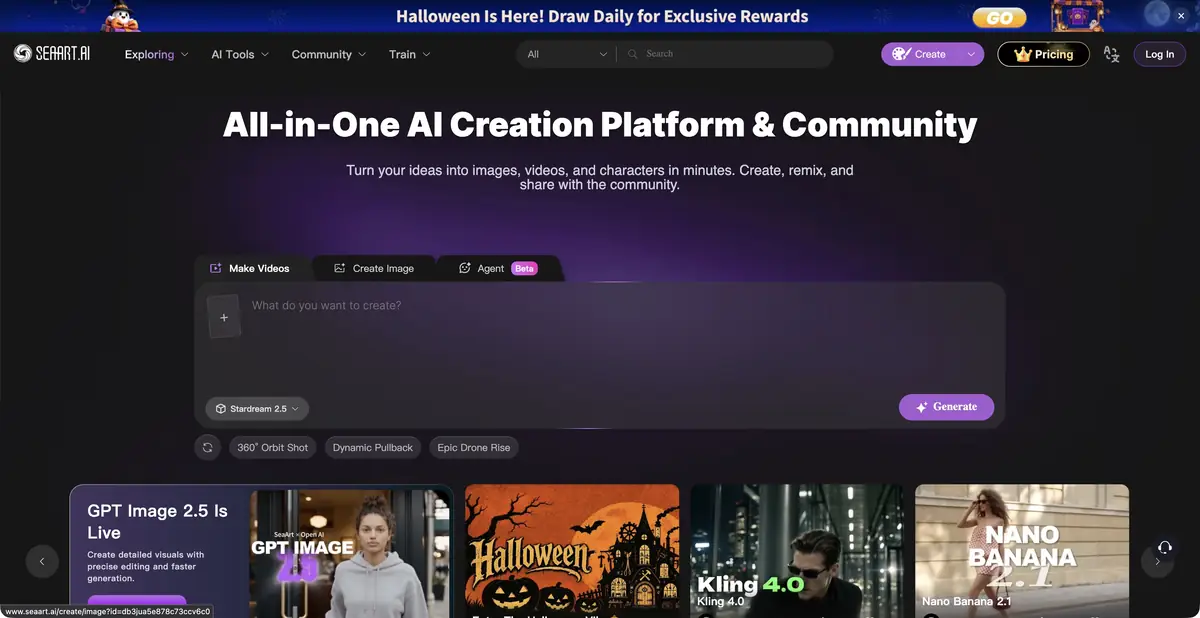
SeaArt AI combines image and video creation, editing tools, and a community gallery.
From idea to editable version
SeaArt provides an environment for images, short videos and character work. Its website lists generation from descriptions and references, upscaling, background removal and other actions. A community gallery shows users’ work and processing methods. These examples can make starting easier than facing an empty project.
Models and the editor have different roles. The official website lists systems from other developers; offering them in SeaArt does not make the platform the developer of those weights. Choose a specific tool and check its supported input before starting. Free-form generation and a small edit to a photo need different settings.
Example without too much complexity
For a learning example, prepare an illustration for a note about a home workshop. Describe a table, a few recognizable objects and the lighting direction, then choose the image format. Use your own sketch as a reference only in a mode that supports it. Check the composition before requesting high resolution.
After selecting a version, examine hands, small objects and text. Upscaling can make an image larger without making the added details accurate. A claim about preserving quality does not replace a content check: the result is still generated or processed material.
What to check in your account
The documentation and individual tool pages describe supported actions and workflows. One free tool does not make every model, mode and export free. Before a long series, check quotas, the cost of the action you need, accepted source materials and visibility settings. These terms can change independently.
Before publishing, consider rights to the input photos and restrictions of the selected model. Another user’s public example can be useful for learning, but it does not grant permission to use their result in advertising. For client projects, agree in advance on uploading materials and making them visible in the shared gallery.
Suitable tasks
- Create a visual concept from text and references
- Edit or upscale your own image
Strengths
- Tools for creating and editing in one environment
- Public examples and training materials
Limitations
- Conditions vary by model and mode
- Check visibility settings for your work
Selection and conditions
- Free access
- Yes
- Trial period
- Not confirmed
- No sign-up required
- Not confirmed
- Russian interface
- Not confirmed
- Local installation
- Not confirmed
- API
- Not confirmed
“Not confirmed” means there is not enough information. The feature may still be available; check the developer’s terms.
- Input formats
- Text, Image
- Result
- Image, Video
Terms
SeaArt has free individual tools. For generation and export, check the selected model, quotas, rights and publicity settings; access to the account and plan may vary.From task to first result
Practical example
- Task
- Create a visual concept from text and references
- What to prepare
- A short description of the intended illustration and the chosen aspect ratio.
Task brief or prompt
Editorial illustration: a small workshop, a notebook and a green desk lamp on a table, soft daylight, a simple composition and space on the left for a headline. No lettering, logos or watermarks.
Expected result
An illustration with a clear composition and space for text; this is a brief, not a published generated result.
How to check the result
- Check object geometry and any unintended lettering.
- Check the dimensions, license and commercial-use terms for the selected mode.
An editorial teaching example of a task brief, not the result of hands-on testing of the service. Check that the required mode is available, that you have rights to the source material and that the intended use of the result is permitted.
Check details
Official sources
This description is based on the developer’s material. Features, prices and availability may change; check the primary source before use.