

Today's Rytr combines writing tasks in Create with relationship work in Engage. The service helps prepare messages in context and keep track of agreements between conversations.
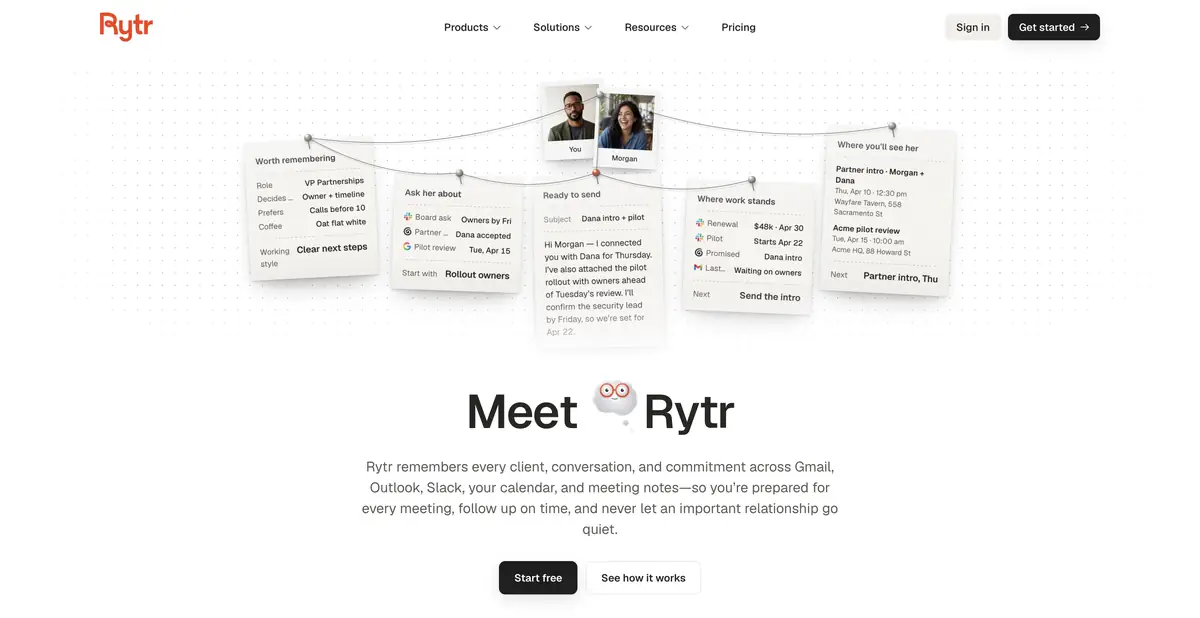
Not just a short text generator
Rytr started out as a familiar AI writing tool, but the current product is broader than that description. The official website highlights Create for text writing and Engage for relationships, meetings and follow-up. When choosing, it is useful to look at today's features rather than old reviews with a list of templates.
For writing, the service helps start a draft, improve wording and choose a tone. To avoid impersonal text, provide your own facts and explain the relationship with the recipient: a new client, an established partner or a colleague on the current project.
Context from connected sources
Engage describes contact memory, meeting preparation, agreement reminders and source-based answers. It uses supported connections for these features. Choose connected sources deliberately: access to email or a workspace involves organizational rules as well as convenience.
Check the relationship context
The connection between people and messages is not always obvious. Check that the system has matched the right person and the right conversation, especially with the same names. Summary is useful as a starting point, but does not replace opening the original message before an important promise.
Example: continue the conversation after the meeting
After discussing the order, you have three agreements: send a sample, clarify the material and return to the deadlines. Based on your own notes, prepare a short letter with these points. Ask not to set a date where it has not yet been agreed.
Before sending, compare the letter with notes and correct the status of each item. The phrase “we will consider” should not turn into “we have already decided”.
The user retains control
The official product emphasizes human verification and control of actions. Practically, this means that before using the prepared message, it is necessary to see it in its entirety and check the addressee, facts and obligations. The context of the relationship does not give the system the right to make decisions on your behalf.
For recurring work, define boundaries: which information may be used, where the source is stored and which actions remain manual. An incorrectly connected source or outdated information can also produce incorrect reminders.
What is included in the access
A free plan has limits, while paid tiers expand writing and source workflows. Character, connection and action limits follow separate rules. Do not apply an earlier pricing page's details to the current product.
API access and self-hosted local execution are not confirmed in this profile. Before connecting, check the current features, permissions and ability to delete imported data. Create may be enough for a small one-off edit; not every user needs connections to work sources.
Suitable tasks
- Prepare an email reflecting actual agreements
- Improve the wording and tone of your own text
- Gather context before a meeting
- Organize follow-up using connected sources
Strengths
- Writing and relationship use cases in one product
- A clear emphasis on human verification
- A free tier for exploring the features
Limitations
- Context and contact matching require checking
- Limits differ between types of actions
- Connecting work sources requires appropriate permissions
Selection and conditions
- Free access
- Yes
- Trial period
- Not confirmed
- No sign-up required
- Not confirmed
- Russian interface
- Not confirmed
- Local installation
- Not confirmed
- API
- Not confirmed
“Not confirmed” means there is not enough information. The feature may still be available; check the developer’s terms.
- Input formats
- Text
- Result
- Text
Terms
Free and paid plans have different limits for text, sources and actions. Before sending a message, check the recipient, context and agreements.From task to first result
Practical example
- Task
- Prepare an email reflecting actual agreements
- What to prepare
- Draft customer message: the order will be delayed by one day because of a quality check before shipment.
Task brief or prompt
Rewrite this customer message: “Shipment of your order will be delayed by one day due to a quality check.” Start with the main point, explain the reason and add a clear next step. Do not invent an order number, a date or promises of compensation.
Expected result
A short message that preserves the reason for the delay and the next step, without invented commitments.
How to check the result
- Check the facts against the draft.
- Remove unsupported promises and check the message’s tone.
An editorial teaching example of a task brief, not the result of hands-on testing of the service. Check that the required mode is available, that you have rights to the source material and that the intended use of the result is permitted.
Check details
Official sources
This description is based on the developer’s material. Features, prices and availability may change; check the primary source before use.


