Narakeet narrates text and creates videos from PowerPoint or Markdown.
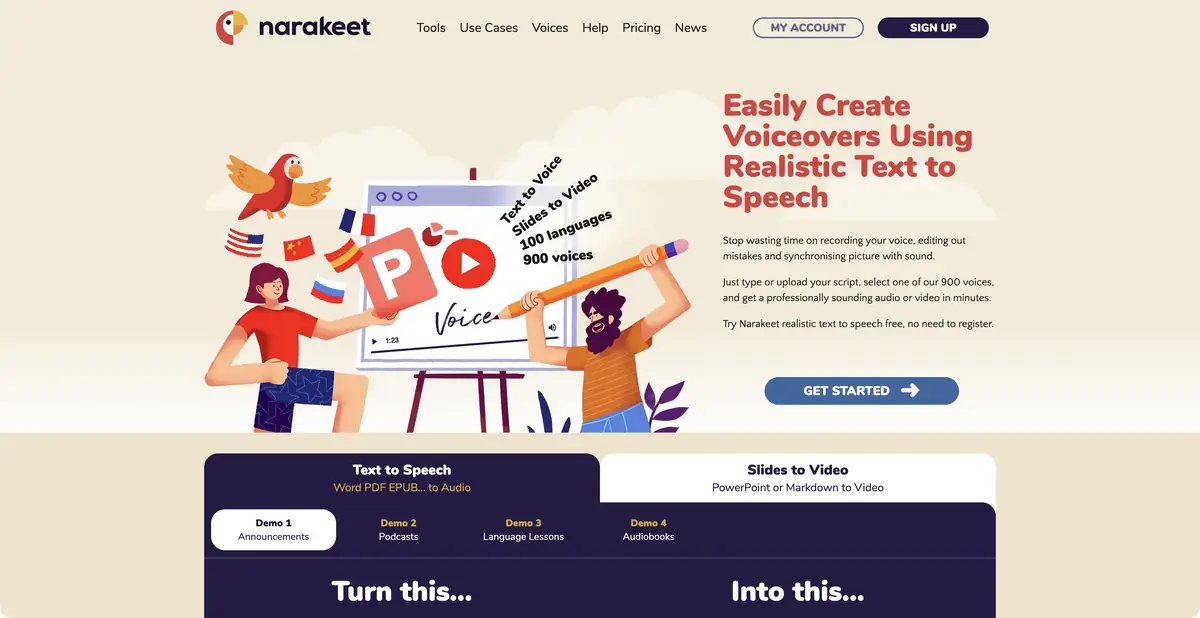
Text and presentations use different inputs
Narakeet can generate audio from text or turn a presentation and script into a narrated video. It supports PowerPoint and Markdown scripts; its documentation describes pauses, multiple voices and other assembly settings. This allows a consistent explanation where narration follows the right screen or slide.
The service does not replace the content author. An overcrowded slide, wrong formula or ambiguous explanation remains a problem after speech synthesis. Check the script and screen order before choosing voices. This makes it easier to see which passage needs rewriting and which only needs slower delivery.
A practice example with three actions
Prepare a short presentation about notification settings. Put one action on each slide and write a brief narration line. Generate a first version, then listen while viewing the slides. If a screen changes before its explanation ends, adjust duration or pauses in the script.
Check application names, numbers and abbreviations separately. Changing voices will not always fix pronunciation: you may need another spelling or the service’s speech controls. For a long series, keep source presentations and scripts so that correcting one step does not require rebuilding every slide.
Free trials and commercial capacity
Official terms distinguish free and commercial accounts. Free conversions have limits on number and material size and do not grant general commercial permission. The automation API requires commercial access. A test result therefore cannot automatically be reused in advertising or large scale processing.
Commercial capacity is bought with a one time payment and measured by the duration of material created or recognized. It is not a standard monthly subscription. Before buying, check how experiments are counted, voice availability, export requirements and source material terms. For an important video, review the complete exported file, including transitions, pauses and closing captions.
Suitable tasks
- Narrate your own texts and instructions
- Create videos from presentations
- Repeat audio creation through an API
Strengths
- Scenarios, PowerPoint and Voice Settings
- Documented automation and duration based usage accounting
Limitations
- Free conversions not for commercial use
- Timing and pronunciation require verification
Selection and conditions
- Free access
- Not confirmed
- Trial period
- Yes
- No sign-up required
- Not confirmed
- Russian interface
- Not confirmed
- Local installation
- Not confirmed
- API
- Yes
“Not confirmed” means there is not enough information. The feature may still be available; check the developer’s terms.
- Input formats
- Text, Document, Presentation
- Result
- Audio, Video, Text
Terms
Free conversions are limited and are not intended for commercial use. API and extended functions refer to commercial access; volume is bought separately.From task to first result
Practical example
- Task
- Narrate your own texts and instructions
- What to prepare
- Your own short instruction script and a voice you have permission to use for the intended purpose.
Task brief or prompt
Hello. We’ll now check the notification settings. First, open your profile. Then go to settings and find notifications. After changing the settings, save your changes.
Expected result
A draft narration to listen to; pace, voice and pauses are controlled by the settings available in the service.
How to check the result
- Listen to names and abbreviations separately.
- Check the pauses, volume and voice rights.
An editorial teaching example of a task brief, not the result of hands-on testing of the service. Check that the required mode is available, that you have rights to the source material and that the intended use of the result is permitted.
Check details
Official sources
This description is based on the developer’s material. Features, prices and availability may change; check the primary source before use.