

Kandinsky is a family of generative models for visual tasks. Code, weights and generation examples are published for the open image model line, including specific image-editing modes.
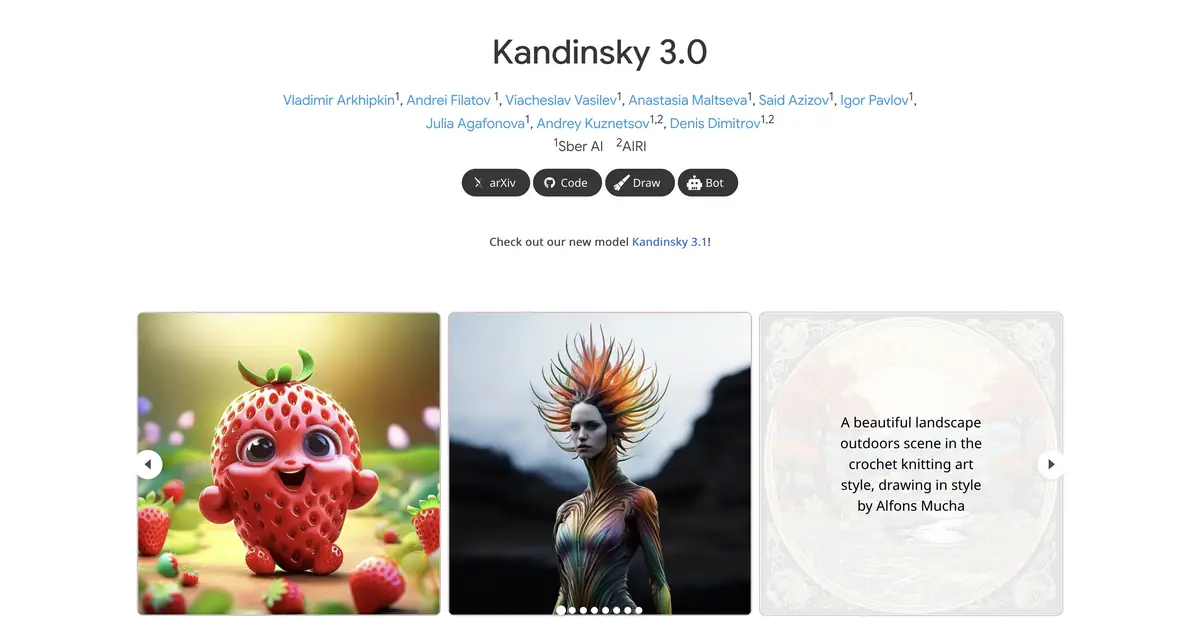
From description to visual draft
Kandinsky creates images from text descriptions. It helps to separate the subject, environment, lighting and composition in your prompt. A long list of random style terms rarely replaces a clear scene: first decide what the viewer should notice.
The family's official pages contain examples and source code. This lets you examine both the promotional results and how to run a specific model. Different generations and modes should not be treated as interchangeable: check model names, parameters and requirements before installation.
Editing requires a suitable mode
The open model line's documentation describes inpainting: changing a selected area using a mask and text prompt. This is a separate task from creating an image from scratch. Decide in advance which part of the original must remain unchanged.
For example, when replacing a product photo's background, keep the mask outside the object's outline. Check shadows, reflections and small details after generation. Even a successful overall result may alter labels or add an element absent from the original, misrepresenting the product's actual contents.
Example illustration for workshop
Imagine a cover for an article about ceramics: one clay vessel on a table, natural light from the right and empty space for the title. First generate several variants of one composition. Then change one parameter at a time: angle, surface color or distance to the object. This makes it easier to identify what caused the desired change.
Do not immediately ask for a long headline within an image. For a working layout, adding text in a regular editor after choosing the illustration is often easier.
Self-hosting and ready-made interfaces
The open repository includes Python instructions and examples using the weights. Local execution requires compatible hardware, an environment and storage space for the model; source availability does not imply fast generation on every laptop. Check the chosen configuration's requirements before downloading.
The project also points to FusionBrain as a consumer-facing way to generate content. Check the web platform's terms, registration and programmatic access separately. An open model does not confirm the current availability of every external interface or plan.
Checking the result and rights
Look at the geometry of objects, repetitive details and random inscriptions. For a series of illustrations, separately assess whether the palette and the general nature of the image are preserved. A similar request formulation does not guarantee the same object in multiple scenes.
Open releases have licenses, and source materials have their own rights. Check the conditions of specific weights and do not transfer the license of one repository to the whole family without reading the documentation. Generative image remains the material for selection and editing.
Suitable tasks
- Create an illustration from a text description
- Refine an image area with a mask in a supported mode
- Learn the open generative pipeline
- Integrate the selected model into your own processing workflow
Strengths
- Published code and weights of image models
- Selected examples of text generation and inpainting
- Control over self-hosted execution
Limitations
- Computing resources and environment setup are required
- Lettering, geometry and precise details may be distorted
- Features and licenses differ between releases
Selection and conditions
- Free access
- Yes
- Trial period
- Not confirmed
- No sign-up required
- Not confirmed
- Russian interface
- Not confirmed
- Local installation
- Yes
- API
- Not confirmed
“Not confirmed” means there is not enough information. The feature may still be available; check the developer’s terms.
- Input formats
- Text, Image
- Result
- Image
Terms
The open image model can run on your own hardware under the release's license. Check registration, quotas and web-platform API access separately.From task to first result
Practical example
- Task
- Create an illustration from a text description
- What to prepare
- A short description of the intended illustration and the chosen aspect ratio.
Task brief or prompt
Editorial illustration: a small workshop, a notebook and a green desk lamp on a table, soft daylight, a simple composition and space on the left for a headline. No lettering, logos or watermarks.
Expected result
An illustration with a clear composition and space for text; this is a brief, not a published generated result.
How to check the result
- Check object geometry and any unintended lettering.
- Check the dimensions, license and commercial-use terms for the selected mode.
An editorial teaching example of a task brief, not the result of hands-on testing of the service. Check that the required mode is available, that you have rights to the source material and that the intended use of the result is permitted.
Check details
Official sources
This description is based on the developer’s material. Features, prices and availability may change; check the primary source before use.


