

Granola combines personal notes with conversation transcripts and helps turn them into a clear summary. The main scenario is to keep the meaning of the meeting without inviting a separate bot to the call.
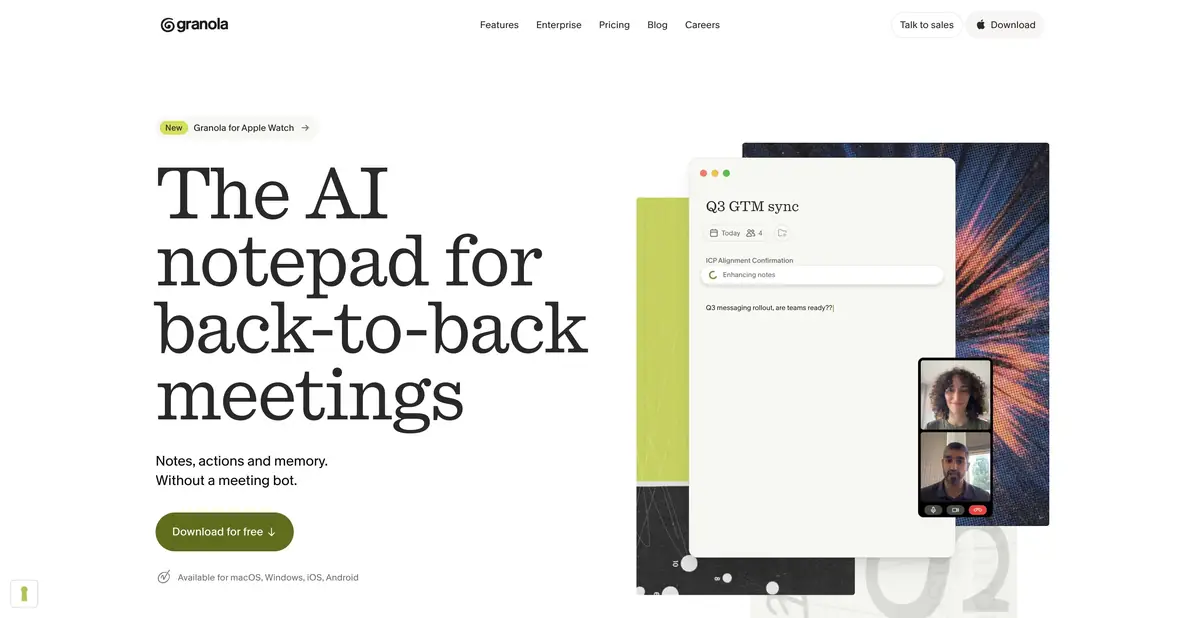
Add your own notes first, then get a coherent summary
A few words jotted down during a conversation may later be unclear even to their author. Granola combines users' short notes with meeting content and helps format the result. It is an AI notepad with conversational context, not just a field for an automatic summary.
The application uses the device's audio and does not require inviting a separate bot to a supported call. This capture method is convenient, but does not by itself make recording invisible or exempt from rules: participants must still be notified and the necessary consent obtained.
Templates, questions and shared folders
Organize summaries using note templates, then ask questions about one or several meetings. Shared folders help distribute relevant material to colleagues. Apps are available on several desktop and mobile platforms; check the modes and features of the exact version before deployment.
Decide in advance which sections the notes actually need: decisions, disputed issues, actions or customer wording. Mixing them into one long recap will bury the important next step again. Review personal notes after processing so a casual draft does not become a confident assertion.
Example: a short meeting between the manager and the employee
During the conversation, note only topics to revisit: a task blocker, a request for help and an agreement on the next check-in. Afterwards, ask for notes organized under these headings. Check that a manager's assumption has not been recorded as the employee's position.
The sensitive personal part of the conversation should not be automatically transferred to a shared folder. Share only the necessary fragment and check the rights of the recipients.
Integrate into work tools
Paid features include advanced integrations, API and MCP described on the official plans page. They help to continue working with the context of meetings in other applications. Storage rules, folder visibility, and administrative restrictions are all important to the team.
Before enabling automatic data transfer, check a short, typical meeting summary. Ensure the target system receives no unnecessary remarks, incorrect names or unapproved tasks. Having an API enables integration; it does not provide a ready-made secure configuration for every organization.
What is included in the access and what remains to check
There is a free Basic with limited history and paid plans with expansion of storage, integrations and management. The exact limits depend on the current offer. The application installed on the computer does not mean that all AI analysis is performed locally: the processing mode and data conditions must be read separately.
Speech recognition and summaries can contain errors, especially with overlapping speech and specialist terminology. Check important decisions against the available source context and confirm them with participants. Good notes help recall a conversation but do not create new agreements retroactively.
Suitable tasks
- Make personal notes after a working meeting
- Collect decisions and questions using a specified template
- Find context in multiple conversations
- Share relevant notes in a team folder
Strengths
- User notes are supplemented by the context of the meeting
- Capture without a separate bot in a supported call
- Templates and questions about meetings
- Official integrations, API and MCP on eligible plans
Limitations
- Consent and correct permissions for audio are required
- Access to history and management depends on the plan
- Personal notes and automatic conclusions should be distinguished
- Installing an application does not prove completely local processing
Selection and conditions
- Free access
- Yes
- Trial period
- Not confirmed
- No sign-up required
- Not confirmed
- Russian interface
- Not confirmed
- Local installation
- Not confirmed
- API
- Yes
“Not confirmed” means there is not enough information. The feature may still be available; check the developer’s terms.
- Input formats
- Audio
- Result
- Text
Terms
Basic limits history; paid plans expand integrations, API access and management features. Capturing audio on a device does not mean that AI analysis runs entirely locally.From task to first result
Practical example
- Task
- Make personal notes after a working meeting
- What to prepare
- A recording of a work meeting made with participants’ consent, plus a list of correctly spelled names.
Task brief or prompt
Task brief: identify the meeting’s decisions, assigned people and unresolved questions. Do not assign responsibility to someone unless the participants explicitly agreed to it. Check every disputed point against the recording.
Expected result
Draft meeting minutes with decisions and questions; participants must confirm any assigned tasks.
How to check the result
- Check names, deadlines and agreements against the recording.
- Remove invented tasks and obtain consent to process the conversation.
An editorial teaching example of a task brief, not the result of hands-on testing of the service. Check that the required mode is available, that you have rights to the source material and that the intended use of the result is permitted.
Check details
Official sources
This description is based on the developer’s material. Features, prices and availability may change; check the primary source before use.


