

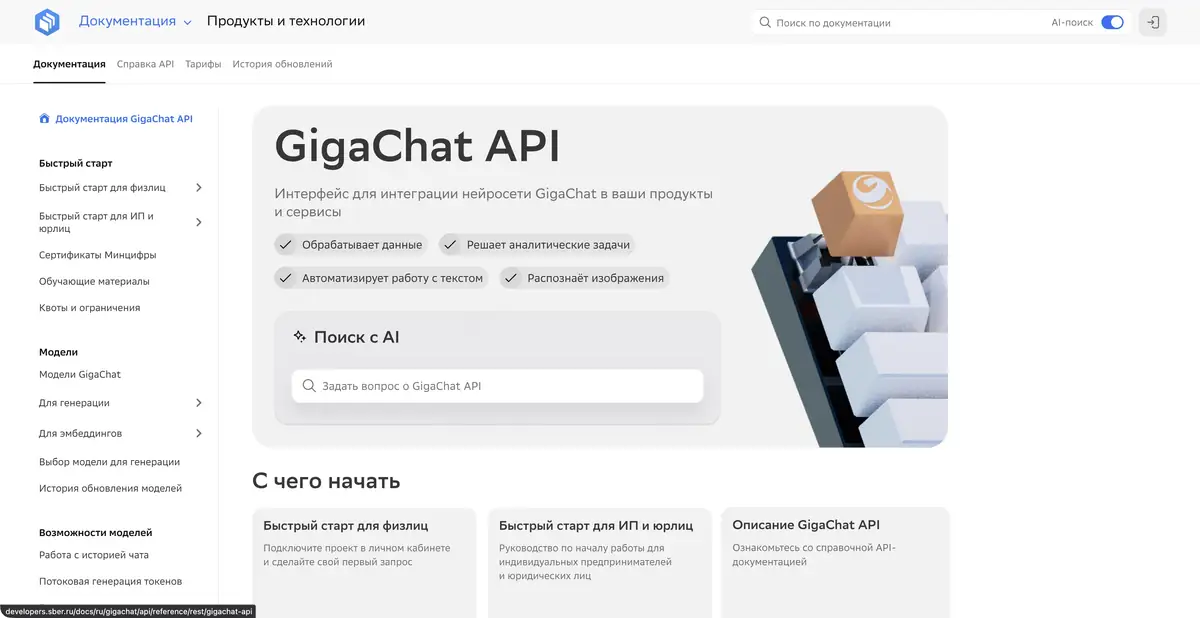
GigaChat helps discuss tasks in Russian, prepare drafts and analyze supplied materials. Separate programmatic access is available for integrating models into your own app.
Work with content rather than an empty prompt
GigaChat works well with source material: meeting notes, a product description or an instruction excerpt. The assistant can suggest structure, shorten text or explain a difficult passage. Its value depends on the information you provide and what you plan to check. A convincing answer does not make an unsupported fact reliable.
For example, instead of asking for sales copy, provide specifications and prohibit new promises. Get a brief description first, then ask separately for questions about the source. This makes it easier to see where AI restated data and where it tried to fill gaps.
Files, images and technical tasks
Official documentation covers files, image recognition, image generation and structured responses. Capabilities vary by model and access method. API support for a feature does not mean every file of that type is accepted in every user interface.
A small reproducible example of an error is more useful for the code than the entire project at once. Ask to explain the behavior, offer minimal edits and list checks. Secrets, client data and internal documents should not be sent without permission.
Example: analyze customer questions
A workshop can provide anonymized delivery questions and ask for grouping by timelines, packaging, returns and non-standard orders. Each group can then become a draft response. Supply the store's actual terms and ask for anything absent from them to be flagged.
Check the resulting groups against the original messages: different reasons for contacting you should not be merged. In prepared answers, separately verify deadlines, exceptions and return terms. Do not let the AI independently approve commitments to a customer.
Chat and API solve different tasks
The consumer chat is designed for conversation, while GigaChat API integrates generation into your own workflows. The API describes functions, streaming output, quotas and usage tracking. An integration needs error handling and response checking before passing output to the user.
Pricing documentation specifically notes a billing-platform change for new API clients. Check terms for existing accounts and new connections against current official instructions. Free consumer chat does not automatically imply free production integration.
How to evaluate the response
When summarizing a document, keep the original nearby. Check surnames, numbers, dates and negations: they can easily change the meaning of a short summary. For reference answers, open any cited sources and do not treat an invented link as evidence.
GigaChat is useful as an assistant in the preparation of material. The final decision on the accuracy, admissibility of publication and data transmission remains with the person. Check the available modes and restrictions for your account and the chosen platform.
Suitable tasks
- Prepare and edit Russian text from your own facts
- Analyze a document or image with manual checking
- Explain a small piece of code
- Integrate the generation into the application through the official API
Strengths
- A Russian-language user environment
- Text and visual tasks in one ecosystem
- Detailed programmatic access documentation
Limitations
- The answer may contain an error or an unconfirmed addition
- Modes and quotas depend on the model and method of access
- Terms of chat and API are different
Selection and conditions
- Free access
- Yes
- Trial period
- Not confirmed
- No sign-up required
- Not confirmed
- Russian interface
- Yes
- Local installation
- Not confirmed
- API
- Yes
“Not confirmed” means there is not enough information. The feature may still be available; check the developer’s terms.
- Input formats
- Text, Document, Image, Code
- Result
- Text, Image, Code
Terms
The chat offers free access; API features and quotas depend on the model, account console and access terms. API access is separate from a chat subscription.From task to first result
Practical example
- Task
- Prepare and edit Russian text from your own facts
- What to prepare
- Draft customer message: the order will be delayed by one day because of a quality check before shipment.
Task brief or prompt
Rewrite this customer message: “Shipment of your order will be delayed by one day due to a quality check.” Start with the main point, explain the reason and add a clear next step. Do not invent an order number, a date or promises of compensation.
Expected result
A short message that preserves the reason for the delay and the next step, without invented commitments.
How to check the result
- Check the facts against the draft.
- Remove unsupported promises and check the message’s tone.
An editorial teaching example of a task brief, not the result of hands-on testing of the service. Check that the required mode is available, that you have rights to the source material and that the intended use of the result is permitted.
Check details
Official sources
This description is based on the developer’s material. Features, prices and availability may change; check the primary source before use.


