Fotor combines photo processing, graphic templates and AI tools. The value of the product is related to the editor and layout preparation; part of the generation uses third-party models.
When you need a complete layout
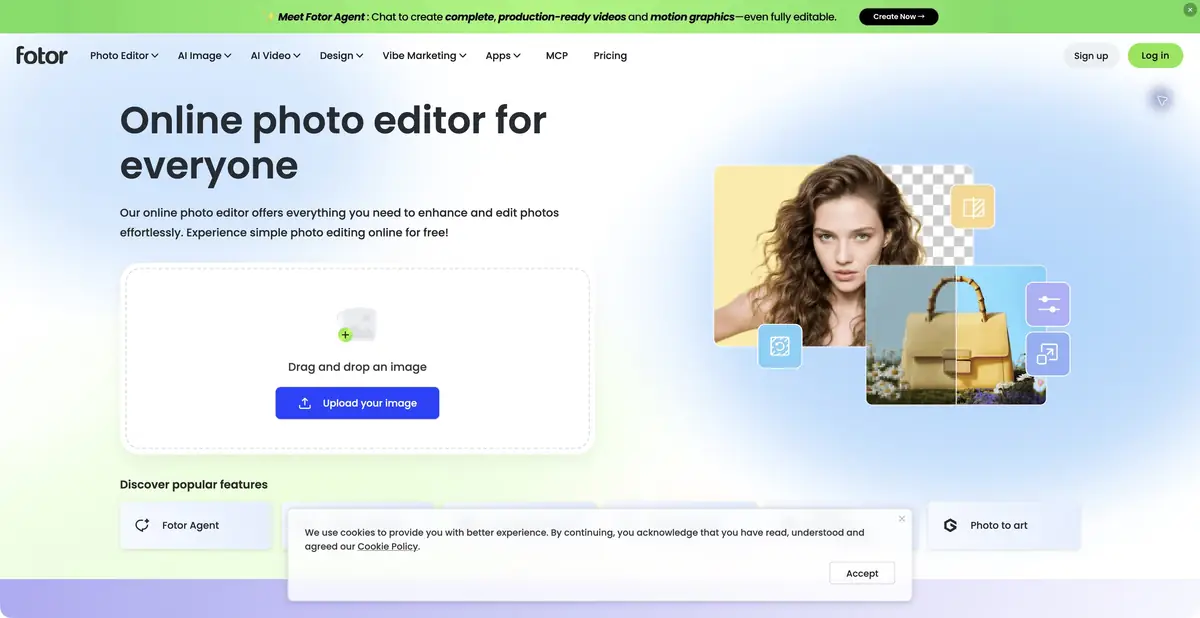
A small event card usually requires several different actions: correct the photo, remove the excess, place the inscription and withstand the publication format. Fotor collects photo processing, graphics templates and AI tools in one environment. The service is convenient for such a sequence, when the result should go beyond the individual generated image and become a suitable layout.
The platform has the usual means of framing, correction and composition. AI actions complement this editor: help to improve the image, change the background, delete an object or expand a frame. Not every operation takes text. Part of the tasks is started by uploading a photo and selecting parameters, so the process description needs to be read for a specific tool.
What changes the instructions for the image
The AI photo editor accepts written instructions for changes. For controlled results, specify the area, the action and the details that must stay unchanged. For example, change the surface color around a product while preserving its shape and lettering. Asking to change lighting, angle, background and clothing all at once makes it harder to determine which change caused an error.
The list of generative models includes third-party families. This does not make Fotor the author of every neural network used. The card refers to Everimaging's own editor and its workflow. The model name on the menu does not guarantee the same conditions, limits and availability in all countries and plans.
Example: a workshop poster
Prepare your photo of the ceramic product, the exact name of the lesson and the agreed date with the place. First, remove the distracting background and check the handles, holes and thin edges. Then create a layout of the desired proportions, place a photo and add text with the usual means of the editor. It is better to enter critical information in editable text fields.
Watch the poster in small size. Is the date being read, has the title merged with the subject matter, or did random details appear after the AI edit? Compare the color of the glaze with the source and make sure that the advertising frame does not promise another product. For multiple formats, check the row and field transfers at the edges separately.
Free access and resource consumption
On the tariff page there are Basic and paid plans. Free basic editor does not equal unlimited access to all models and exports of any quality. AI operations are accounted for by credits; plan capabilities and the cost of the selected action need to be reconciled before the series is launched. Do not rely on the word free in the title of the tool page.
For customer materials, check the conditions for downloading and using the sources. Removing the background and object can change the edges of the image, and the generative extension adds fictional details. Save the original and editable project to later correct the content, size or required caption without re-generating the entire composition.
Suitable tasks
- Collect a poster from your photo
- Edit image with individual AI actions
- Prepare several formats of the graphic layout
Strengths
- Photo editor and design templates
- A set of specialized AI-operations
- Basic free plan
Limitations
- AI operations have credit constraints
- Third-party models have their own conditions
- Generative changes require reconciliation with the original
Selection and conditions
- Free access
- Yes
- Trial period
- Not confirmed
- No sign-up required
- Not confirmed
- Russian interface
- Not confirmed
- Local installation
- Not confirmed
- API
- Not confirmed
“Not confirmed” means there is not enough information. The feature may still be available; check the developer’s terms.
- Input formats
- Image, Text
- Result
- Image
Terms
Basic is free, AI credits are limited. Generation can use external models; it is a stand-alone editor, not a property claim of all weights. Local processing and common API are not confirmed.From task to first result
Practical example
- Task
- Collect a poster from your photo
- What to prepare
- Your own photo of an object with a clear outline, which you have the right to edit.
Task brief or prompt
Replace the background with a light studio surface. Preserve the product’s shape, color, label and proportions; add a soft, natural shadow. Do not invent accessories or alter the product itself.
Expected result
A product photo with a new background, ready to be compared with the original.
How to check the result
- Compare the product’s outline and labeling with the original image.
- Zoom in to check reflections, the shadow and mask edges.
An editorial teaching example of a task brief, not the result of hands-on testing of the service. Check that the required mode is available, that you have rights to the source material and that the intended use of the result is permitted.
Check details
Official sources
This description is based on the developer’s material. Features, prices and availability may change; check the primary source before use.