Claid helps to prepare images for e-commerce: improve the source images, separate the product, align the composition and create an environment. Web studio and API serve different ways of working.
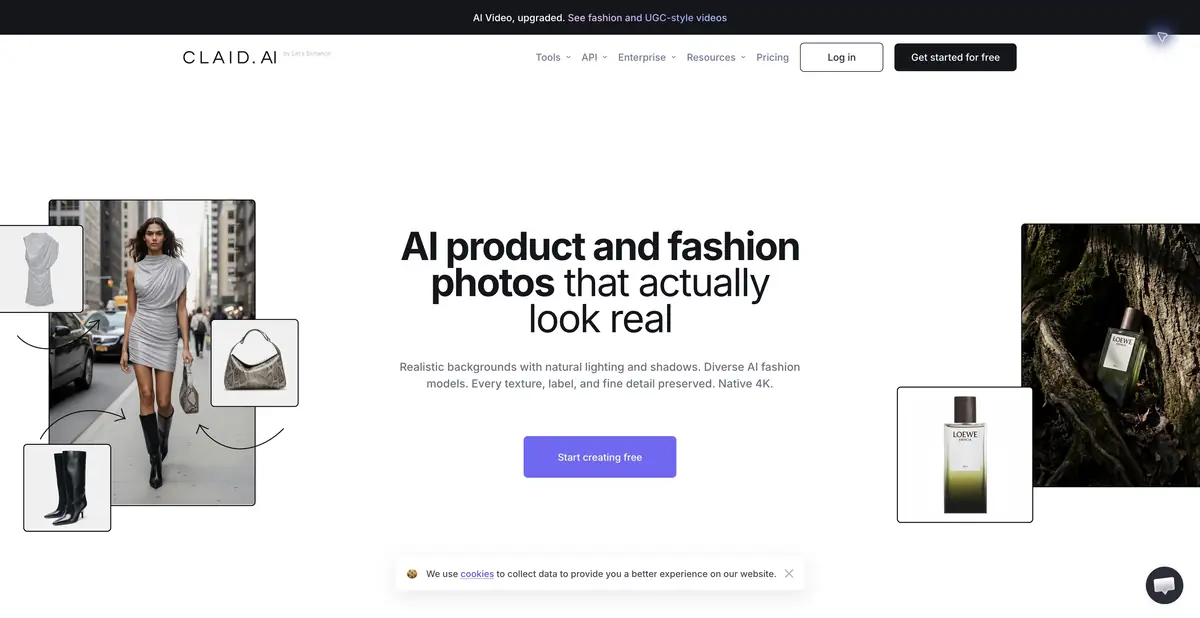
The catalog has repetitive requirements
Goods are often shot at different times, on different surfaces and with different sizes in the frame. Claid offers tools for processing and generating object images, as well as software automation. It is useful to evaluate through the requirements of the catalog: fields, product position, background, quality and final dimensions. A beautiful individual example does not prove the suitability of the process for the entire collection.
The platform has background removal, resolution enhancement, environment generation, and lighting work. These operations change the image in different ways. Technical normalization of the file and creation of a new scene require different acceptance criteria, especially if the photo must accurately show the item being sold.
Studio and Declarative API
A web studio is provided for manual preparation. API documentation describes a combination of operations: image enhancement, object separation, size adjustment, positioning, and color correction. This description allows you to fix a single processing rule and apply it from your own system without repeating each step manually.
Before integration, check how the files are transferred, where the result is stored and what happens when the source is incorrect. Different actions consume different amounts of resources. The web plan and API have their own conditions: the availability of trial credits for one interface does not mean constant access to all automation.
Example: three bottles of the same series
Prepare your own photos of three bottles with different labels. First, set the same canvas, fields and scale of the object, then check the cut. For the background option, choose a calm stone surface with soft light. Compare the shape of the bottle, the color of the liquid and the marking with the originals after each operation.
Check the cover, fine text and transparent areas of glass. The generic background is able to change the glare or edge of the label, even if the overall silhouette looks convincing. Collect a regular catalog version and an advertising composition next to it: this will help to adopt separate rules for each application. Do not run a large package until the errors on complex sources have been sorted out.
Credits and image accuracy checks
Claid offers trial access, subscription and enterprise options. The current table shows the different costs for background removal, improvement, subject scene and other operations. The number of finished images cannot be considered equal to the number of credits: repeated attempts and selected quality change the consumption. Check the exact limits before starting the project.
The service is associated with the Let's Enhance team, but solves a separate problem of object catalogs and automation. For client materials, agree in advance on the permissibility of generative changes, source rights and place of processing. Checking the color, shape, configuration and mandatory inscriptions should remain part of the release of each image, even if the entire technical chain is automated.
Suitable tasks
- Normalize product images under the catalog
- Create a subject environment from the original photo
- Automate image processing via API
Strengths
- Subject operations and common parameters of the series
- Web Studio and Documented API
- Combined processing rules
Limitations
- Labels and form of goods require reconciliation
- Resources are spent by type of operation
- Web and API have separate conditions
Selection and conditions
- Free access
- Not confirmed
- Trial period
- Yes
- No sign-up required
- Not confirmed
- Russian interface
- Not confirmed
- Local installation
- Not confirmed
- API
- Yes
“Not confirmed” means there is not enough information. The feature may still be available; check the developer’s terms.
- Input formats
- Image, Text
- Result
- Image
Terms
Trial credits are limited; web subscriptions and API are checked separately. Generative subject scene requires reconciliation with the product. Local installation of models is not confirmed.From task to first result
Practical example
- Task
- Normalize product images under the catalog
- What to prepare
- Your own photo of an object with a clear outline, which you have the right to edit.
Task brief or prompt
Replace the background with a light studio surface. Preserve the product’s shape, color, label and proportions; add a soft, natural shadow. Do not invent accessories or alter the product itself.
Expected result
A product photo with a new background, ready to be compared with the original.
How to check the result
- Compare the product’s outline and labeling with the original image.
- Zoom in to check reflections, the shadow and mask edges.
An editorial teaching example of a task brief, not the result of hands-on testing of the service. Check that the required mode is available, that you have rights to the source material and that the intended use of the result is permitted.
Check details
Official sources
- The Official Subject Studio
- Image Processing API
- Trial access, credits and web/API plans
- Communication with the developer and the difference from LetsEnhance
This description is based on the developer’s material. Features, prices and availability may change; check the primary source before use.