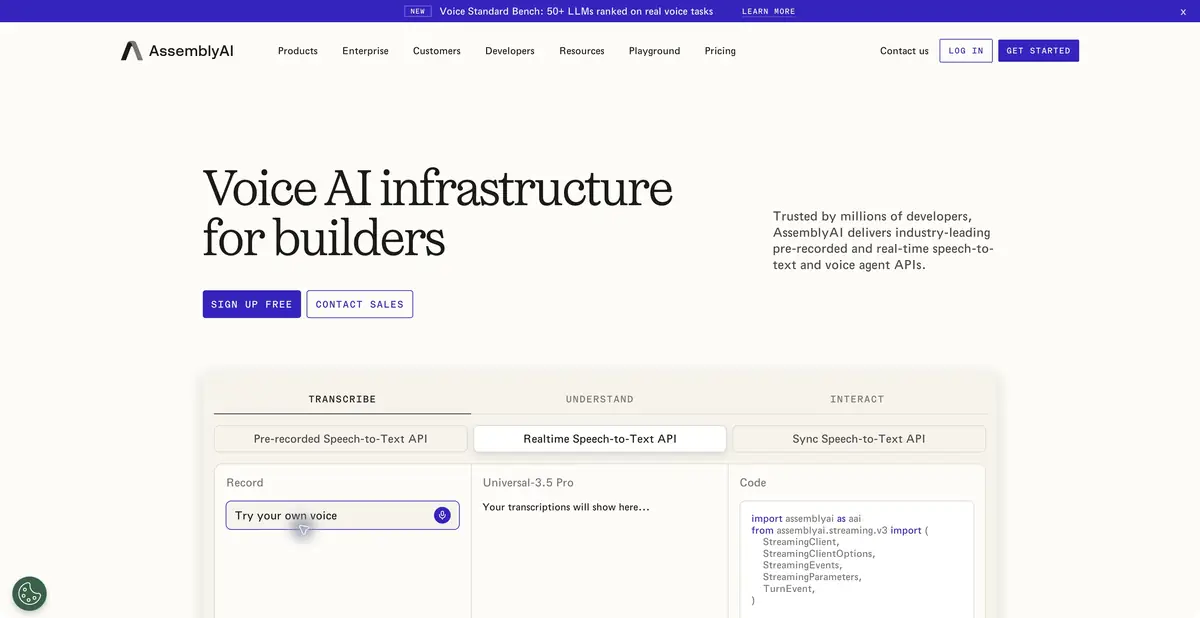
AssemblyAI provides infrastructure for products that need speech-to-text and subsequent conversation processing. Recorded audio, streaming recognition, and additional operations have separate interfaces and terms.
First obtain a verifiable transcript
AssemblyAI lets you integrate speech recognition into your application instead of manually moving files between editors. It offers recorded and live audio processing, timestamps, speaker diarization, and ways to refine terminology. Its own Speech Understanding interfaces and other operations support further analysis. Feature availability depends on the model and mode, so read the feature list alongside the relevant guide.
A user-facing note-taking service and speech recognition infrastructure solve different problems. An AssemblyAI API key does not automatically connect it to all your meetings. Recording capture, participant permissions, a viewing interface, and result storage remain parts of the app you build.
Analyze a conversation while retaining its source
Consider an authorized recording of a layout discussion. For the exercise, obtain a transcript with timestamps and participant labels. Before analysis, check phrases containing numbers, surnames, and screen names. For multilingual recordings, choose a suitable model in advance rather than relying on an advertised total language count.
Then extract a list of discussed changes. Link each item to the original recording segment and a status: proposed, agreed, or unresolved. “Let’s try removing the button” must not become an approved task. If meaning depends on a joke or another participant’s remark, open a longer excerpt. This process helps regardless of where semantic analysis happens later.
Files, stream and error handling
The documentation describes separate workflows for recorded files and streaming speech. For files, the app submits material and receives a job result; live input requires handling interim and final utterances. These responses should not be indiscriminately combined in a final document.
Retain links between request IDs, source files, and results. If a job is interrupted, resubmitting must not create two independent notes for the same conversation. For editable transcripts, store the initial machine text separately from the human-reviewed version. Keep the API key server-side or in another secure environment specified by the documentation.
Decide in advance who may view the original recording and who may correct the transcript. One employee needs the whole conversation, while another needs only agreed points. If both receive the same automatically generated note without context, an error can easily spread. Access controls and marking a verified version are part of your product’s design; model selection does not provide them automatically.
Access and the limits of claims
The platform offers introductory access and usage-based billing, with separate terms for large projects. Cost depends on the mode, model, and additional operations; an advertised starting rate is not the price of a complete workflow including analysis.
The current site labels standalone Text-to-Speech as a future feature. This card does not claim available standalone synthesis merely because it appears in a menu. Before integration, check the specific operation, language, concurrency, and confidential recording handling. Automatic transcription remains a draft, especially with overlapping voices or unclear audio.
Suitable tasks
- Integrate file transcription into a service
- Get text from live audio stream
- Prepare material for call analysis
- Draft notes linked to a recording
Strengths
- Recognition of files and live speech
- Timestamps and text preparation features
- Official documentation and API
Limitations
- Language coverage depends on the chosen model
- The API does not replace the complete user-facing meeting service
- A future standalone TTS product is not treated as an available feature
Selection and conditions
- Free access
- Not confirmed
- Trial period
- Yes
- No sign-up required
- Not confirmed
- Russian interface
- Not confirmed
- Local installation
- Not confirmed
- API
- Yes
“Not confirmed” means there is not enough information. The feature may still be available; check the developer’s terms.
- Input formats
- Audio
- Result
- Text, Data
Terms
Initial access is available, followed by usage-based billing. Check features and languages by model; the announced future Text-to-Speech feature is excluded from the profile’s outputs.From task to first result
Practical example
- Task
- Integrate file transcription into a service
- What to prepare
- A short recording of your own conversation, with participants’ consent to processing.
Task brief or prompt
Task brief: transcribe the recording in its original language. Preserve the meaning of what is said; mark unclear passages separately and check them against the audio. Verify names, numbers and titles manually.
Expected result
A draft transcript; speech recognition does not guarantee that every utterance is correct.
How to check the result
- Listen to passages containing numbers and names.
- Mark omissions and unclear passages; do not fill them in by guessing.
An editorial teaching example of a task brief, not the result of hands-on testing of the service. Check that the required mode is available, that you have rights to the source material and that the intended use of the result is permitted.
Check details
Official sources
This description is based on the developer’s material. Features, prices and availability may change; check the primary source before use.