AKOOL helps create a video with a digital presenter or animate a portrait you are authorized to use. Its own specialized tools sit alongside third-party generative models, with different inputs and terms.
Choose a tool for the material
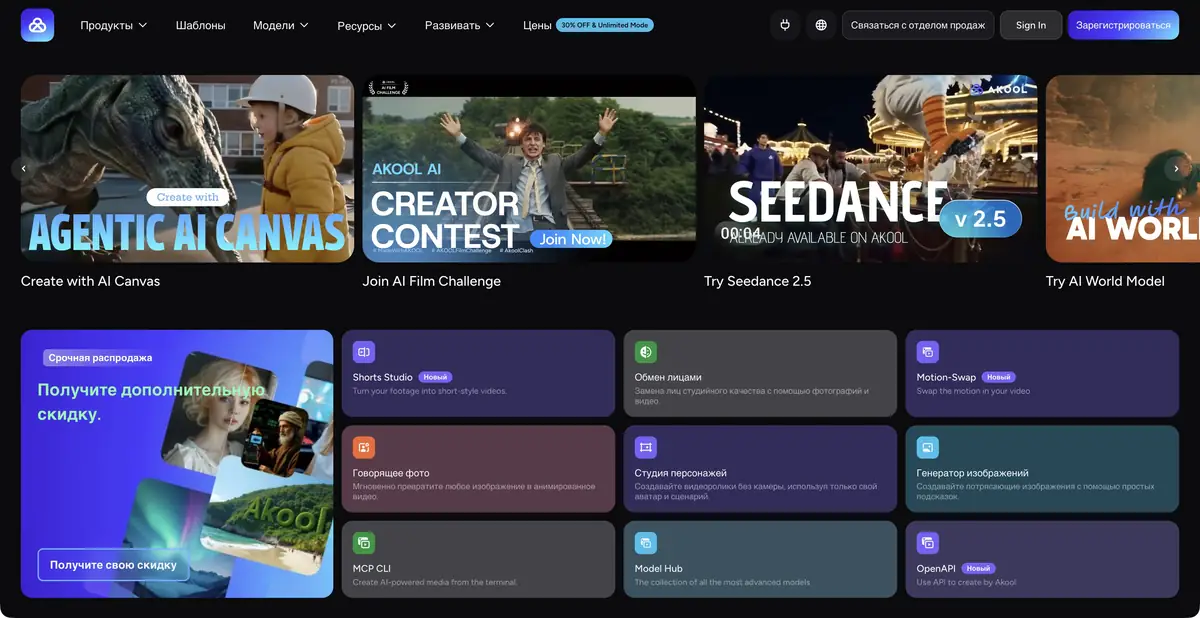
AKOOL has several distinct offerings: Character Studio for presenter videos, Talking Photo for animating images, face swapping, and processing source video. It also includes an external model catalog, whose list does not establish every specialized tool’s capabilities. For a practical task, identify the source asset and required action first: speak text, animate a photograph, or rework recorded footage. This makes the result easier to assess and clarifies which operation consumes resources.
Using a person’s likeness requires a separate decision
A digital presenter suits explanatory text when filming every version is impractical. Permission for a source photograph does not always authorize a talking digital double. Before uploading, agree on face, voice, context, and final distribution. Face swapping does not authorize presenting a video as an actual recording of the person.
Check the chosen mode against official terms. Operations accept different materials and produce different formats. Video translation needs accurate meaning as well as matching lip movements: names, negations, units, and conditions must not change for smoother delivery.
Example: a short guide for the visitor
Prepare an authorized presenter likeness and verified text explaining where to find the workshop schedule. Start with a short trial video containing one calmly delivered sentence. Explicitly prohibit adding an address, opening hours, or promises absent from the source. For another language, prepare a separately checked translation.
Check synchronization, speech clarity, and consistency of small facial details. When demonstrating a real website, use your own screen recording rather than a generated imitation. Approve final text and the finished file together: correcting a caption does not fix an error already spoken by the avatar. This illustrates a review process rather than reporting our measurement of AKOOL quality.
Subscription, license and integration
The official pricing page describes plans, credits, watermarks, resolution, and licensing. Some tiers are explicitly labeled personal, so payment alone does not establish commercial rights. Before client work, check the specific tier and product. The current table does not establish ongoing free access.
AKOOL publishes an OpenAPI interface for integrating supported operations into your own workflow. Programmatic use requires a separate check of plan eligibility, limits, and error handling. Start with a complete workflow from an authorized source asset to a downloaded, reviewed file before processing a large batch. Clarify how portraits are stored and deleted before uploading them, especially in a team workspace.
Store the approved script along with the export: this simplifies checking for each new language version and shows what wording the author or the person depicted actually agreed on.
Suitable tasks
- Prepare a video with an authorized digital presenter
- Animate your own portrait
- Make a verified language version of the video
- Connect supported operations via API
Strengths
- Specialized likeness and speech tools
- Official OpenAPI
- A connected media production workflow
Limitations
- The license of some plans is marked personal
- Features vary between tools
- Replacing a likeness requires agreed rights
Selection and conditions
- Free access
- Not confirmed
- Trial period
- Not confirmed
- No sign-up required
- Not confirmed
- Russian interface
- Not confirmed
- Local installation
- Not confirmed
- API
- Yes
“Not confirmed” means there is not enough information. The feature may still be available; check the developer’s terms.
- Input formats
- Text, Image, Video, Audio
- Result
- Video
Terms
API availability is confirmed. A free plan has not been established; commercial rights need a separate check because some tiers are labeled personal.From task to first result
Practical example
- Task
- Prepare a video with an authorized digital presenter
- What to prepare
- Your own instruction script and a presenter whose likeness you have permission to use.
Task brief or prompt
Presenter’s script: “Open settings, select notifications and turn off the categories you don’t need. Save your changes.” Read calmly, without adding steps or promises.
Expected result
An explainer video with a presenter; consent to use the person’s likeness and voice must be checked before uploading source material.
How to check the result
- Check the spoken words against the script and review lip synchronization.
- Check names, word stress and permission to use the person’s likeness.
An editorial teaching example of a task brief, not the result of hands-on testing of the service. Check that the required mode is available, that you have rights to the source material and that the intended use of the result is permitted.
Check details
Official sources
This description is based on the developer’s material. Features, prices and availability may change; check the primary source before use.