Zencoder organizes development as a sequence of planning, implementation, and review. The platform includes Zenflow Code and IDE assistants; separate Zenflow Work capabilities fall under the same brand.
Agree on the result first
Zencoder focuses on task specifications and distinct stages of work. An agent can prepare a plan, change code, and pass it to other tools or a model for review. This helps teams retain requirements between steps instead of reconstructing them from a long conversation each time.
Current documentation distinguishes Zenflow Code, Zenflow Work, and IDE Agents. Development features include projects, Git worktrees, change tracking, and workflows. A shared brand does not mean identical terms for every client; start with your editor, project type, and required execution method.
Different models for different stages
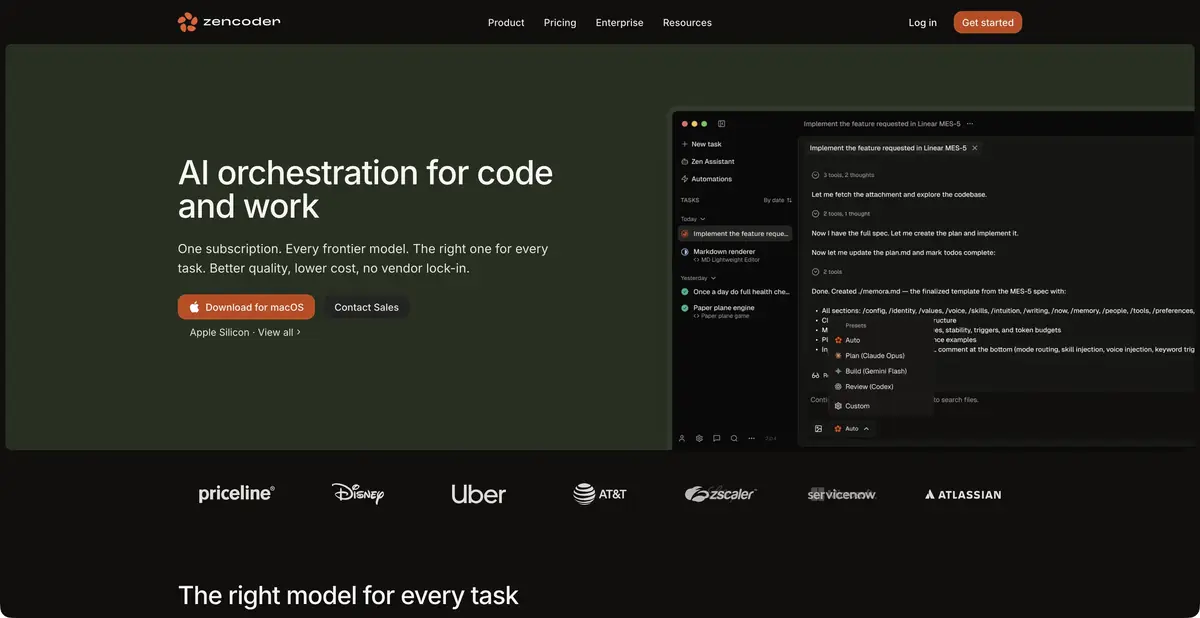
Within one workflow, different models can handle planning, implementation, and review. This helps balance resources against tasks, but does not guarantee an independent review. A second model can accept the first model’s mistaken assumption, especially if it receives only the completed explanation.
Provide the original requirement, diff, and verification commands for review. Skills retain repeatable instructions, while integrations and MCP add context and actions. Configure them for the actual project: which directories may change, which sources apply, and which results must remain accessible to a person.
Example: extract a shared validation rule
Two forms have similar address validation, but one permits an empty value. Ask the agent to first tabulate the current behavior and propose a minimal shared function that preserves this exception. The implementation must retain error messages and touch only the relevant code.
In a separate review stage, ask for cases where the new function behaves differently from the old ones. Then test empty, valid, and invalid addresses in both forms. Compare behavior, rather than just the reduction in lines of code. This example illustrates the purpose of a separate review and does not claim that we personally ran Zencoder.
Access and cost of process
Official plans describe a trial limited by time or credits, subscriptions, and top-ups. Your own API keys may follow a separate usage model; BYOK does not remove the model provider’s charges. A mention of Free in pricing FAQs does not establish full, ongoing free inference.
Teams also need to consider user limits, pooled resources, and organizational features of the selected plan. Private deployment should not be equated with a local model on a computer. Integrations, a CLI, and model keys also do not prove a universal API for executing every platform task. Before switching, check a small complete cycle: plan, isolated edit, reproducible checks, and a readable final diff.
Save the original specification next to the final diff so that the next participant can match the requirement and implementation without reading the entire session history.
Suitable tasks
- Split planning, implementation and review
- Change code via Zenflow or IDE
- Store repeatable instructions in skills
- Check changes in a separate working copy
Strengths
- Specification and verification are built into the process
- Different models for task stages
- Git worktrees and IDE clients
Limitations
- Review by another model does not guarantee correctness
- The trial is limited by time and credits
- BYOK does not eliminate the model provider’s bill
Selection and conditions
- Free access
- Not confirmed
- Trial period
- Yes
- No sign-up required
- No
- Russian interface
- Not confirmed
- Local installation
- Not confirmed
- API
- Not confirmed
“Not confirmed” means there is not enough information. The feature may still be available; check the developer’s terms.
- Input formats
- Text, Code
- Result
- Text, Code
Terms
The trial ends when its time or credit allowance runs out. Free/BYOK terms are not presented as a promise of free cloud compute. Private deployment, API access, and local model processing are not assumed for the standard plan.From task to first result
Practical example
- Task
- Split planning, implementation and review
- What to prepare
- A small part of your own project and a reproducible description of the error, with no tokens or passwords.
Task brief or prompt
Explain why this function handles an empty list incorrectly. First describe its current behavior, then suggest a minimal fix and checks for empty, normal and invalid input. Do not change other parts of the project unnecessarily.
Expected result
An explanation of the cause, a small proposed diff and checks to run locally.
How to check the result
- Read the diff before applying it.
- Run the checks in a separate working copy and make sure no secrets were included in the prompt.
An editorial teaching example of a task brief, not the result of hands-on testing of the service. Check that the required mode is available, that you have rights to the source material and that the intended use of the result is permitted.
Check details
Official sources
- Zencoder: Zenflow and IDE Agents
- Zencoder: current clients and workflows
- Zencoder: trial, credits, and BYOK
This description is based on the developer’s material. Features, prices and availability may change; check the primary source before use.