WellSaid helps turn an approved script into a narration track. The studio focuses on voice selection and delivery editing; programmatic use is available through its own API under separate terms.
A consistent voice across a content series
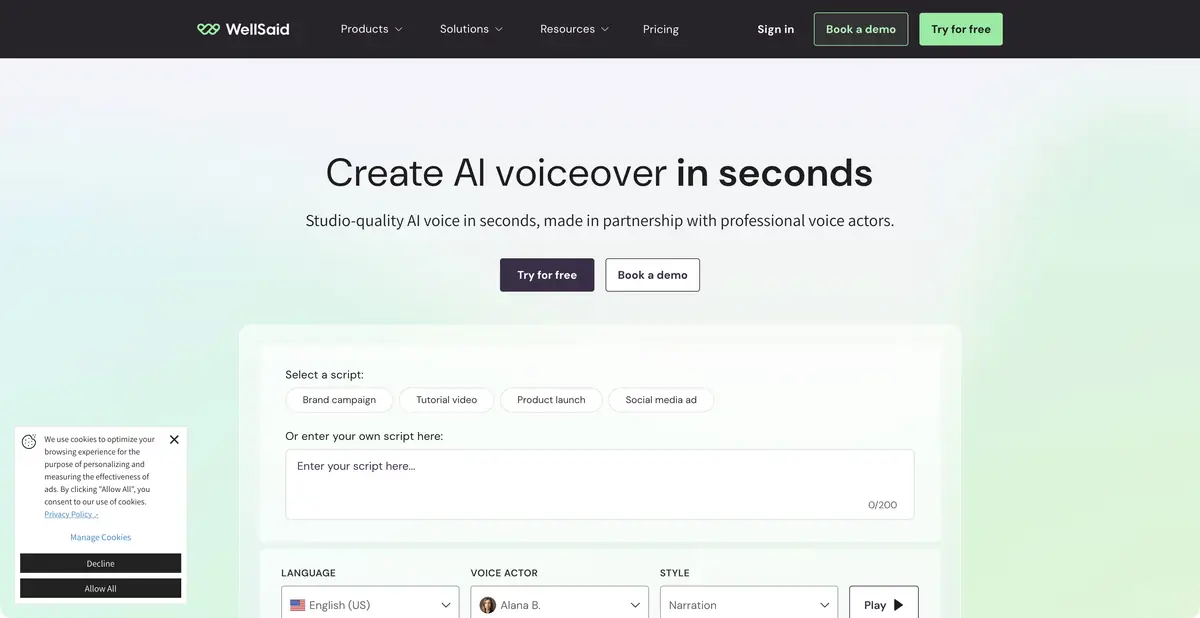
When different creators produce a series of lessons, consistent name pronunciation and a calm explanatory pace matter. WellSaid offers a voiceover studio developed with professional actors. Users can edit text, choose voices, and control delivery. The current pricing table separately lists pronunciation, tone, pitch, emotional controls, and team features.
This service helps after editorial approval of the script. Constant changes to facts and action order require rechecking both text and audio joins. First decide what the listener needs to understand, then choose delivery that suits the material.
Example: English-language lesson about working with a layout
Prepare a short script: open the project, select a layer, resize it, and save a copy. Include one term with potentially ambiguous pronunciation in the exercise. Synthesize a short excerpt and check that command names are intelligible. Apply any pronunciation adjustments consistently across similar phrases.
Then align the audio with the screen recording. The listener needs time to find the right element, and the word “copy” must remain audible over clicks or music. Assess the whole segment rather than one successful phrase: adjacent lines may differ in pace. For a team project, agree on a voice and terminology dictionary in advance so editors do not give the same interface inconsistent narration.
Languages, API and Terms of Use
The site offers a broad library, but access to all languages depends on the plan. A basic individual tier should not automatically be treated as a multilingual enterprise package. Compare download formats, audio quality, subtitle files, and integrations in the pricing table as well.
The product’s own API has separate documentation: create an account, request a trial key, and agree on a subsequent plan. This is direct programmatic access to WellSaid, rather than proof that every Studio subscription includes a key. The app must check text, handle errors, and save results itself. API availability does not mean the model runs locally on your computer.
The plans page offers a trial with limited downloads and explicitly excludes commercial rights in this mode. Paid plans differ in finished audio download allowances, projects, languages, and collaboration. Paid voiceover terms should not be assumed to apply to trial files.
Before release, save your plan’s terms with project materials and check what counts as usage: regeneration and downloading may be metered differently. For important videos, the final review includes pronunciation, pauses, and ensuring the script has acquired no new meaning. A pleasant voice cannot fix an ambiguous instruction.
Suitable tasks
- Narrate a training module
- Coordinate voice and pronunciation in team
- Prepare a narration track for a video
- Integrate speech synthesis through the WellSaid API
Strengths
- Edit delivery and pronunciation
- Studio and team features
- A separately documented product API
Limitations
- Trial does not give commercial rights
- Languages and formats depend on the plan
- API access has separate terms
Selection and conditions
- Free access
- Not confirmed
- Trial period
- Yes
- No sign-up required
- No
- Russian interface
- Not confirmed
- Local installation
- Not confirmed
- API
- Yes
“Not confirmed” means there is not enough information. The feature may still be available; check the developer’s terms.
- Input formats
- Text
- Result
- Audio
Terms
The trial plan is limited and excludes commercial rights. Full language access, exports, and team features depend on the plan; an API key must be requested separately.From task to first result
Practical example
- Task
- Narrate a training module
- What to prepare
- Your own short instruction script and a voice you have permission to use for the intended purpose.
Task brief or prompt
Hello. We’ll now check the notification settings. First, open your profile. Then go to settings and find notifications. After changing the settings, save your changes.
Expected result
A draft narration to listen to; pace, voice and pauses are controlled by the settings available in the service.
How to check the result
- Listen to names and abbreviations separately.
- Check the pauses, volume and voice rights.
An editorial teaching example of a task brief, not the result of hands-on testing of the service. Check that the required mode is available, that you have rights to the source material and that the intended use of the result is permitted.
Check details
Official sources
This description is based on the developer’s material. Features, prices and availability may change; check the primary source before use.