

VEED helps turn source files into a finished video in the browser. AI features operate within the editing workflow: transcription, audio, visual edits and generation each require checking.
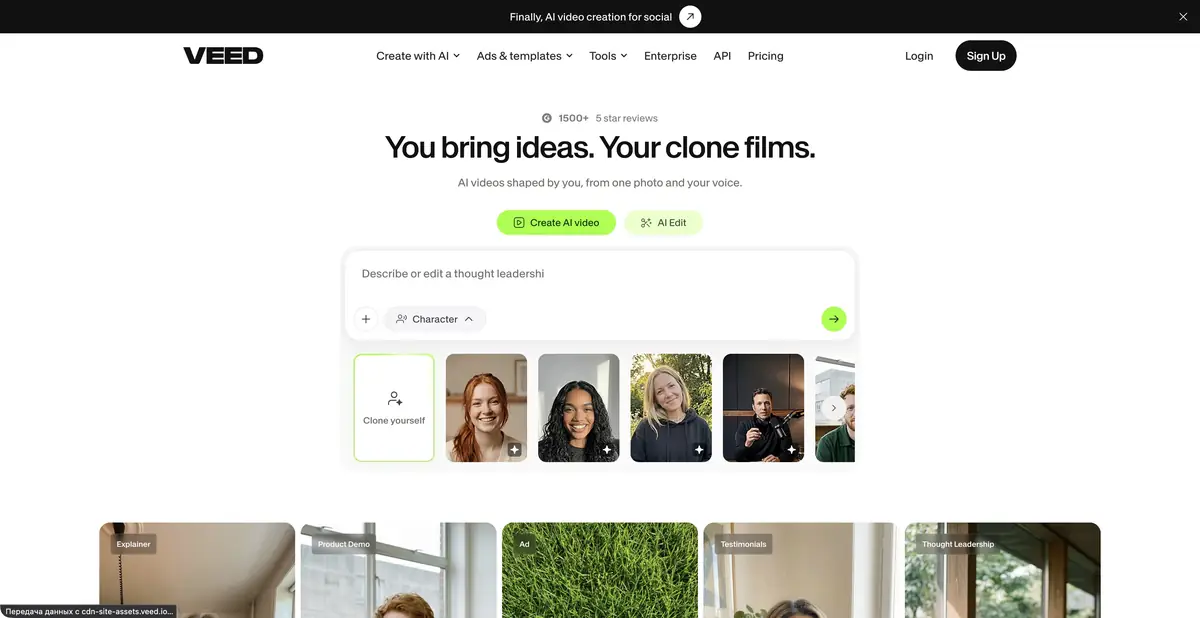
An editor built around real video footage
Existing footage does not always need a new generation from scratch. Often the task is to remove excess, balance audio, caption important words and prepare the right platform format. VEED combines these tasks in a browser editor. Video, image, voice and avatar generators are also available, each with its own limits and resource usage.
What can be automated
The official toolkit includes subtitles, transcript editing, background-noise removal, supporting footage and conversion of long recordings into short formats. Generative tools can supplement source footage, while manual editing preserves precise control over the scene sequence.
Teams need more than effects. Templates and styling help maintain a consistent video appearance, while export checks confirm that the selected plan supports the required quality and duration. AI feature names do not imply identical quotas: access to one feature does not confirm free access to all others.
Example: clear assembly instructions
Suppose you have your own recording of assembling a shelf. First remove repetitions while retaining every required action. Then generate subtitles and check part names, numbers and step order: ‘do not tighten’ and ‘tighten’ differ by a short negation but change the result.
If noise obscures speech, process a short segment and listen at the original volume. Excessive cleanup can make voices unnatural. Then check that captions do not obscure fasteners or hands.
Watch the entire final export on a phone. The editorial example does not prove the quality of a particular automatic process: it defines verifiable criteria for accepting your own instructional video.
VEED developer tools
VEED has a separate developer platform. It describes APIs for turning an image and audio into a talking video, lip synchronization, audio cleanup and video background removal. A request submits materials and settings, after which the system processes the task and returns the result.
Do not treat these APIs as remote control for every button in the web editor. Endpoints, authorization, pricing and the status of preview features are documented separately. For automation, choose a documented operation rather than assuming a regular subscription includes every programmatic feature.
Free export and paid plans
The service offers free editing features. Exports from a free account or without signing in include a watermark; paid tiers allow its removal and change the limits. Some AI features are available only as a limited trial, while enterprise trial access has separate terms.
Before paying, check your video's requirements: quality, duration, generative credits, subtitles, team access and export method. Upload personal recordings, faces and voices only with permission; a convenient interface does not replace consent for processing materials.
Suitable tasks
- Edit an instructional video from your own recording
- Add and check subtitles
- Prepare a video in the target platform's format
- Process sound or video via the official API
Strengths
- Video editing and AI assistants in a shared editor
- Subtitles and audio tools
- Video styling for teams
- A standalone developer platform
Limitations
- Free export contains watermark
- AI quotas and trial features vary
- API covers documented operations, not the entire interface
Selection and conditions
- Free access
- Yes
- Trial period
- Yes
- No sign-up required
- Not confirmed
- Russian interface
- Not confirmed
- Local installation
- Not confirmed
- API
- Yes
“Not confirmed” means there is not enough information. The feature may still be available; check the developer’s terms.
- Input formats
- Video, Audio, Image, Text
- Result
- Video, Audio, Image, Text
Terms
Free exports contain a watermark. Trial AI functions and enterprise trial have separate limitations; API is paid separately.From task to first result
Practical example
- Task
- Edit an instructional video from your own recording
- What to prepare
- A short instructional script and your own videos, photographs and voiceover demonstrating the action.
Task brief or prompt
Assemble instructions with sequential steps, clear captions and pauses to inspect details. Do not add unverified product properties. If a required shot is missing, flag the gap instead of inventing a demonstration.
Expected result
A rough edit of an instructional video. Available generation operations, formats and export options depend on the service and plan.
How to check the result
- The order of shots matches the actual sequence of actions.
- Captions are readable on a phone and do not obscure important details.
- Speech, music, subtitles and rights to each source material are verified.
- Check the watermark, resolution, storage and export format before paying or publishing.
An editorial teaching example of a task brief, not the result of hands-on testing of the service. Check that the required mode is available, that you have rights to the source material and that the intended use of the result is permitted.
Check details
Official sources
This description is based on the developer’s material. Features, prices and availability may change; check the primary source before use.


