

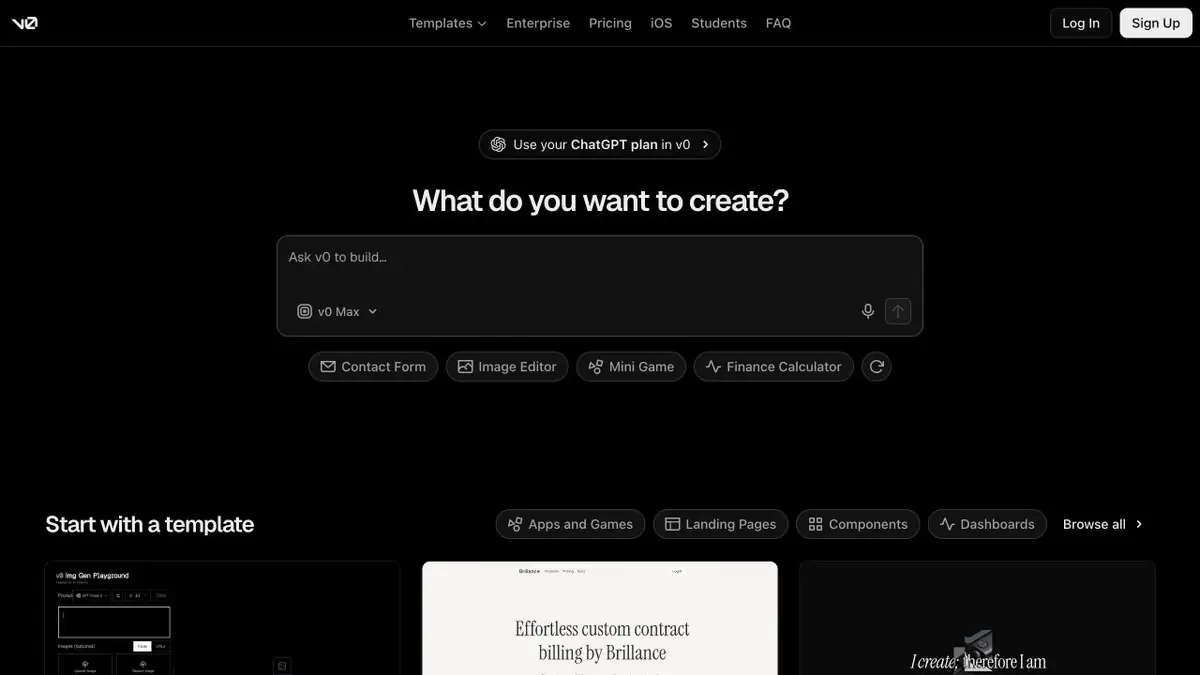
v0 converts a description or a visual sample into a web project with code and a working preview. It can modify the interface, connect data and publish the application through Vercel.
From a screen sketch to an app
Showing a proposed interface is often more useful than describing it again. In v0, describe a page, attach a mock-up or start from an existing project, then test buttons, forms and navigation. The result remains code that can be inspected and passed into a conventional development workflow.
This is Vercel’s AI product, also familiar from its former v0.dev address. It suits landing pages, account dashboards, data panels and small web apps. The documentation focuses on Next.js as the main stack, with Tailwind CSS and shadcn/ui for interfaces. Naming another technology in a prompt does not establish equal support for it.
What you can provide instead of a long explanation
v0 accepts screenshots and files. Figma integration for mock-ups is available on paid plans after connecting an account. A visual example defines the layout, colours and elements. Explain behaviour separately: an image does not show where a submitted request is stored or what happens after someone clicks “Send”.
You do not need to rewrite the entire task for initial edits. Design mode lets you select a preview element and adjust spacing, font, colour or text through a panel. Describe more complex changes in words. The mode has availability conditions: it works in the current chat version with a supported preview environment, but not at a mobile viewport size.
Example: booking a consultation
Suppose a professional needs a service-selection page and booking form. The first prompt only needs fields, form states and the post-submission action. For example: “A visitor chooses a service and provides a name and contact details; bookings without contact details are rejected; a confirmation appears after submission.” Test this path with demonstration data first.
If submissions must be saved, add storage and server-side processing next. v0 documents database and external-API connections, including Supabase, Neon and Upstash integrations. The provider affects access configuration and costs. A polished success message does not prove that the form actually sends data correctly.
Changes in your repository
GitHub is useful for more than uploading finished code. In v0, you can import an existing repository, continue from a selected branch and send changes to a separate working branch. The documentation covers previews, reviewing differences and publishing through a pull request. Repository protection rules and mandatory reviews still matter.
For a team, this provides a way to discuss changes on a working screen. Before merging, check which files are affected, whether project checks pass and whether adjacent workflows have changed. The official v0 API supports automation, providing programmatic access to projects, chats and deployments.
What to check before launch
A generated app needs technical review. For the booking example, test an empty form, invalid contact details, duplicate submission and storage failure. If it has personal accounts, check different users’ permissions. External-service keys must remain on the server; Next.js variables prefixed with NEXT_PUBLIC_ are available to client code.
Check the interface too: keyboard navigation, field labels, narrow screens and readable errors. v0’s automatic fixes help development continue, but do not prove that a particular project is secure and ready for real data.
Access and costs
An account is required. Limited free access and paid plans are available; generation uses the plan’s limits and credits. Before a large task, check the available models, balance and charging rules in your account. Vercel hosting, databases and other connected resources have separate terms: a generator subscription does not provide unlimited infrastructure.
Suitable tasks
- An interface prototype from a description or mockup
- A landing page with a form and server-side processing
- A dashboard with data and filters
- Refining an existing web project through GitHub
Strengths
- Code and a live preview alongside the conversation
- Visual changes through Design mode
- A documented workflow with GitHub, data and Vercel
- Official API for project automation
Limitations
- Check code, access permissions and data processing before launching
- The main documented stack is focused on Next.js
- Design mode is unavailable at mobile window sizes
- Generation limits and connected resource costs are tracked separately
Check details
Official sources
- Official v0 from Vercel
- What v0 can do
- Screenshots and files as source materials
- Importing Figma designs and connection requirements
- Visual editing: Design mode
- Creating apps with server-side logic and data
- Branches, previews and GitHub pull requests
- Security and environment variables
- The official v0 API
- Payment plans and terms
- Switching from v0.dev to v0.app
This description is based on the developer’s material. Features, prices and availability may change; check the primary source before use.


