Pieces forms a search memory about working in applications. Local PiecesOS stores and indexes context, and conversational search uses suitable parts of that memory to respond.
Back to thought, not tab list
Pieces is designed for situations where the necessary information has already met in the work, but it is difficult to find again. This can be a discussion, a page of documentation or a fragment of a note. The program forms a temporary feed and allows you to search by topic, source or period. Its value is associated with the restoration of context, which the usual list of recent files shows only partially.
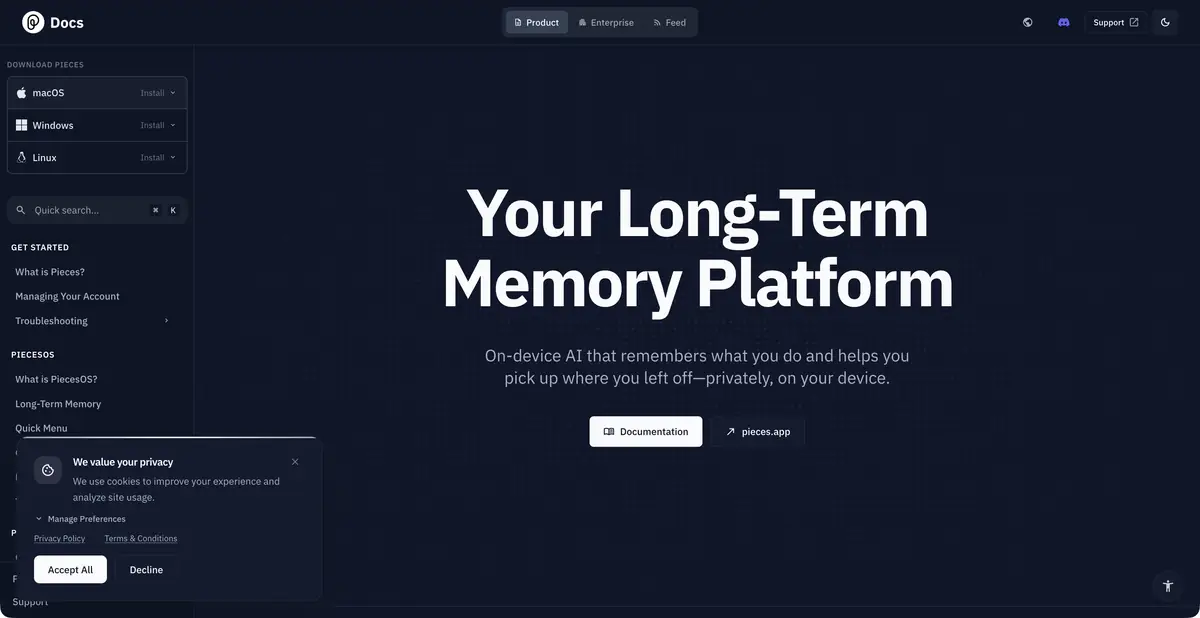
The homepage describes information from the active application and clipboard, while audio is presented as a separate opt-in capability. Before enabling collection, decide which materials may be saved on the work device.
Local memory and cloud response
The required PiecesOS component runs in the background. According to the official documentation, context capture, indexing and storage happen on the device. However, features that need a large language model, including Conversational Search, send selected relevant context to a cloud model for the specific request.
This is an important distinction for closed documents. Local memory does not mean that any subsequent response is computed entirely offline. When evaluating a product, check the collection parameters, permitted sources and terms of processing requests. Integrations also need to be assessed by what context they receive and to whom it can be transmitted.
A Practical Question for History
After a working day, you can ask to recover why the decision on the project has changed. Limit the period and topic, ask for supporting sources and a separation between the discussion and the final version. A good answer should allow you to return to the material from which the conclusion is drawn, and the absence of a saved record should remain a gap.
Check a few key statements manually. Mentioning a future action does not prove that it is done; an open page does not mean agreeing on a document. Such a discipline helps to use memory as an assistant for orientation, and not as an unconditional journal of facts. The described question is an example of work, accuracy measurements are not stated.
Integrations and everyday boundaries
PiecesOS connects the desktop application with MCP integrations and other ecosystem tools. This allows you to use the already collected context in compatible working tools. Separately, the documentation noted outdated components: the former materials manager Pieces Drive should not be considered the main process for a new user.
The background service uses the resources of the computer and saves the history that needs to be controlled. The composition of the available functions and existing plans are better checked before installation. To begin with, choose a limited period and an understandable range of applications: it is easier to assess the usefulness of memory and notice unnecessary sources.
Suitable tasks
- Recall where the decision on the project was discussed
- Restore the consistency of your work
- Prepare a summary for the selected period
- Transfer relevant context to the connected AI tool
Strengths
- Local preservation and indexing of the working context
- Timeline and search by topic or period
- Integrations via PiecesOS and MCP
Limitations
- The context must be deliberately limited.
- Conversational search may send selected information to a cloud model
- Recovery of the decision depends on the saved history
Selection and conditions
- Free access
- Not confirmed
- Trial period
- Not confirmed
- No sign-up required
- Not confirmed
- Russian interface
- Not confirmed
- Local installation
- Yes
- API
- Not confirmed
“Not confirmed” means there is not enough information. The feature may still be available; check the developer’s terms.
- Input formats
- Text
- Result
- Text
Terms
Current access conditions and plans are specified in Pieces. Verified pages are not used as confirmation of a permanent free tariff. The desktop application uses a mandatory PiecesOS background component; compatibility is checked for its system.From task to first result
Practical example
- Task
- Recall where the decision on the project was discussed
- What to prepare
- Allowed set of documents or saved working context with notes about the project.
Task brief or prompt
Find out what decisions on the project are confirmed by available sources. Specify the source of each decision, its date, if known, and unresolved issues. Separate the baseline information from the assumptions.
Expected result
Summary of confirmed decisions with verifiable references or indications to sources.
How to check the result
- Open these documents or context records.
- Make sure that the outdated discussion is not presented as a decision.
An editorial teaching example of a task brief, not the result of hands-on testing of the service. Check that the required mode is available, that you have rights to the source material and that the intended use of the result is permitted.
Check details
Official sources
This description is based on the developer’s material. Features, prices and availability may change; check the primary source before use.