Open WebUI is placed on your computer or server and connected to models. The platform adds conversations, source work and extensions; the processing location depends on the selected components.
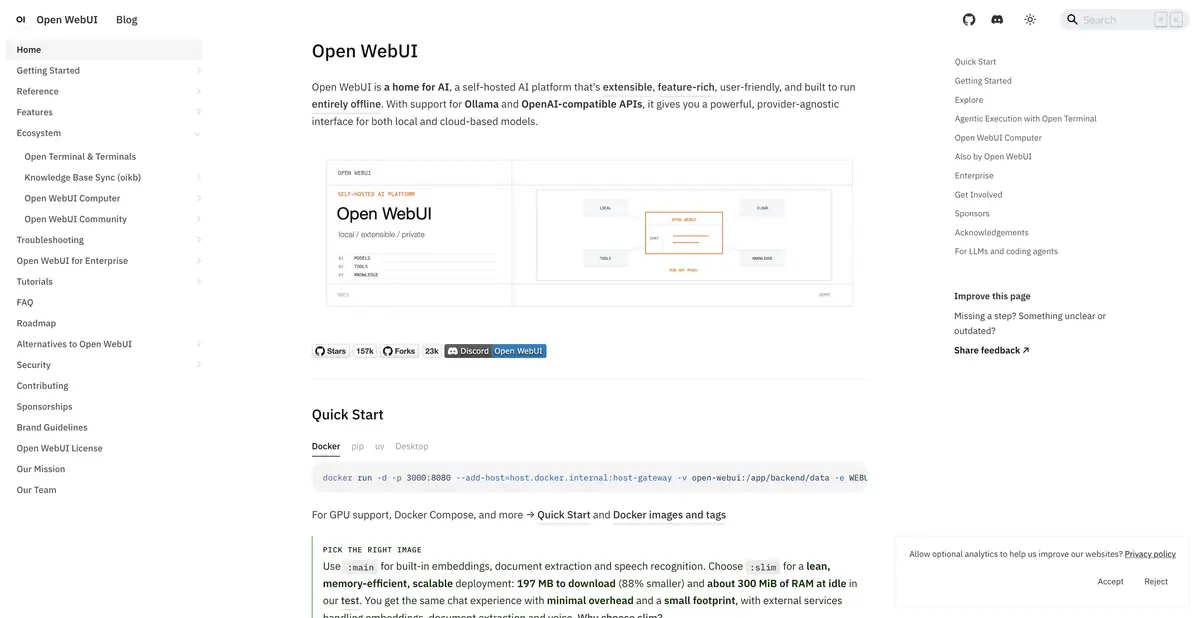
Common entrance to different models
Open WebUI provides a workspace on top of local or cloud models. Users open a familiar web interface, while an administrator selects available providers, sources and extensions. Ollama and compatible APIs are supported. Open WebUI itself is not a single language model: text quality, image understanding and tool behavior depend on the connected system.
This option is useful when it is important to organize access to AI on your server. It requires solving the usual issues of operation, even if the first conversation was able to run quickly.
Installation under the desired task
The official instructions offer Docker, Python and other deployment methods. Different images contain different components. For example, the lightweight build delegates some document, embedding and speech processing to external services. Choose an image based on the features users actually need.
Store conversations and settings outside the container’s ephemeral layer. Before updating, understand where data lives and how backups work. The connected model also requires resources beyond those used by the interface itself.
Sources close to the conversation
The platform includes tools for working with documents, search and tools. In a completely local configuration, the corresponding components can be kept on your infrastructure. If a model, recognition, or search turns outward, some of the information leaves that circuit.
To test knowledge, you can take several documents of the project and ask to list the confirmed solutions. Open each specified source and check whether the old comment is accepted as a current rule. The convenience of the interface does not guarantee the completeness of the found context.
Extensions and powers
Connected tools extend the possibilities beyond text response. Therefore, each of them should assign an understandable role: what he reads, what changes and when the participation of a person is required. For the first setting, a minimum set corresponding to one task is enough.
Start with a separate training package. Track the entire path of the request from input to response and check the behavior in the absence of a source. This is a proposed method of evaluating the installation, without a statement of comparative or load testing.
Free and License
The current Open WebUI license allows free use, but contains terms related to branding. Before renaming a product, distributing your build, or large deployment, you need to read the full text of the applicable version, including exceptions.
A separate budget remains for server, maintenance, storage and models. The free shell does not make the outside inference free. For team implementation, pre-define the owner of updates, rules for accessing documents and a list of allowed providers so that the configuration remains clear with the growth in the number of users.
Suitable tasks
- Give a team a shared interface to approved models
- Organize conversations with documents
- Connect local model via Ollama
- Configure tools for a limited workflow
Strengths
- Self-hosting and multiple providers
- Developed environment of documents and extensions
- Several ways to install
Limitations
- Self-hosting requires updates and access control
- Privacy depends on connected models and tools
- The current license has requirements for branding
Selection and conditions
- Free access
- Yes
- Trial period
- Not confirmed
- No sign-up required
- Not confirmed
- Russian interface
- Not confirmed
- Local installation
- Yes
- API
- Not confirmed
“Not confirmed” means there is not enough information. The feature may still be available; check the developer’s terms.
- Input formats
- Text, Document
- Result
- Text
Terms
The platform is available free of charge with the terms of the current license. Hosting, model resources and external API are paid separately; branding change is regulated by license. Install via Docker or Python according to the official instruction; the model server is connected separately or in a selected complete way.From task to first result
Practical example
- Task
- Give a team a shared interface to approved models
- What to prepare
- Allowed set of documents or saved working context with notes about the project.
Task brief or prompt
Find out what decisions on the project are confirmed by available sources. Specify the source of each decision, its date, if known, and unresolved issues. Separate the baseline information from the assumptions.
Expected result
Summary of confirmed decisions with verifiable references or indications to sources.
How to check the result
- Open these documents or context records.
- Make sure that the outdated discussion is not presented as a decision.
An editorial teaching example of a task brief, not the result of hands-on testing of the service. Check that the required mode is available, that you have rights to the source material and that the intended use of the result is permitted.
Check details
Official sources
This description is based on the developer’s material. Features, prices and availability may change; check the primary source before use.