LM Studio provides a graphical interface for open models and developer tools. The current Bionic extends this approach by working with documents and code, while keeping the choice between local startup and cloud.
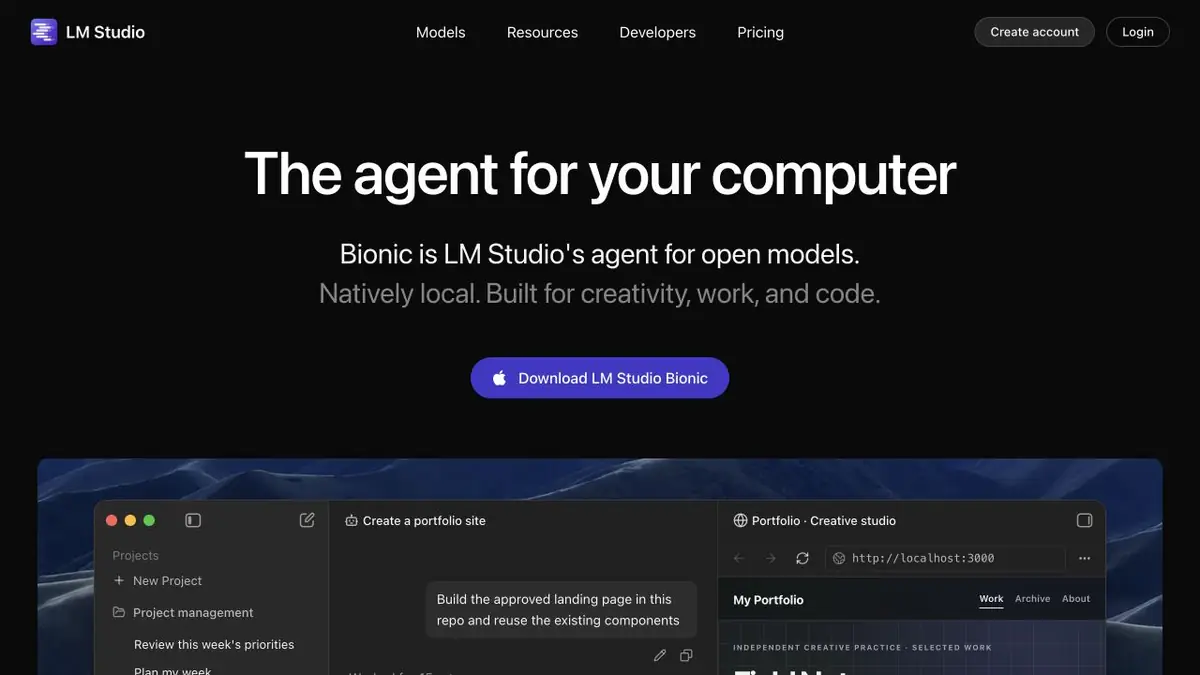
Models next to working files
LM Studio is often chosen to get acquainted with local language models through a regular application. In it you can find compatible weights, download them and start a dialogue without self-assembly of the server. Now on the main page Bionic, an agent for work and code, is presented. The card combines this interface and existing LM Studio tools: it is one ecosystem, not two independent neural networks.
This approach is useful when you want to choose a model for the task and understand where the processing is going. The response capabilities are still determined by the model, its settings and the context available.
Documents and connected tools
In the application documentation there is work with documents on the computer, chat management, model search and MCP servers connection. A local conversation with a document requires pre-loaded components. The connected tool can access the Internet or change files, so the mode of operation should be evaluated along the entire chain, including external services.
Bionic is able to create and edit documents, perform programming and automation tasks. Before the first meaningful task, it is useful to select a small folder and describe the expected result. Separately set the boundaries of changes so that the convenience of the agent does not turn into a difficult analysis of a large set of edits.
When you need API
For developers, LM Studio offers a REST API, Python and TypeScript SDKs, and compatible interfaces for existing clients. You can load a model, send text, obtain a vector embedding or configure structured output. The separate llmster background component supports operation without a graphical window.
For example, an internal script can turn short instructions into test questions. First, check one small text manually: the answer should be based on the source, and the required fields should be present. Only after that it makes sense to connect the processing of the folder. A compatible API facilitates integration, but does not guarantee the same behavior of different models.
Resources and cost
LM Studio supports models through llama.cpp; MLX is also available on Apple Silicon. Requirements depend on the platform, weights and scope of the context. Long documents and agent actions can significantly increase memory consumption, even if the short dialogue worked without difficulty.
The current Free includes local models and Bionic Agent. Cloud plans give access to hosted models and additional quotas. The local work statement cannot be transferred to a cloud request. Before the project, specify the processing settings, the current conditions of the selected provider and permission to transfer working materials.
Suitable tasks
- Select and run the model through a graphical interface
- Ask questions to local documents
- Create your own local API client
- Entrust the agent with a limited file task
Strengths
- Graphical interface and development API in one ecosystem
- Support for llama.cpp and MLX on compatible hardware
- Free mode for local models
Limitations
- The model and its context should match the device memory
- MCP and Agent Actions Require Authority Setting
- Cloud inference is paid separately from local startup
Selection and conditions
- Free access
- Yes
- Trial period
- Not confirmed
- No sign-up required
- Not confirmed
- Russian interface
- Not confirmed
- Local installation
- Yes
- API
- Yes
“Not confirmed” means there is not enough information. The feature may still be available; check the developer’s terms.
- Input formats
- Text, Code, Document
- Result
- Text, Code, Document
Terms
Free includes local models and Bionic Agent. Cloud plans add hosted models and quotas; additional use is covered by credit terms. An application for supported macOS, Windows and Linux; the set of available features depends on the device.From task to first result
Practical example
- Task
- Select and run the model through a graphical interface
- What to prepare
- Short instructions for returning the goods, saved in plain text.
Task brief or prompt
Based on this guide, write three questions to test understanding. For each, provide the correct answer and a supporting sentence from the input. If a deadline or condition is missing, say so explicitly.
Expected result
Three question-and-answer pairs, based on the submitted text.
How to check the result
- Compare each answer with the initial sentence.
- Repeat the task with the selected local model and evaluate the time and memory consumption on your device.
An editorial teaching example of a task brief, not the result of hands-on testing of the service. Check that the required mode is available, that you have rights to the source material and that the intended use of the result is permitted.
Check details
Official sources
This description is based on the developer’s material. Features, prices and availability may change; check the primary source before use.