A service that turns long videos into short social clips. It selects moments, reframes footage and styles captions; an editor checks the final meaning and suitability for publication.
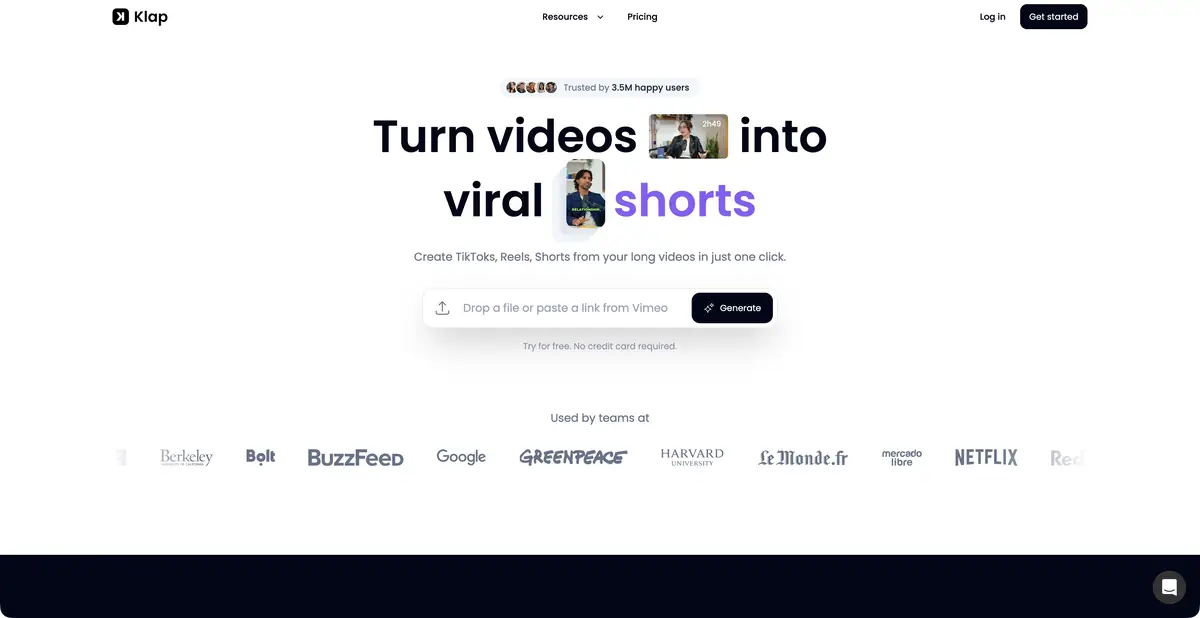
A long recording as source material
Klap accepts a video file or supported link and suggests short clips. Its main use is a conversational episode, interview, webinar or explanation containing self-contained ideas. AI selects moments, reframes footage and adds captions. It works with recorded content, rather than creating a factual interview from a text prompt.
Outputs are short videos that can be edited, exported and used in the chosen channel. Match aspect ratio, caption placement and styling to the material. Screen recordings, multiple speakers and a single presenter need different solutions, even for the same destination platform.
Framing should preserve what matters
Automatic reframing helps keep the speaker visible in a vertical video, but may exclude a gesture, object or label. Software demonstrations need a readable interface, while conversations need clear speaker changes. Watch the entire framing movement, rather than only the first still.
Captions require editing. Correct names, terms and numbers, and check line breaks and phrase boundaries. A promotional popularity score is not a forecast of views. A strong clip should make sense without the full episode while preserving the original qualifications.
Example: clips from a workshop
Use your own recording in which the presenter answers practical questions. Select moments with a concrete action or complete explanation. If the first suggested clip begins with words such as "about that," extend its opening so viewers know the subject.
Watch the edited video without sound and then with sound. Captions and important details should be readable in the first check; the second should preserve a natural rhythm. Check the ending: a truncated condition can change advice more than a styling mistake. Agree on participants' likeness and voice use before publication where required for your recording.
Trial access and API
The official website offers a free trial, while plans describe paid tiers with clip resources. This promise does not establish a permanent full-featured free plan. For ongoing production, compare output counts, the export you need and publishing options; exact prices are not fixed here.
An official API covers clip extraction, captions, reframing and export, with keys and authorization methods. It supports repeatable workflows but requires asynchronous processing and account terms to be considered. Fully local AI processing is not confirmed. A public link to someone else's video does not grant permission to republish its contents.
Suitable tasks
- Turn your webinar into short explanations
- Create vertical interview clips
- Style captions and clips
- Automate clipping through the API
Strengths
- AI selection combined with reframing and captions
- Files and supported links
- Customizable styling
- Documented API
Limitations
- Short clips can lose original qualifications
- Framing and subtitles need manual checks
- A trial does not establish a permanent free plan
- Popularity scores do not guarantee views
Selection and conditions
- Free access
- Not confirmed
- Trial period
- Yes
- No sign-up required
- Not confirmed
- Russian interface
- Not confirmed
- Local installation
- Not confirmed
- API
- Yes
“Not confirmed” means there is not enough information. The feature may still be available; check the developer’s terms.
- Input formats
- Video
- Result
- Video, Subtitles
Terms
A free trial is officially offered. Paid tiers differ in clip resources and working conditions; API usage follows its own rules. Web service accepting video uploads or supported links. Project management and API access use an account.From task to first result
Practical example
- Task
- Turn your webinar into short explanations
- What to prepare
- Your own long video lecture with several self-contained answers or explanations.
Task brief or prompt
Suggest short clips, each expressing a complete thought: a question, explanation and clear conclusion. Preserve negations and qualifications. Prepare suitable framing and check the automatically generated subtitles.
Expected result
Several draft clips from the source recording, checked by an editor before publication.
How to check the result
- The beginning of each clip is understandable to a person who has not seen the full recording.
- The edit preserves the statement's meaning and important conditions.
- Subtitles, names, terms and framing are manually checked.
An editorial teaching example of a task brief, not the result of hands-on testing of the service. Check that the required mode is available, that you have rights to the source material and that the intended use of the result is permitted.
Check details
Official sources
This description is based on the developer’s material. Features, prices and availability may change; check the primary source before use.