Kilo Code offers one agent workflow for the editor, terminal, and cloud tasks. It combines project editing with model choice, custom rules, and additional team features.
Work continues outside the editor
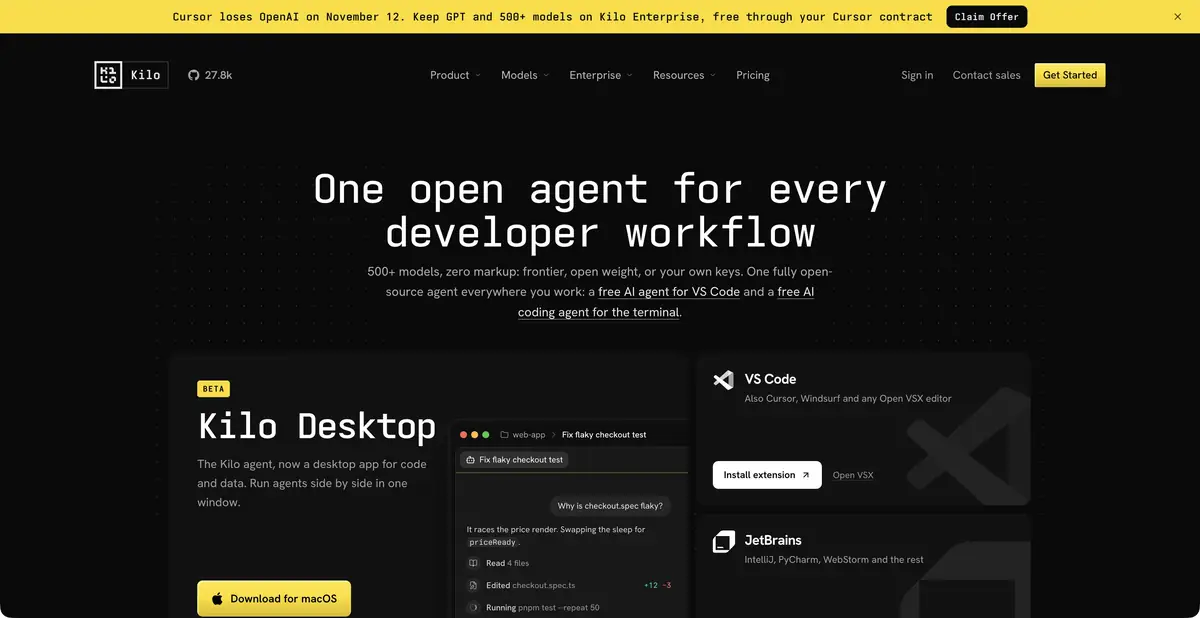
Kilo lets you explore a repository, prepare changes, and investigate errors through different interfaces. The official platform lists VS Code and JetBrains extensions, a CLI, cloud agents, and a desktop app. Cloud operation differs particularly from local operation in its environment, available files, and compute costs.
Do not assume one interface’s terms apply to the others. Opening a project in an IDE does not mean its dependencies are available to a remote agent. First check where the repository comes from, how the environment is set up, and where results are saved. Parallel tasks need isolated changes and a clear merge process.
Modes and rules for a specific task
Planning, coding, and debugging are presented as different ways to organize agent work. Rules establish project conventions, while integrations and MCP connect additional tools. Rules help when they specify a real check: for example, a mandatory build command or a prohibition on changing a public data format.
Suppose an agent is asked to extract a shared validator from two forms. Require error messages and accepted values to remain unchanged. Ask it to list differences between the forms first, then propose a common interface. After editing, check each form separately: combining them too hastily can silently remove an important exception.
Three billing components
The official page separates platform plans, AI inference, and cloud compute. Open-source clients are free, team features have separate plans, and remote runs may consume compute beyond model tokens. These distinctions matter more than a single starting subscription price.
Model options include free offerings, your own keys, local Ollama/LM Studio, a paid Gateway, and separate credit offers. Check a free model’s availability when you need it. A local model requires separate configuration; choosing a cloud provider still sends the relevant context to an external service.
Gateway and accepting changes
Kilo provides its own Gateway with a programmatic model access endpoint. This is a model gateway API rather than a universal HTTP interface for every agent action. The distinction helps choose an appropriate integration without expecting one component’s key to provide another’s functions.
Accept the final change through a diff review, tests, and in-app behavior checks. Convenient model routing does not prove code correctness or override rules for sharing source code. If a task moves between local and cloud modes, review secrets, installation commands, and verification results separately in each environment.
For dependency checks in a cloud environment, assess installation commands separately. A model may propose a correct patch while the remote environment lacks a required system package. Report this as a verification limitation instead of claiming a successful build.
Suitable tasks
- Fix and refactor code from IDE or CLI
- Transfer individual tasks to a cloud agent
- Choose local or cloud inference
- Use the model Gateway API
Strengths
- Open-source clients for different environments
- Separate metering for the platform, inference, and compute
- Your own keys and local models
Limitations
- Cloud computing can be paid separately
- API Gateway provides models, not all agent actions
- Availability varies for free model options
Selection and conditions
- Free access
- Yes
- Trial period
- Yes
- No sign-up required
- Not confirmed
- Russian interface
- Not confirmed
- Local installation
- Yes
- API
- Yes
“Not confirmed” means there is not enough information. The feature may still be available; check the developer’s terms.
- Input formats
- Text, Code
- Result
- Text, Code
Terms
The Open Source plan and Auto Free do not make every inference/compute option free. The trial applies to Enterprise features. Local Ollama/LM Studio require separate setup. The API is its own model Gateway.From task to first result
Practical example
- Task
- Fix and refactor code from IDE or CLI
- What to prepare
- A small part of your own project and a reproducible description of the error, with no tokens or passwords.
Task brief or prompt
Explain why this function handles an empty list incorrectly. First describe its current behavior, then suggest a minimal fix and checks for empty, normal and invalid input. Do not change other parts of the project unnecessarily.
Expected result
An explanation of the cause, a small proposed diff and checks to run locally.
How to check the result
- Read the diff before applying it.
- Run the checks in a separate working copy and make sure no secrets were included in the prompt.
An editorial teaching example of a task brief, not the result of hands-on testing of the service. Check that the required mode is available, that you have rights to the source material and that the intended use of the result is permitted.
Check details
Official sources
- Kilo Code: The Official Platform
- Kilo Code: Clients, Modes and Gateway
- Kilo Code: platform, inference and cloud compute
This description is based on the developer’s material. Features, prices and availability may change; check the primary source before use.