

Stitch is a stand-alone Google Labs tool for interface design. On a shared canvas, you can develop multiple screens, check transitions, and transfer the design further through code and developer tools.
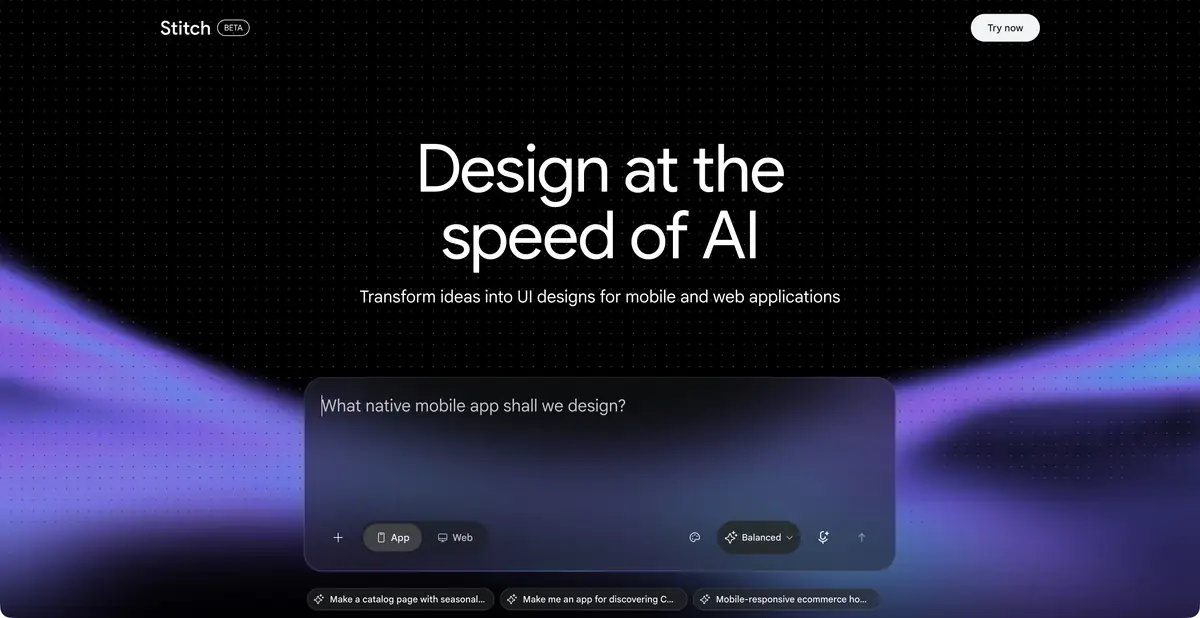
From product idea to connected screens
Stitch is designed for interfaces, not just art illustrations. Text, images, existing code and design materials can be used as context. The agent helps to create and refine screens on a common canvas. Due to this, the discussion gradually moves from a general desire to “make an application” to specific states and actions of the user.
Canvas, prototype and design rules
Current official materials describe an infinite canvas, voice interaction, iterative refinements and interactive prototypes. Multiple screens can be connected and explored as a user flow. A working button transition in a prototype does not confirm that a real server-side operation exists.
DESIGN.md is used for consistent design: a file with visual system rules can be transferred between projects and compatible tools. It helps to preserve the decisions made about colors and components, but does not replace checking the contrast, error states and real content of each screen.
Example: an interface for a small catalog
Formulate the task: the visitor selects the type of product, opens the card and saves suitable options. Describe the three screens and list the required fields. For example, use demo names; do not send internal client data just for the sake of filling out a layout.
After the first draft, go through the entire flow. Is the selected filter visible? Can you return to the list without losing your bearings? How do a long title and an empty search result look? These questions are more useful than simply asking for a more modern design.
Then compare mobile and wide versions. Check that the selected product and filter state are equally clear on both screens. Only then hand the approved design to developers.
Code handoff and programmatic access
Google describes export and interaction with AI Studio, Antigravity and other development tools. MCP and an SDK support technical workflows; the Google Labs Code repository includes programmatic retrieval of HTML and screenshots. The SDK itself is experimental and does not promise contractual product support.
Open the screen's code in your own environment and check dependencies, responsiveness, accessibility, content and handlers. An automatically created login screen is not a complete authentication system, and an attractive product list is not a secure database.
Availability and limits of the experiment
The work begins in the official Stitch service. Functions, quotas and access methods can change, so they are checked in a valid account; exact prices and universal regional promises are not given here. Experimental status is especially important for the process on which the release of a client product depends.
Retain approved design rules and exported materials beyond a single session. Before publishing, separately check text, working links, mobile sizes and the security of actual server-side components. The prepared interface is a starting point for this acceptance review, not a replacement.
Suitable tasks
- Prepare multiple linked interface screens
- Check user journey variants
- Transfer visual rules via DESIGN.md
- Get screen code for further development
Strengths
- Interface canvas with AI-agent
- Context from text, images and code
- Interactive prototypes and DESIGN.md
- MCP and an experimental SDK are available
Limitations
- Experimental functions and quotas may change
- The prototype does not confirm that server-side logic is ready
- Code and accessibility require separate checks
Selection and conditions
- Free access
- Not confirmed
- Trial period
- Not confirmed
- No sign-up required
- Not confirmed
- Russian interface
- Not confirmed
- Local installation
- Not confirmed
- API
- Not confirmed
“Not confirmed” means there is not enough information. The feature may still be available; check the developer’s terms.
- Input formats
- Text, Image, Code
- Result
- Prototype, Code, Image
Terms
An experimental service: check features, quotas and access in your account. Programmatic access is provided through MCP and an experimental SDK.From task to first result
Practical example
- Task
- Prepare multiple linked interface screens
- What to prepare
- A description of three workshop-booking screens: service selection, time selection and confirmation. You can attach your own sketch.
Task brief or prompt
Propose an editable prototype of these screens with clear navigation. Show an empty time-slot list and an error for an unfilled field. Do not connect real bookings or payments yet.
Expected result
Draft layouts or an interface prototype. Working server-side logic and readiness for production launch are not implied.
How to check the result
- Check transitions, labels, empty states and returning to the previous screen.
- Make sure elements are legible and fit on a narrow screen.
- Separately check accessibility, the actual scope of export and required component rights.
An editorial teaching example of a task brief, not the result of hands-on testing of the service. Check that the required mode is available, that you have rights to the source material and that the intended use of the result is permitted.
Check details
Official sources
- Official Stitch service
- Current interface canvas and DESIGN.md
- Collaborative design updates
- SDK by Google Labs Code
This description is based on the developer’s material. Features, prices and availability may change; check the primary source before use.

