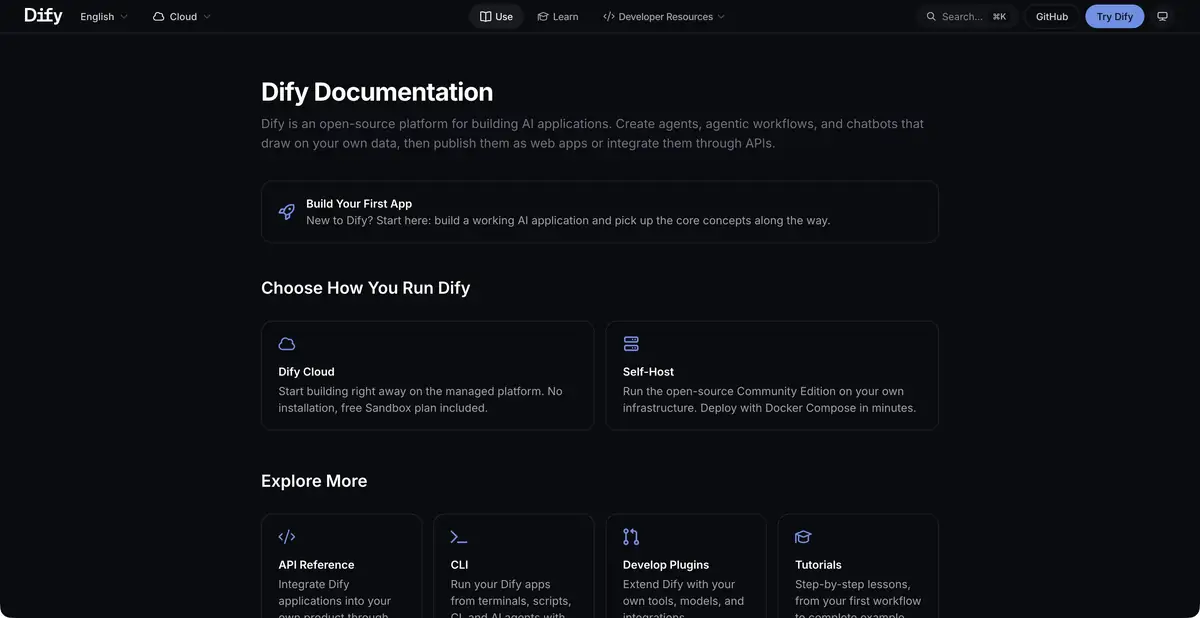
Dify connects models, data and processing steps into an application. You can publish it as a web interface or use it through an API; cloud and self-hosted installations require different maintenance.
A multi-step application
Dify is needed when a separate query to the model is no longer enough. The platform connects user input, access to the knowledge base, model operation and subsequent steps to a managed scheme. You can create a chat, agent process or processing with a certain result. The output is an application that is published through a web interface or connected to its product via an API.
Visual assembly makes the sequence of actions visible to the team. But it doesn’t automatically choose business rules: conditions, acceptable sources and behavior in the absence of data must still be determined by the author of the process.
Knowledge, tools and observation
Dify’s documentation separately covers Workflow and Chatflow graphs, agents, knowledge bases, tools and publishing. Model providers connect through supported integrations. Logs and observability tools help investigate responses and failed runs.
Treat each step as a separate responsibility. The system needs to know which information is available, when to ask a follow-up question and where to route an unclear case. An early classification error can affect every later action even when the final answer reads well. Check the entire request workflow, including exceptions.
First workflow: routing requests
To get started, build a workflow using sample customer requests. The input is the message text; an approved guide supplies the rules. The model proposes a category and rationale, while a separate branch sends ambiguous cases for human review. Initially, replace writes to external systems with draft preparation.
Check out an empty message, two questions in one appeal, and a category that is not in the directory. The expected result should remain clear and verifiable at each such input. This scenario shows an approach to design; it does not mean that the editors conducted a load test or checked the accuracy of a particular model in Dify.
Cloud or own server
Managed Cloud allows you to start without installation and contains a free Sandbox. Restrictions do not only apply to messages: documents, storage, events and other resources are taken into account. After spending the included features, you may need your own model keys or another plan.
Community Edition is launched on its infrastructure. Such a choice gives control over the placement, but leaves the team with updates and maintenance. The external model will continue to process the data transferred to it regardless of where Dify is installed. Before implementing, make a scheme for transmitting information and check the conditions of each connected service.
Suitable tasks
- Build an internal knowledge assistant
- Describe multi-step processing of requests
- Publish AI application with API
- Observe the results and errors of the workflow
Strengths
- Visual schemas and knowledge base in one platform
- Publication of web applications and REST API
- Choose Cloud or Community Edition
Limitations
- Model requests and data processing have separate quotas
- Self-hosted requires resources and maintenance
- Search and branch errors should be checked with your examples
Selection and conditions
- Free access
- Yes
- Trial period
- Not confirmed
- No sign-up required
- Not confirmed
- Russian interface
- Not confirmed
- Local installation
- Yes
- API
- Yes
“Not confirmed” means there is not enough information. The feature may still be available; check the developer’s terms.
- Input formats
- Text, Document, URL
- Result
- Text
Terms
Free Sandbox with restrictions is available in Cloud. Paid plans expand quotas; own placement and connected models require a separate budget. Dify Cloud with a workspace or Community Edition on its own infrastructure.From task to first result
Practical example
- Task
- Build an internal knowledge assistant
- What to prepare
- Sample customer requests and instructions for routing them between departments.
Task brief or prompt
For each appeal, offer a category, a brief explanation and the next step according to the instructions. If you don't have enough data, pass it on to the person. Prepare drafts of changes; recording to external systems is allowed only after verification.
Expected result
Verifiable plan for processing requests and drafts of actions in the configured process.
How to check the result
- Check unknown categories and empty entry.
- Check connection permissions and ensure the workflow stops before any action requiring approval.
An editorial teaching example of a task brief, not the result of hands-on testing of the service. Check that the required mode is available, that you have rights to the source material and that the intended use of the result is permitted.
Check details
Official sources
This description is based on the developer’s material. Features, prices and availability may change; check the primary source before use.