

Cursor combines a development environment with AI agents for working on software projects. It helps you explore code, plan changes, edit files and check the result.
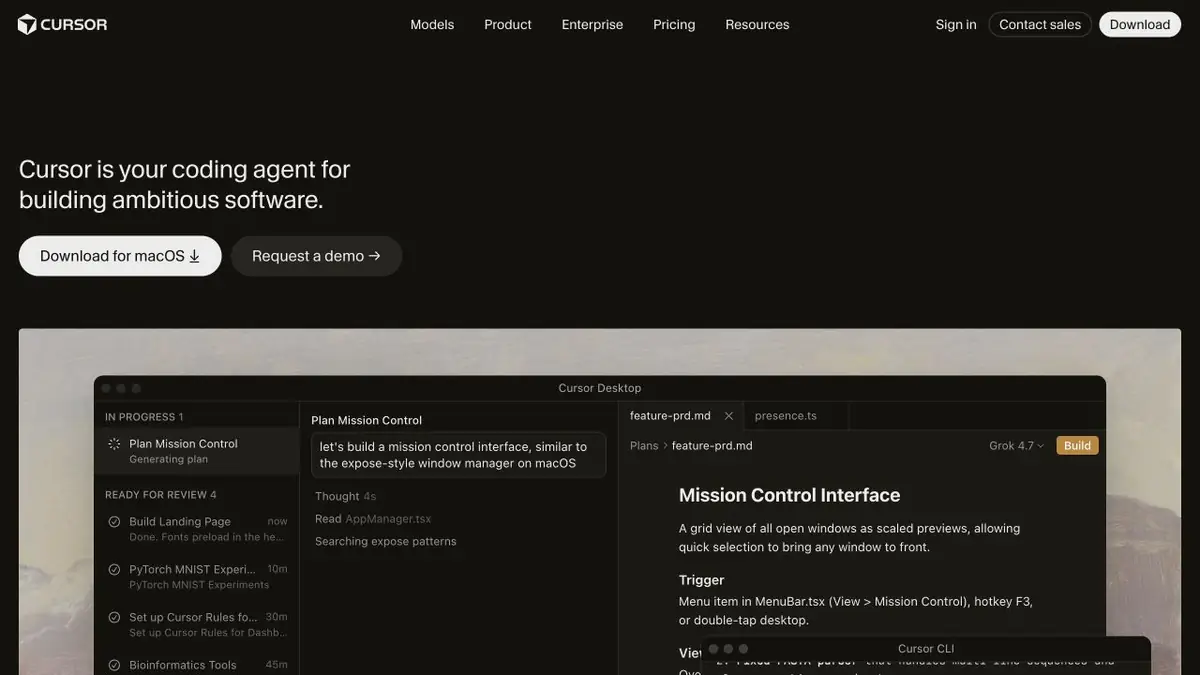
Environment for working with the project
Unlike an ordinary conversation, Cursor works alongside code and development tools. You can ask it to find a particular part of a project, explain relationships between files or prepare a change for a specific task. It uses the models available within the service; the editor’s name does not identify one universal AI model.
The product has its own workflow and documentation. This is the reason to include it in the catalog of original AI tools, even if some of the models used are developed by other companies.
How to assign a task to an agent
Start with expected behaviour and a way to check it. Attach the error message, sample input or a description of the screen. If the affected files are unclear, ask the agent to locate related code first.
Project rules preserve conventions: code style, check commands and architectural constraints. They are more useful than a long, general demand to “do quality work” because they provide concrete criteria for the next step.
Change and control
An agent can perform multi-step work, but review the file differences and run appropriate checks before applying its result. Pay particular attention to dependencies, migrations, network calls and data handling.
Do not broaden permissions unnecessarily. For cloud agents and connections, check where code is sent, which tools are available and who can initiate actions. An assistant inside an editor does not make every action safe automatically.
Plan and restrictions
Cursor offers limited free access and paid options. The available models, how requests are counted and additional costs may change; the current pricing page matters more than an older review.
Before moving the whole team, test one real project for extension compatibility, indexing of the required files and clear code review. The editor speeds up individual operations but cannot replace architectural knowledge or developer responsibility.
Suitable tasks
- Exploring an unfamiliar repository
- Edits across multiple files
- Finding and explaining errors
- Tailoring the AI workflow to a project
Strengths
- Source-code context in the work environment
- Rules and Tools for Agents
- Documented integrations
Limitations
- The output needs review and validation checks
- Limits depend on plan and model
- You need to consider the agent's access to code and tools
Check details
Official sources
This description is based on the developer’s material. Features, prices and availability may change; check the primary source before use.


