Cline combines coding with actions in the project environment. You can assign it a sequence of work and configure access to files, commands, and external tools to fit the task’s boundaries.
From explanation to action
Cline is useful when the answer needs to be a verifiable set of project changes. The agent can read and write files, run terminal commands, and use a browser. A request to fix a bug can therefore involve finding the relevant code, editing it, running a check, and analyzing the output. It is a standalone agent application, although the selected language model performs the inference.
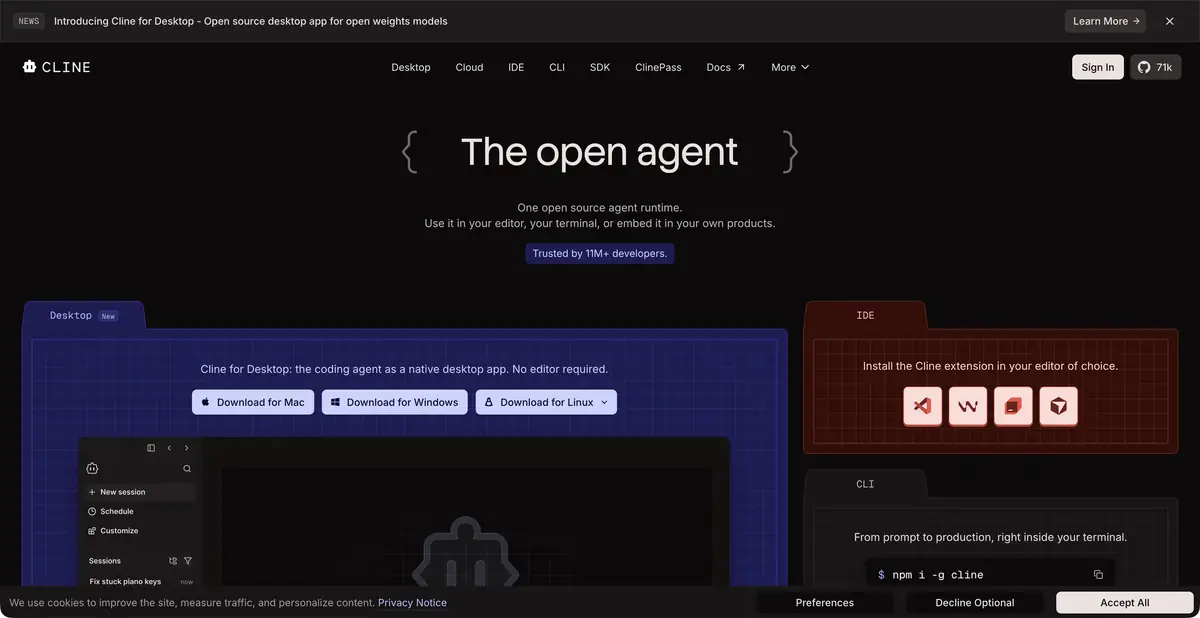
Official documentation describes several apps built on the same core: an editor extension, CLI, desktop app, and SDK. Features and organizational-use terms vary. Choose based on the specific client rather than the brand’s full list of offerings.
A plan and tool permissions
For an unclear task, discuss the plan and constraints first. Specify relevant directories, allowed verification commands, and behavior that must be preserved. Cline organizes work around action permissions; check automation and approval settings before granting access to important data.
An example exercise fixes a form that submits twice after repeated clicks. Ask the agent to locate the handler, explain the duplicate request’s cause, and propose a minimal change. Check normal submission, slow responses, and server errors. A visual demonstration of one successful click cannot replace checking request state.
What is billed and where the model runs
Open-source client tools are available free of charge, but this does not promise free use of every model. Options include a built-in model access route, your own provider keys, and local runtimes. Current documentation also describes separate paid inference offerings; check their terms alongside the selected model.
A local model connection lets you run inference on your own hardware. With a cloud key, request data goes to the selected provider even if the extension is installed locally. Enterprise management and support have separate terms. Monitor long-session usage: rereading context and multiple tool steps can substantially increase task costs.
Extensibility without overstated claims
MCP connects extra tools and sources. Their permissions and reliability are not properties of Cline itself: check each server’s capabilities separately. The official SDK provides programmatic access to the agent core, which is a more precise basis for integration than MCP support alone.
Before accepting a result, review file changes, dependencies, and commands the agent ran. A saved conversation helps explain the work, but reproducible checks and compliance with requirements remain the final criteria. Teams benefit from concise project rules, reviewed when tools change.
For a browser task, specify the screen and state to check. An agent may open a page and read a message, but checking keyboard navigation or resubmission requires separate actions. Distinguish browsing, file changes, and behavioral checks in the report.
Suitable tasks
- Fix errors with command execution
- Prepare changes from the editor or terminal
- Connect tools via MCP
- Embed agent core via SDK
Strengths
- Different clients on the same agent core
- Configurable action permissions
- Official SDK and tool integrations
Limitations
- The open-source client does not cover cloud tokens
- Check external MCP server permissions separately
- Long agent sessions can consume substantial context
Selection and conditions
- Free access
- Yes
- Trial period
- Not confirmed
- No sign-up required
- Not confirmed
- Russian interface
- Not confirmed
- Local installation
- Yes
- API
- Yes
“Not confirmed” means there is not enough information. The feature may still be available; check the developer’s terms.
- Input formats
- Text, Code
- Result
- Text, Code
Terms
Free access refers to the open-source client and available free model options. A local runtime must be selected separately; cloud compute and Enterprise have their own payment terms. API refers to the core SDK for programmatic use.From task to first result
Practical example
- Task
- Fix errors with command execution
- What to prepare
- A small part of your own project and a reproducible description of the error, with no tokens or passwords.
Task brief or prompt
Explain why this function handles an empty list incorrectly. First describe its current behavior, then suggest a minimal fix and checks for empty, normal and invalid input. Do not change other parts of the project unnecessarily.
Expected result
An explanation of the cause, a small proposed diff and checks to run locally.
How to check the result
- Read the diff before applying it.
- Run the checks in a separate working copy and make sure no secrets were included in the prompt.
An editorial teaching example of a task brief, not the result of hands-on testing of the service. Check that the required mode is available, that you have rights to the source material and that the intended use of the result is permitted.
Check details
Official sources
- Cline: Official Agent
- Cline: clients, models, tools, and permissions
- Cline: plans and inference billing
- Cline: programmatic SDK
This description is based on the developer’s material. Features, prices and availability may change; check the primary source before use.