Augment Code builds agentic development around codebase context. Its current platform includes Auggie CLI and Cosmos, an environment for engineering tasks, checks, and automations.
Context is more important than a fragment
In a large project, a useful fix depends on conventions, calling code, and related components. Augment emphasizes its Context Engine and agent tools that use repository context. This helps frame tasks beyond a single open file: trace data flow, assess a dependency, or prepare a change together with its verification.
“Context” does not guarantee an agent knows every internal agreement. Decisions retained only in messages or team members’ heads must become accessible requirements. For critical changes, specify applicable documents and external interfaces that must be preserved.
Auggie and Cosmos
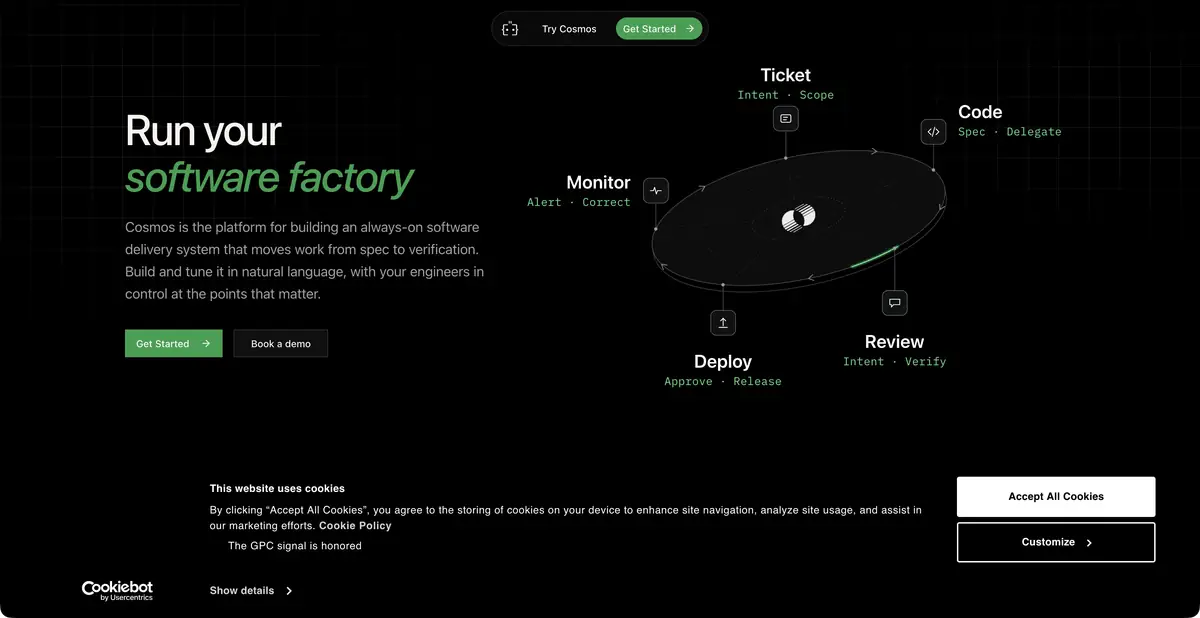
Auggie brings Augment’s agent and tools to the terminal. Cosmos combines specialized agents, triggers, and repeatable development workflows. Official materials describe work from task to implementation, review, and other engineering operations. These are developments within one platform; separate component names do not warrant duplicate catalog entries.
Choose an interface to suit the work. For one repository, start with a narrowly scoped CLI task. Recurring reviews or handling incoming engineering requests also require configuring event sources, environments, and checkpoints. Connecting an integration does not by itself determine when an agent may modify an external object.
Example: change a response format without breaking the client
Suppose a server method needs to return an additional field while preserving existing fields and current client behavior. Ask the agent to locate the handler, serialization, calls, and contract checks. Before editing, obtain a list of affected locations and clarify which actually fall within the task.
After implementation, check responses for the old input and the new case. Adding a field only to the type is insufficient if the serializer never returns it. If the agent unnecessarily changed many client calls, narrow the diff. Project context helps locate related code, but actual behavior determines acceptance.
Plan costs and reviews
The current pricing page describes platform plans with included usage and resource top-ups. Usage covers model requests, context, and compute; enterprise terms differ. Ongoing free inference and local model processing are not assumed without separate confirmation.
Before integration, check organizational access, code processing rules, and automation limits. Running a CLI locally does not move the cloud Context Engine or model onto your computer. Assess results through file changes, tests, and verified artifacts. Check SDK/MCP connections for the specific component; this card does not claim a universal public API for the whole platform.
Rerunning an automated review should not create conflicting assignments or fix an outdated diff. Link findings to a specific revision and retain details of the checks that apply to it.
Suitable tasks
- Explore connections in a large repository
- Prepare changes with the context of the project
- Run tasks through Auggie CLI
- Configure repeatable engineering workflows in Cosmos
Strengths
- Codebase context as a separate component
- Terminal Agent and Automation Platform
- Official documentation for clients and environments
Limitations
- Explicit requirements beyond the code are needed
- CLI does not mean local inference
- Context, model, and compute resources are metered by plan
Selection and conditions
- Free access
- Not confirmed
- Trial period
- Not confirmed
- No sign-up required
- No
- Russian interface
- Not confirmed
- Local installation
- Not confirmed
- API
- Not confirmed
“Not confirmed” means there is not enough information. The feature may still be available; check the developer’s terms.
- Input formats
- Text, Code
- Result
- Text, Code
Terms
Current Cosmos and Auggie offerings are part of Augment Code. A service account is required; local model processing, an ongoing free quota, and a unified public API have not been established.From task to first result
Practical example
- Task
- Explore connections in a large repository
- What to prepare
- A small part of your own project and a reproducible description of the error, with no tokens or passwords.
Task brief or prompt
Explain why this function handles an empty list incorrectly. First describe its current behavior, then suggest a minimal fix and checks for empty, normal and invalid input. Do not change other parts of the project unnecessarily.
Expected result
An explanation of the cause, a small proposed diff and checks to run locally.
How to check the result
- Read the diff before applying it.
- Run the checks in a separate working copy and make sure no secrets were included in the prompt.
An editorial teaching example of a task brief, not the result of hands-on testing of the service. Check that the required mode is available, that you have rights to the source material and that the intended use of the result is permitted.
Check details
Official sources
- Augment Code: Cosmos and Context Engine
- Augment Code: Current Platform Components
- Augment Code: Plans and Resources
This description is based on the developer’s material. Features, prices and availability may change; check the primary source before use.