A vocal-production service that converts an existing performance with a chosen voice, trains custom models and offers harmony, pitch and isolation tools. Free results are limited to personal use.
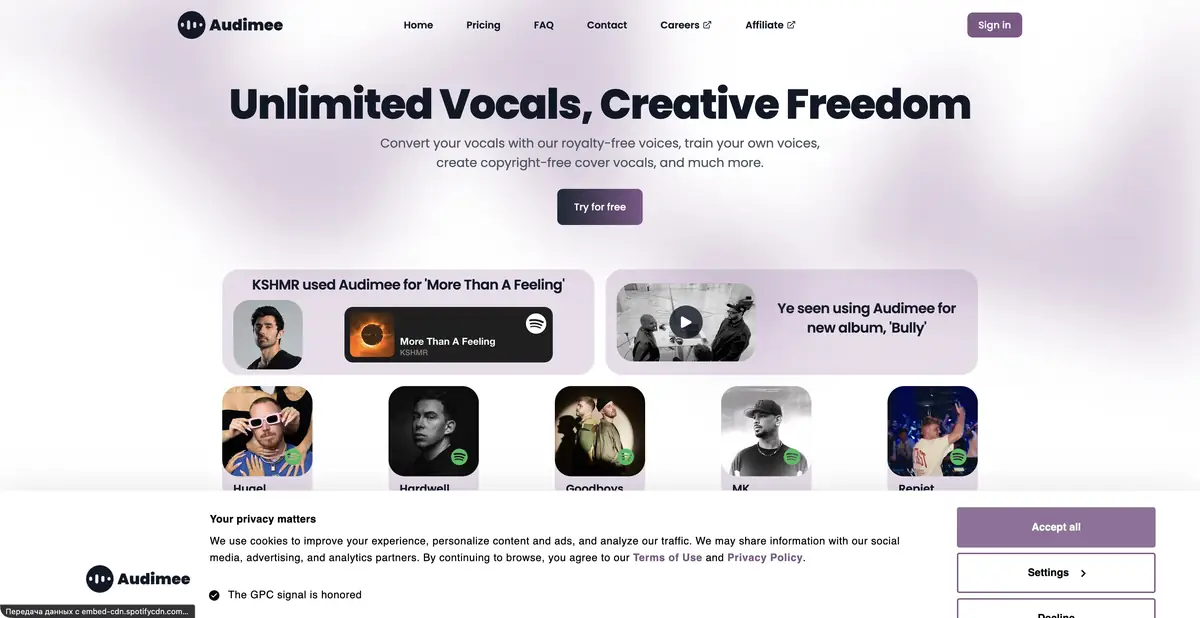
From an existing performance to a different timbre
Audimee works with recorded vocals. You provide a performance and choose a voice model to obtain a different timbre while preserving the musical basis of the delivery. Unlike ordinary text-to-speech, the melody, rhythm and phrasing come from the audio recording; source quality affects subsequent processing.
The service includes conversion, training custom voices, vocal isolation, model blending, harmonies and pitch tools. These can support a musical sketch or permitted production. Select the mode for your task rather than applying every available effect in sequence.
The value of a clean vocal source
Start with a dry recording without excessive noise or heavy processing. A source containing strong reverb, layered voices or distortion needs particularly careful listening after conversion. Compare words, consonant timing, sustained vowels and register transitions, keeping the original track separately.
Training a personal model requires suitable recordings and voice rights. Plan slots determine how many models can be retained simultaneously; this is separate from conversion minutes. A library's royalty-free label does not permit copying anyone's identity or using others' performances without the necessary rights.
Example: try a second voice in your own song
Record a short phrase in a comfortable key and create a version with a selected library voice. Compare the main vocal without instruments first, then place the result in the mix at the same volume. Judge intelligibility and suitability for the arrangement, rather than only an impressive isolated sound.
For harmonies, check intervals and voice leading. Fix an awkward transition in the source performance or chosen setting rather than masking it with effects. Before preparing a full track, confirm that the required download format and commercial use are included in your plan.
Personal use, WAV and the enterprise API
The free offer includes limited conversion time, MP3 and personal use only. Official documentation states that this initial allowance is granted once and does not renew. Result and model retention also differ from paid tiers.
Paid plans state commercial use, WAV and extended tools; retain the applicable rights terms for your release. Enterprise separately offers API access. This confirms programmatic access under contractual terms, rather than a free general API for every account. Server-free operation and a full local mode are not confirmed. The main workflow requires an account.
Suitable tasks
- Try another timbre for your vocals
- Train a permitted personal model
- Create harmonies for your part
- Prepare a vocal track for a DAW
Strengths
- Conversion based on an actual performance
- Pitch, isolation and harmony tools
- A voice library and custom models
- Documented WAV and Enterprise API options
Limitations
- The free allowance is one-time and for personal use only
- Model slots and minutes are counted separately
- Source vocals affect artifacts
- API access is stated for Enterprise; a local mode is not confirmed
Selection and conditions
- Free access
- Yes
- Trial period
- Not confirmed
- No sign-up required
- Not confirmed
- Russian interface
- Not confirmed
- Local installation
- Not confirmed
- API
- Yes
“Not confirmed” means there is not enough information. The feature may still be available; check the developer’s terms.
- Input formats
- Audio
- Result
- Audio
Terms
Limited free personal use and paid plans with commercial use and WAV are available. Enterprise offers an API separately. Web service with an account. Custom models require suitable recordings and the necessary voice rights.From task to first result
Practical example
- Task
- Try another timbre for your vocals
- What to prepare
- A short original speech or vocal recording and an authorized model/effect. Use a live microphone for Voicemod and a recorded vocal file for Kits.
Task brief or prompt
Assignment: transform the sound of your own performance using a chosen model or effect while retaining the original. Compare word intelligibility, rhythm, and sustained sounds at matched loudness. This is an instruction for actual audio input, rather than a promise of text-based generation.
Expected result
Converted audio for listening; downloads and commercial rights are checked separately for product and plan.
How to check the result
- Listen to consonants, endings and transitions; make sure the original meaning and rhythm is not lost.
- Check the voice/model rights and availability of the desired export; for live mode, check the virtual microphone.
An editorial teaching example of a task brief, not the result of hands-on testing of the service. Check that the required mode is available, that you have rights to the source material and that the intended use of the result is permitted.
Check details
Official sources
This description is based on the developer’s material. Features, prices and availability may change; check the primary source before use.