Supernormal records meetings through a desktop app and uses their context for notes, emails, documents and presentations. The current workflow extends well beyond its former call-recording bot.
Desktop recording instead of a participant bot
Supernormal now uses a Mac and Windows desktop application to capture conversations without a separate bot in the participant list. It requires an account, a compatible device and microphone and system-audio permissions. Official documentation describes the move from the old extension and Norma to desktop capture; previous instructions should not be treated as the current connection method.
A meeting can be started from a notification, detected automatically or recorded manually. Afterward, transcripts, summaries and next steps are available. Having no visible bot is not permission to record secretly: notify participants in accordance with team rules and the agreement for the conversation.
From a meeting to a brief or email
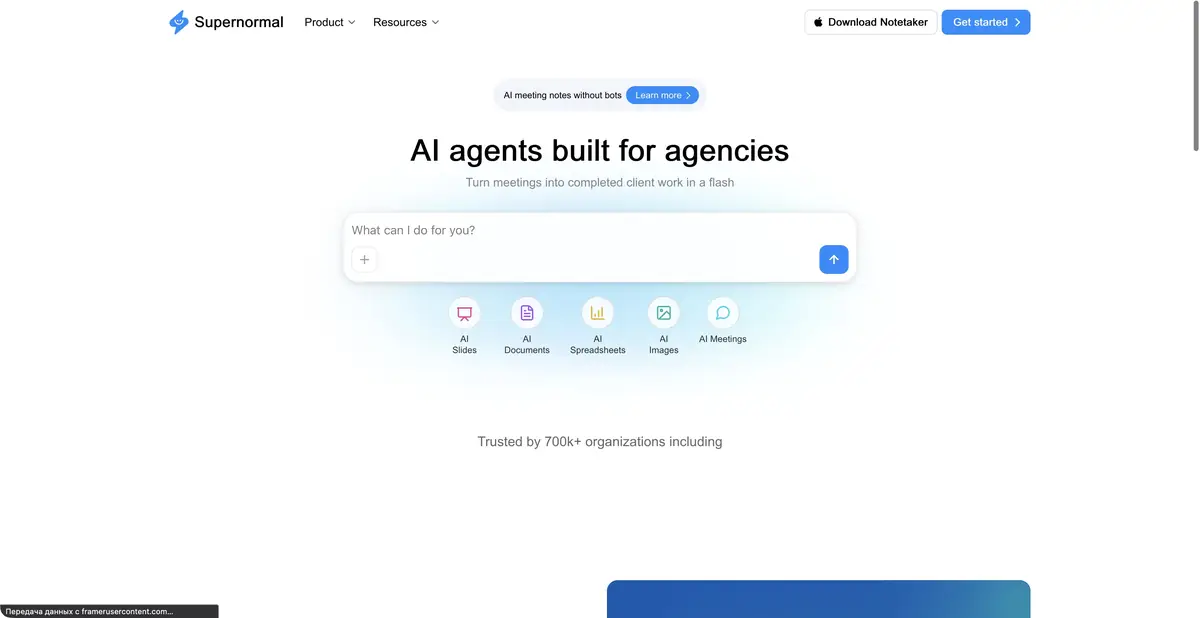
The current Supernormal also targets agencies that need client materials after discussions. Meeting context can inform a draft email, document, presentation or spreadsheet. Projects limit the discussions used for new work, while templates define its format.
This is useful when decisions have actually been made. If a client merely discussed a possible deadline, AI should not turn it into a promised date. Correct the main notes before generating derived material. Convenient formatting does not replace fact-checking, and an agreed structure does not establish client approval of the content.
Example: prepare a brief after a call
Decide which conversations belong to the project and agree on recording in advance. After the call, check the client's goals, budget constraints and open questions. Then request a brief with separate fields for confirmed decisions and information still requiring clarification.
Check surnames, product names and deadlines against the transcript. Remove assumptions about participants' authority. Before sending the document to the client, check its visual structure and make sure it contains no internal notes from another project. This is an editorial workflow example, rather than a test we performed with Supernormal.
Credits, connections and processing location
There is a free plan with credits and paid team offers. Check current note-taking and content-creation resources, including quotas and available administrative settings. Desktop minimum system requirements matter more than a general statement that it works on Mac or Windows.
MCP is documented for sharing meeting context with other AI tools. It is not cited here as proof of a universal REST API. Desktop capture also does not establish that all subsequent AI processing runs locally. Before connecting a work calendar, check automatic recording, storage, project access and material-sharing rules.
Suitable tasks
- Record supported meetings without a bot
- Prepare a brief from a client discussion
- Draft an email or presentation
- Share context through MCP
Strengths
- Documented desktop capture
- Notes linked to follow-up work
- Projects and templates for client materials
- MCP and a free offer
Limitations
- Audio permissions and a compatible system are required
- Desktop capture does not establish local AI processing
- Generated materials can inherit transcript errors
- Credit and team conditions vary
Selection and conditions
- Free access
- Yes
- Trial period
- Not confirmed
- No sign-up required
- Not confirmed
- Russian interface
- Not confirmed
- Local installation
- Not confirmed
- API
- Not confirmed
“Not confirmed” means there is not enough information. The feature may still be available; check the developer’s terms.
- Input formats
- Audio, Document, Text
- Result
- Text, Document, Presentation, Spreadsheet
Terms
A free credit-based plan and paid team tiers are available. Check resources and data management under current terms. A Supernormal account, a supported Mac or Windows application, and microphone and system-audio permissions are required. The web workspace supports subsequent work.From task to first result
Practical example
- Task
- Record supported meetings without a bot
- What to prepare
- A recording of an agreed project discussion, checked notes, the current brief and correct client names.
Task brief or prompt
Task: prepare a brief from the selected meeting and attached materials. Separate confirmed goals, constraints, decisions and open questions. Do not assign a deadline or owner without agreement. Preserve a way to check disputed claims against the original conversation.
Expected result
An editable draft of client material based on actual context; choose the document or presentation format in the product.
How to check the result
- Check names, dates and promises against the recording.
- Confirm that the correct client context was used.
- Open the export and correct tables, line breaks and formatting.
- Approve the content and recipients before sharing.
An editorial teaching example of a task brief, not the result of hands-on testing of the service. Check that the required mode is available, that you have rights to the source material and that the intended use of the result is permitted.
Check details
Official sources
- Current official Supernormal
- Credit-based plans
- Application setup and audio permissions
- Current changes, projects and MCP
This description is based on the developer’s material. Features, prices and availability may change; check the primary source before use.