Sembly connects meeting recording and contextual search with client-material creation. Current offerings confirm branded documents and presentations, rather than only automated minutes.
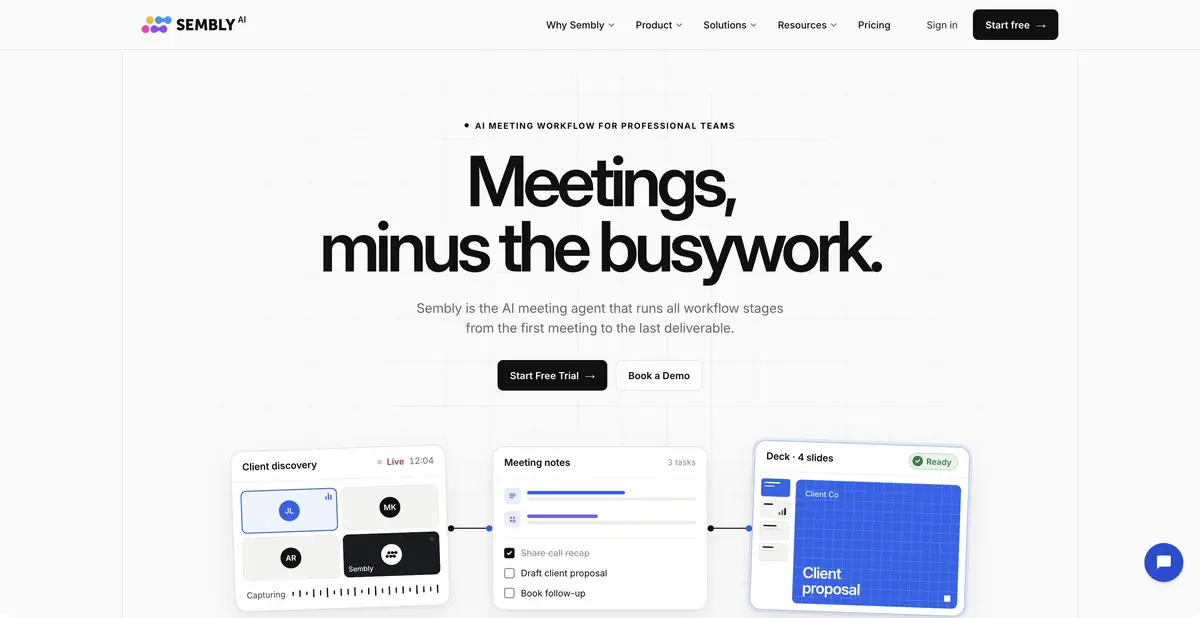
A meeting as a source of project materials
Sembly AI records supported online meetings, accepts media uploads and helps turn conversations into transcripts, notes and tasks. The current platform extends this workflow by using project context for reports, proposals, briefs and presentations. Compare the full chain of work after a meeting, rather than just the presence of speech recognition.
Inputs include conversations, uploaded documents, reference materials and permitted data from connections. The desired output is checked meeting minutes or editable client material. Sembly AI is distinct from AssemblyAI: it is a separate end-user product, rather than the similarly named speech-recognition API platform.
Clients, branding and export
Studio organizes context by client and uses brand assets for formatting. Users can provide style guidance or a client website, then specify the document task. The official page describes proposals, project reports, presentations, specifications and briefs, with manual review before client delivery.
Editable PowerPoint and Word exports are confirmed. These are more useful than static images when colleagues need to make changes. DOCX or PPTX availability does not guarantee factual accuracy or perfect layout: open the file and check line breaks, tables, sources and compliance with the corporate template.
Example: a report after a project discussion
Add only relevant meetings and current source materials. Request sections for completed work, risks, agreed decisions and open questions. If no date or owner was named, leave a field for clarification. Several similar clients in the history make careful checks of names and context especially important.
Compare key conclusions with the original recording. Check that a cautious forecast has not become a promise. Look for internal notes and information not intended for the client in the export. Claims about project results should rely on team data, rather than appear merely to make the text persuasive.
Trial plans and automation
Sembly currently offers a trial and paid tiers that differ in users, client spaces, history and credits. Meeting capture and creation of new materials are subject to different conditions. Older descriptions of a permanent free personal plan are not used as evidence of the current offer.
Automation, webhooks and MCP are stated for certain tiers. A universal public REST API is not established by the checked sources. Recording an in-person conversation or using an app does not prove fully local processing either. Before use, check participant access, recording notices, retention and the data included in each client space.
Suitable tasks
- Prepare meeting minutes with tasks
- Create a project report from meetings
- Build a brief using client branding
- Export editable Word or PowerPoint files
Strengths
- Meetings connected to subsequent documents
- Client spaces and brand assets
- Editable office-file exports
- Automation, webhooks and MCP on selected plans
Limitations
- New materials consume plan resources
- Facts and layout need checking
- History and client-space counts are limited
- A general REST API and fully local processing are not confirmed
Selection and conditions
- Free access
- Not confirmed
- Trial period
- Yes
- No sign-up required
- Not confirmed
- Russian interface
- Not confirmed
- Local installation
- Not confirmed
- API
- Not confirmed
“Not confirmed” means there is not enough information. The feature may still be available; check the developer’s terms.
- Input formats
- Audio, Video, Document, Text
- Result
- Text, Document, Presentation
Terms
A trial offer and paid tiers differ in credits, history, users, clients and automation features. Web workspace with an account, meeting connections and uploads of permitted materials. Access and client context are configured separately.From task to first result
Practical example
- Task
- Prepare meeting minutes with tasks
- What to prepare
- A recording of an agreed project discussion, checked notes, the current brief and correct client names.
Task brief or prompt
Task: prepare a brief from the selected meeting and attached materials. Separate confirmed goals, constraints, decisions and open questions. Do not assign a deadline or owner without agreement. Preserve a way to check disputed claims against the original conversation.
Expected result
An editable draft of client material based on actual context; choose the document or presentation format in the product.
How to check the result
- Check names, dates and promises against the recording.
- Confirm that the correct client context was used.
- Open the export and correct tables, line breaks and formatting.
- Approve the content and recipients before sharing.
An editorial teaching example of a task brief, not the result of hands-on testing of the service. Check that the required mode is available, that you have rights to the source material and that the intended use of the result is permitted.
Check details
Official sources
This description is based on the developer’s material. Features, prices and availability may change; check the primary source before use.