

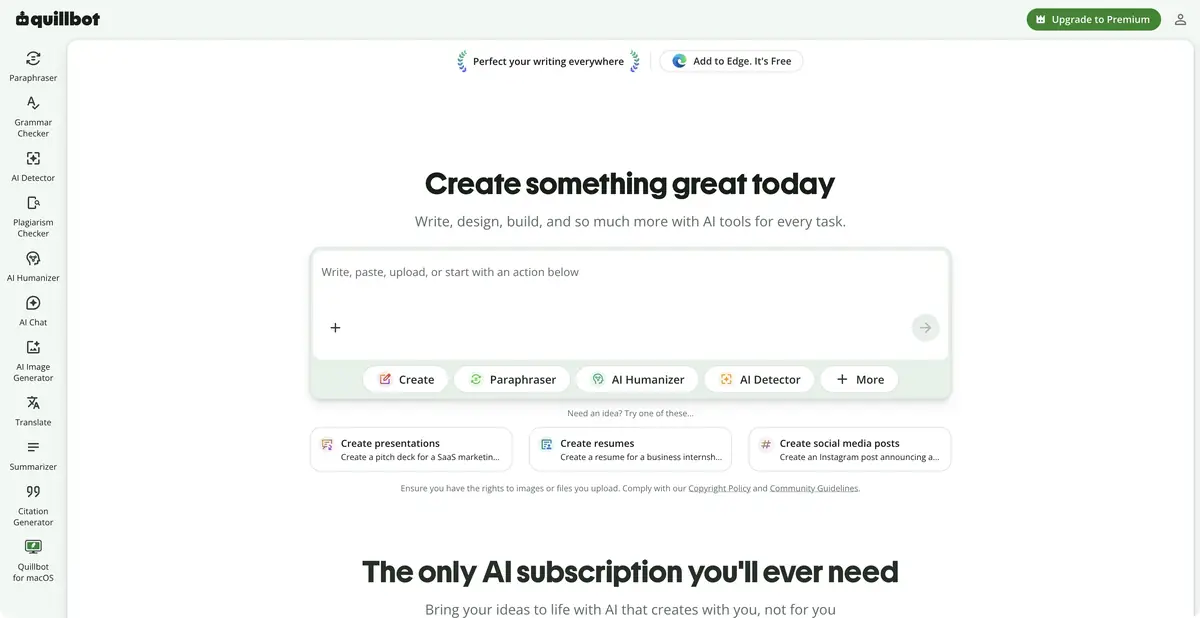
QuillBot helps to rewrite and check your own text, compare wording and prepare a short version. The product has free features and advanced Premium modes.
Change the wording while preserving the idea
QuillBot is best known for its paraphrasing tools. They help when an author knows what they want to say but a sentence is awkward or ambiguous. Before editing, identify what must remain unchanged: conditions, names, numbers and degree of certainty.
Paraphrasing does not correct a false original statement. It also does not remove the obligation to indicate the source of someone else’s thought. The goal of editorial work is clarity and accuracy, not masking the origin of the text.
Multiple tools for different stages
The official toolkit includes grammar checking, summarization, translation and citation tools. Capabilities and limits vary by tool and language. Free access does not include the same amount of use for all of them.
Split the tasks for long material. Check structure and factual foundations first, then individual wording and grammar. Rewriting and shortening everything at once makes lost qualifications or causal links harder to notice.
Example: make an English email clearer
Use your own draft email explaining a shipping delay. Compare neutral and more formal versions. Both must retain the reason, actual timeline and a clear next step. If the tool adds compensation or an apology containing a legal promise absent from the original, correct it manually.
Read the whole result instead of accepting individual appealing replacements. A rarer synonym may be inaccurate in a work context.
Summaries also need checking
Summary helps to quickly see the main theses, but can omit conditions and exceptions. For a report or training material, keep the original near and check where each conclusion came from. Pay special attention to words that change confidence: “perhaps”, “usually”, “in some cases”.
Text assessment tools, including AI and plagiarism checks, do not definitively establish authorship or lawful use. Do not make important decisions about a person based solely on an automatic score. Verifiable sources and thoughtful editing matter more for publication.
Choosing access
The free plan limits usage and some modes; Premium and team offerings expand access. Exact limits can vary across tools and product interfaces. Check the specific language and use case before subscribing.
This profile makes no unverified claims of a public API or local execution. Review data-processing rules before using personal or work documents. Authors remain responsible for the finished text: check meaning, facts and references after every substantial rewrite.
Suitable tasks
- Reword your own draft without changing the facts
- Check grammar and readability
- Prepare a summary of the material with verification of the original
- Compare different tone options and wording
Strengths
- Multiple editing tools in one product
- Free plan for basic tasks
- Extensions and other official interfaces
Limitations
- Paraphrasing can change nuances of meaning
- Limits and language support vary
- Automatic evaluation of the text does not prove authorship
Selection and conditions
- Free access
- Yes
- Trial period
- Not confirmed
- No sign-up required
- Not confirmed
- Russian interface
- Not confirmed
- Local installation
- Not confirmed
- API
- Not confirmed
“Not confirmed” means there is not enough information. The feature may still be available; check the developer’s terms.
- Input formats
- Text, Document
- Result
- Text
Terms
Free limits usage volume and available modes; Premium expands access. Language and specific tool support must be checked separately; API access and local execution have not been established.From task to first result
Practical example
- Task
- Reword your own draft without changing the facts
- What to prepare
- English draft: We are sorry to say that your order will be sent one day later because we are checking the quality.
Task brief or prompt
Task: suggest clearer English wording for a delay message. Preserve the one-day delay and quality check; do not add compensation, an order number or a different reason. Compare neutral and more formal versions.
Expected result
English text with the same facts; the author chooses a suitable option and checks the meaning.
How to check the result
- Check that the delay has not changed.
- Read the option out loud and compare its tone with the relationship with the addressee.
An editorial teaching example of a task brief, not the result of hands-on testing of the service. Check that the required mode is available, that you have rights to the source material and that the intended use of the result is permitted.
Check details
Official sources
This description is based on the developer’s material. Features, prices and availability may change; check the primary source before use.
