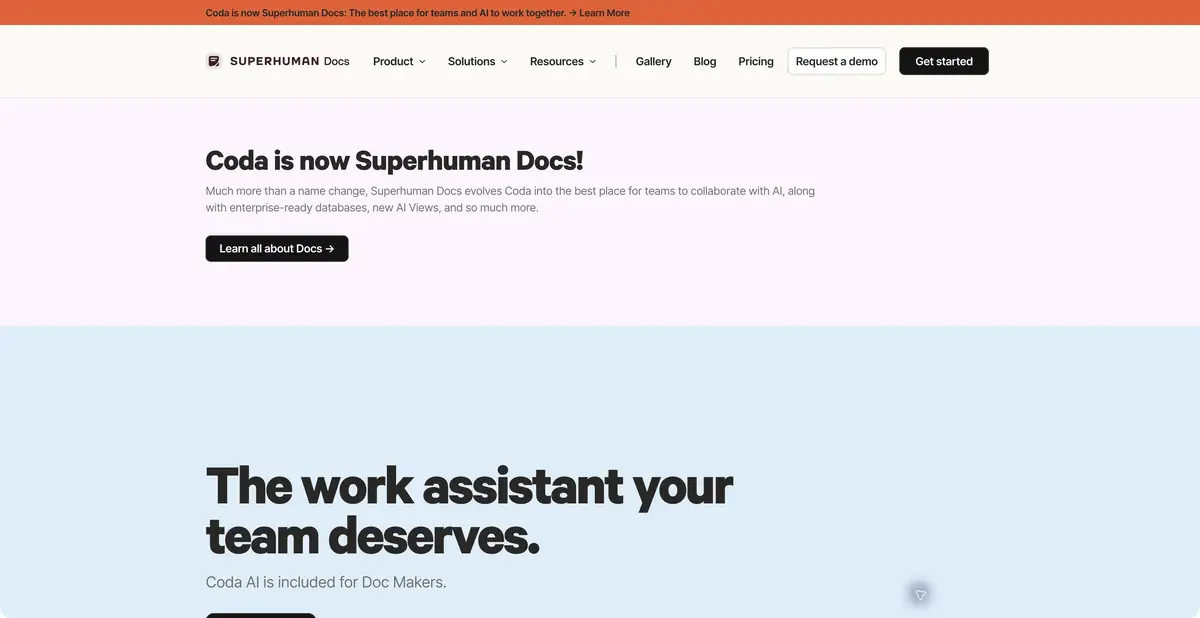
Coda has been renamed Superhuman Docs; it is a continuation of the same product. AI works inside a collaborative document with tables and work data, allowing the team to check and develop a draft immediately.
Coda continues under a new name
Superhuman Docs lets you create and edit material directly in a shared document instead of copying responses from a separate chat. It combines text, structured tables, formulas, buttons, and connections to other systems. This helps with project summaries, requests, and working reference documents: AI output stays beside the source records. The official announcement explicitly confirms Coda’s transition to Superhuman Docs and the preservation of existing documents. Listing both brands separately would count one product twice.
Text and data in one workspace
Docs AI can help with drafts, summaries, tables, and understanding team context. AI columns handle repeated processing of records, while blocks summarize pages and tables. Keep a clear distinction between source facts and calculated or generated content. For example, a ticket status from a table must not be replaced with a guess from free text.
The new brand also announced AI Views and Superhuman Databases, but the official announcement labels them closed beta. They cannot be promised to every user as generally available features. Base your workflow on features actually enabled in your account.
Example: prepare a decision log
You have your own anonymized notes from three meetings on one project. Ask AI to create a table with “decision — rationale — owner — source,” including only explicitly agreed decisions. Put proposals in a separate section. If no owner is specified, leave the field blank rather than assigning someone merely because their name appears nearby.
Open each row’s source and check that a discussion has not become a commitment. Add standard status fields and make the document understandable to someone who missed the meetings. For ongoing use, one well-maintained log is more useful than a long automatically generated summary. This is an educational scenario, rather than our test of Docs AI accuracy.
Integrations and access
Official Docs MCP lets compatible AI clients read and modify documents. The REST API covers documents, pages, and table rows; it does not establish a universal endpoint for every interactive AI action. An integration should check token permissions, the delay before changes apply, and confirmation that data was actually written.
Pricing depends on the plan and Doc Maker role; check AI access and quota details in the current workspace. A free document does not prove ongoing free AI access. Before connecting external data, set member permissions and ensure summaries do not disclose private table contents to unauthorized people.
A decision log benefits from links back to original notes. Wording changes should still let readers understand what was said and what the team approved later.
Suitable tasks
- Create a decision log from notes
- Compile a summary of the project table
- Process similar records using an AI column
- Connect a document to an external AI client
Strengths
- Text, Tables and AI in the Common Document
- Formulas, buttons, and integrations
- Official REST API and MCP
Limitations
- Some new features remain in closed beta
- AI access depends on the plan and role
- Check summaries against the source data
Selection and conditions
- Free access
- Not confirmed
- Trial period
- Not confirmed
- No sign-up required
- Not confirmed
- Russian interface
- Not confirmed
- Local installation
- Not confirmed
- API
- Yes
“Not confirmed” means there is not enough information. The feature may still be available; check the developer’s terms.
- Input formats
- Text, Document, Table
- Result
- Text, Table, Document
Terms
The API covers document data. AI access and the Doc Maker role depend on the plan; AI Views and Databases were in closed beta in the initial announcement. Ongoing free AI access has not been confirmed.From task to first result
Practical example
- Task
- Create a decision log from notes
- What to prepare
- A practice project with anonymized tasks, notes, and explicitly marked decisions; the reviewer can access sources.
Task brief or prompt
Summarize this project: completed work, blockers, and explicitly agreed decisions. Cite the source record for each item. Separate proposals from commitments; do not invent missing deadlines or owners.
Expected result
A verifiable draft summary based on accessible work context, with uncertainties retained.
How to check the result
- Open the sources for key points and check that statuses are current.
- Do not treat a proposed date in a discussion as an approved deadline.
- Check the addressee's rights to the information included in the summary.
An editorial teaching example of a task brief, not the result of hands-on testing of the service. Check that the required mode is available, that you have rights to the source material and that the intended use of the result is permitted.
Check details
Official sources
- Coda AI officially transitions to Superhuman Docs
- The current product announcement and beta limitations
- Superhuman Docs API documentation
- Official Docs MCP
This description is based on the developer’s material. Features, prices and availability may change; check the primary source before use.