

ACE-Step creates songs and instrumental compositions in your own environment. The model family supports text-based generation, source audio and dedicated editing modes.
What to specify before generation
ACE-Step turns a description of the music and song lyrics into audio. In the interface, Caption describes the composition: its genre, instruments, mood and sense of tempo. The lyrics go in a separate Lyrics field. This lets you compare arrangements for the same lyrics or change the words while keeping the musical description. Duration, tempo, key and time signature can also be set with separate parameters.
There is an Instrumental switch for instrumental compositions. Before generating a song with vocals, choose the language and check how the words, endings and transitions between sections sound. The authors of the 1.5 branch report support for lyrics in more than 50 languages. This does not guarantee equal pronunciation or vocal quality across every language and genre.
The mode depends on the model you choose
In Custom mode, you can enter the description and lyrics yourself. An audio reference helps guide the style and timbre. Remix reworks a source recording, while Repaint lets you select a section to regenerate. After an edit, listen closely to the join with the retained audio: replacing a section can create an obvious transition or alter the sound.
The family has several model variants with different capabilities. The guide lists Extract, Lego and Complete for Base: extracting a part, adding an instrument and completing an incomplete arrangement. Turbo and SFT do not offer these modes. Before preparing source material, check the desired mode against the capability table for the specific variant. Versions 1.5 and XL belong to the same family but have different hardware requirements.
Example: a short background track
Suppose you need 30 seconds of calm background music for your own home repair video. You could describe soft keyboard tones, sparse percussion and steady dynamics, then enable Instrumental. Set the length separately with Audio Duration. Start with a short sketch and listen to it alongside the spoken track before deciding whether the chosen instruments work together.
When comparing variants, keep the description and duration unchanged and alter only the seed. Listen to the opening, transitions and ending. Check that the music does not compete with the speech and contains no unwanted vocals. Save the audio and the settings of a useful version for further work. The interface offers MP3, FLAC and WAV, among other formats. A file format alone does not confirm the quality of a composition.
Installation and use of the result
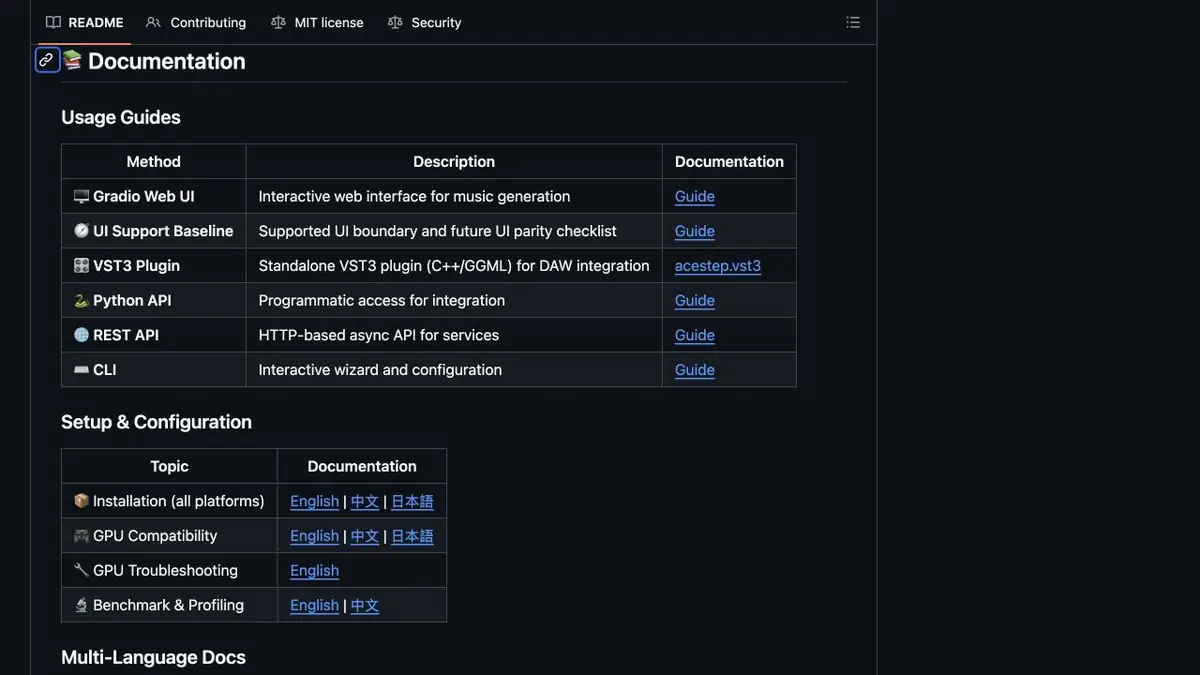
The code, weights and instructions are available for self-hosting. You can use a browser interface, a Python library or your own REST API server. Before installation, choose a compatible environment and model variant, taking memory, dependencies and device limitations into account. Your own API requires a running server and computing resources. Its availability does not mean the developers provide a ready-to-use cloud endpoint for every project.
The code and weights of the current 1.5 branch are published under MIT. Hardware, hosting and maintenance of your environment remain separate costs. The model license does not replace the rights needed for an uploaded recording, lyrics or other source material. Before distributing a result, check the material used and the recording itself. Research comparisons and speed claims on the project page should not be treated as results for your own computer without checking them.
Suitable tasks
- Create short instrumental sketches for your own videos
- Explore a musical idea with your own lyrics
- Create variants of your own recordings in a supported mode
Strengths
- Open weights, a browser interface and programmatic ways to run the model
- Separate music description, lyrics and composition settings
Limitations
- Requires installation, compatible hardware and environment maintenance
- Available modes depend on the model variant
- The result and transitions between sections need listening checks
Selection and conditions
- Free access
- Yes
- Trial period
- Not confirmed
- No sign-up required
- Not confirmed
- Russian interface
- Not confirmed
- Local installation
- Yes
- API
- Yes
“Not confirmed” means there is not enough information. The feature may still be available; check the developer’s terms.
- Input formats
- Text, Audio
- Result
- Audio
Terms
The code and weights of the 1.5 branch are available under MIT. Local execution and the REST API require your own environment. Extract, Lego and Complete are available only for Base; rights to source material must be checked separately.From task to first result
Practical example
- Task
- Create short instrumental sketches for your own videos
- What to prepare
- A description of original instrumental background music for a home repair video, an installed ACE-Step environment and a selected compatible model. Set 30 seconds with Audio Duration and enable the Instrumental switch.
Task brief or prompt
Calm instrumental background for a home repair video, soft keyboard tones, sparse quiet percussion, steady dynamics, space for spoken narration, a gentle opening and no sudden changes in loudness.
Expected result
A short musical sketch to assess alongside the spoken track and edit further.
How to check the result
- Listen to the opening, transitions and ending alongside the video’s spoken track.
- Check for unwanted vocals and sudden changes in loudness.
- Save the audio, description, selected model and seed of the version that works.
An editorial teaching example of a task brief, not the result of hands-on testing of the service. Check that the required mode is available, that you have rights to the source material and that the intended use of the result is permitted.
Check details
Official sources
- Official ACE-Step 1.5 repository
- Official model weights and license
- Guide to generation modes and parameters
- Documentation for a self-hosted REST API
- Code license for the current branch
- Installation and choice of environment
This description is based on the developer’s material. Features, prices and availability may change; check the primary source before use.