

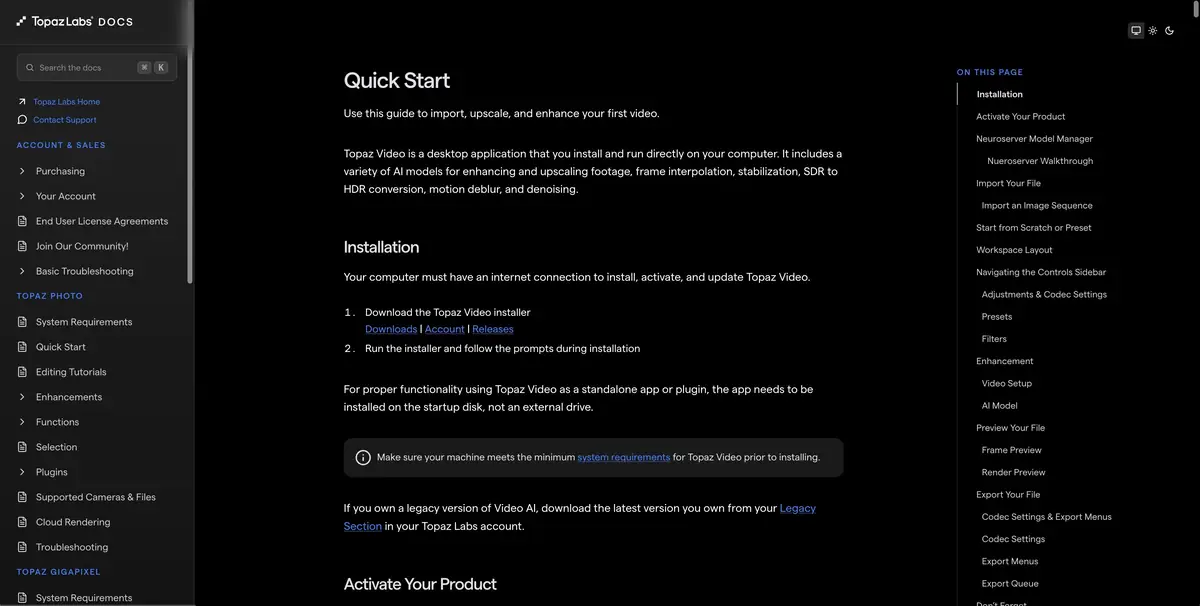
Desktop video recovery tool with noise reduction, detailing, interpolation and stabilization settings.
Increase and restore the source
Topaz Video uses different models for video processing. In the Enhancement section, the developer distinguishes between sources, types of defects and available model parameters. Increasing resolution is useful for showing on the big screen. Traces of severe compression and lubricated faces should be evaluated separately: the increase makes both corrected and remaining problems more noticeable.
Stabilization and interpolation can be considered separately from improving the details. In the first case, the task is associated with the movement of the camera, in the second, intermediate frames appear. For smooth panning and abrupt plan changes, the verification criteria will be different.
Sample on family record
Take a few seconds from an old recording where the person turns their head next to a sign or patterned cloth. Compare the two modes on the same image size. When playing, check if the contours and small lines are not flickering. If one option seems sharper at the pause, look again at the movement and change of plans.
Keep the original separately. A processed copy is useful to sign, especially when the improvement changes the appearance of small details on archival footage.
Requirements before long render
Start with a short export to find out the right processing time and estimate the file size. Check the equipment requirements and availability of the right models on your plan. For cloud mode, specify the conditions for video transmission in advance. The resolution of the result, its codec and allowable settings are more convenient to choose before processing a large collection.
Suitable tasks
- Prepare an enlarged copy of the old video
- Check the noise reduction models in one passage
Strengths
- Separate models for different types of source
- Comparison of settings in front of a large render
Limitations
- The finished parts require verification
- Time and conditions of calculations depend on the mode
Selection and conditions
- Free access
- Not confirmed
- Trial period
- Not confirmed
- No sign-up required
- Not confirmed
- Russian interface
- Not confirmed
- Local installation
- Not confirmed
- API
- Not confirmed
“Not confirmed” means there is not enough information. The feature may still be available; check the developer’s terms.
- Input formats
- Video
- Result
- Video
Terms
For desktop work, check the requirements for the device and models. Cloud processing has its own conditions.From task to first result
Practical example
- Task
- Prepare an enlarged copy of the old video
- What to prepare
- A short video with noise and movement.
Task brief or prompt
Compare the original passage with two treatment options in the same size.
Expected result
Verified copy of a short fragment.
How to check the result
- Look at the change of personnel and movement.
- Check faces and small details with the source.
An editorial teaching example of a task brief, not the result of hands-on testing of the service. Check that the required mode is available, that you have rights to the source material and that the intended use of the result is permitted.
Check details
Official sources
This description is based on the developer’s material. Features, prices and availability may change; check the primary source before use.