

Teachable Machine trains image, sound and pose recognition in a browser.
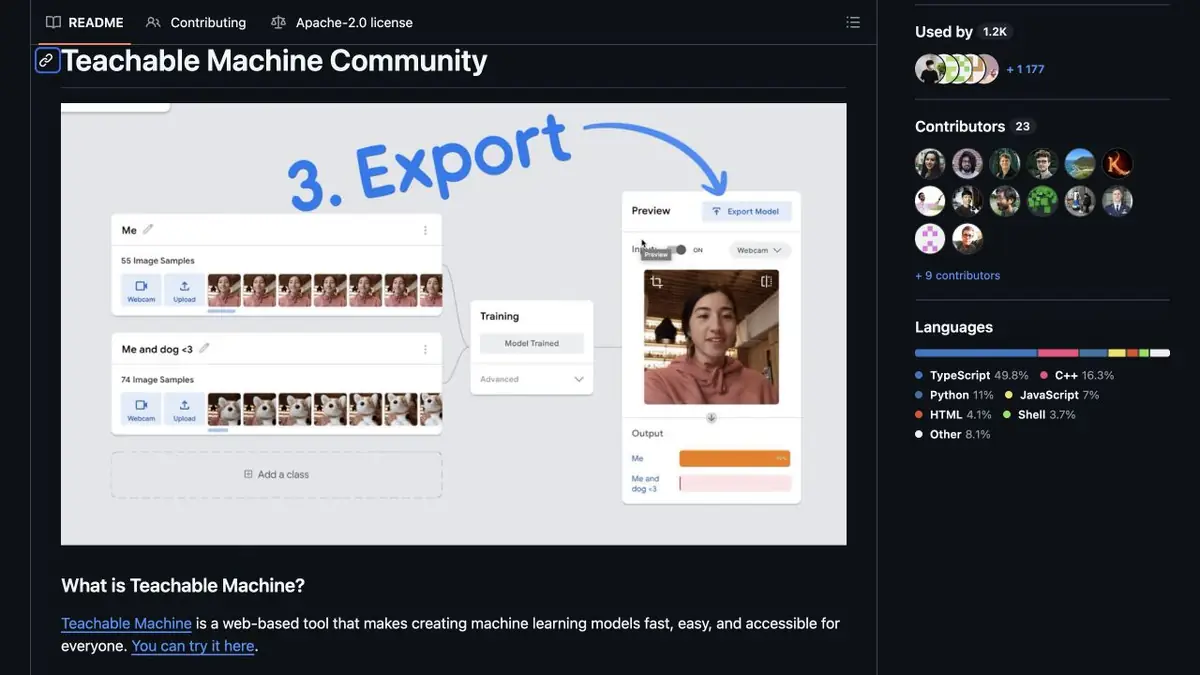
The model learns from your examples
Teachable Machine offers a visual introduction to machine learning. You collect examples, assign classes, start training and test new inputs. Official materials describe image, sound and pose recognition. The task is to distinguish the classes you prepared, rather than provide general conversation or generate illustrations.
The project belongs to Google Creative Lab’s experiments. Its open repository publishes libraries, examples and an explanation of the TensorFlow.js architecture. It also warns that the experiment is not an official Google production product with guaranteed support. That limitation matters more for a learning project than the developer’s familiar name.
Why change the background when checking
Suppose you want to distinguish pencils from spoons in camera images. Collect your own examples with varied object positions, distances and lighting. Do not photograph one class only on white backgrounds and the other only on dark backgrounds: the model may learn the background rather than the objects.
After training, use new images and change the capture conditions separately. Test an absent target object and an object from no known class. A high score on a familiar image says little about another room. Held-out images should represent the conditions where recognition will actually be used.
Export and local work
The official repository explains that the training and execution of models occur in the browser. Google Drive can be used separately to save the project. Exported models can be connected to sites and applications; examples for multiple languages and supporting libraries are given. This is not a promise of a ready-made cloud API for any task.
When integrating a model into your own project, check uncertain predictions and new input conditions. Consequential decisions need stricter data and error controls than a learning demonstration. Open code explains the mechanism, but component licenses and the final application’s reliability still need review.
Avoid collecting only near-identical neighboring frames. Show the object from different angles and test it outside its familiar setting. If the application will encounter unknown objects, define what counts as an uncertain response and what users should see. Otherwise, the classifier must choose a known class even for unsuitable input.
Suitable tasks
- Train an educational visual classifier
- Export a model into your own small project
Strengths
- Training takes place in the browser
- There are open libraries and export examples
Limitations
- An experiment, not a production guarantee
- Similar backgrounds can replace the intended class cue
Selection and conditions
- Free access
- Yes
- Trial period
- Not confirmed
- No sign-up required
- Not confirmed
- Russian interface
- Not confirmed
- Local installation
- Yes
- API
- Not confirmed
“Not confirmed” means there is not enough information. The feature may still be available; check the developer’s terms.
- Input formats
- Image, Audio, Pose
- Result
- Model, Data
Terms
Free learning experiment with open libraries. Model training is in the browser; saving the project and working your own application have separate conditions.From task to first result
Practical example
- Task
- Train an educational visual classifier
- What to prepare
- Your own examples of two visual classes and separate images with a different background.
Task brief or prompt
Task: collect varied examples of each class, train a browser classifier and check recognition after changing the background and distance.
Expected result
An educational classification model with export options and results from testing new examples.
How to check the result
- Test new images that were not used during training.
- Change the background and lighting to reveal accidental dependence on capture conditions.
An editorial teaching example of a task brief, not the result of hands-on testing of the service. Check that the required mode is available, that you have rights to the source material and that the intended use of the result is permitted.
Check details
Official sources
This description is based on the developer’s material. Features, prices and availability may change; check the primary source before use.