

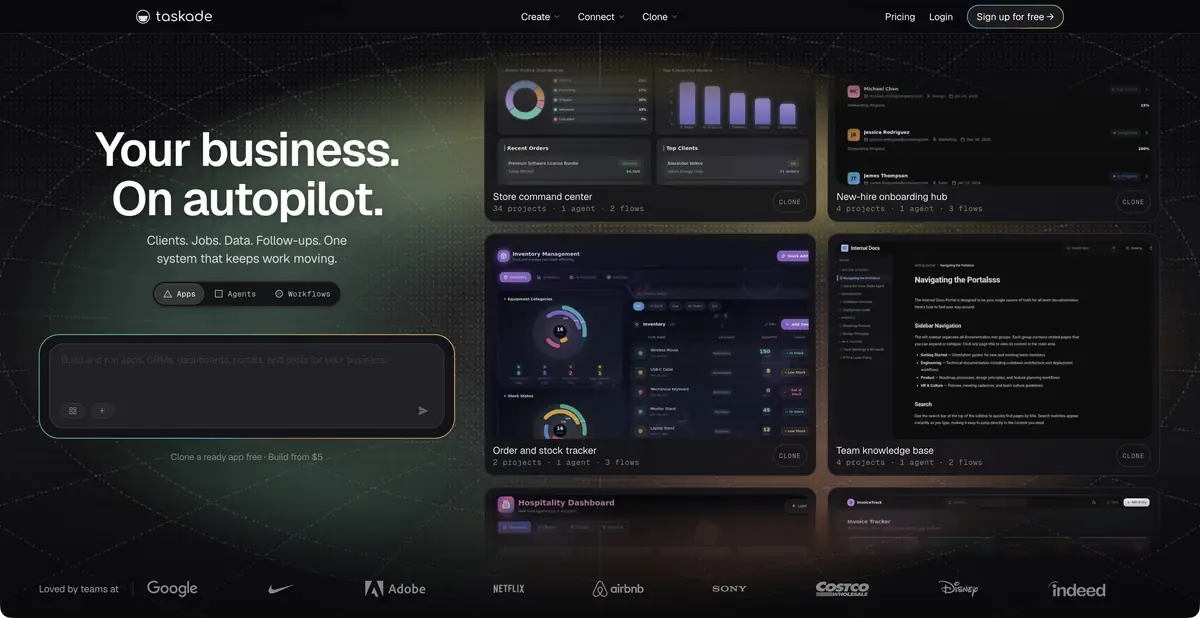
Taskade connects projects, data, and AI agents with automated actions. Describe a task in words, then check it as a working process with defined inputs, permissions, and results.
From to-do list to small application
When the same request moves through a form, spreadsheet, and messages, the problem is usually data transfer between steps. Taskade lets you build a working app, an agent, and automation in one environment. Projects store tasks and information, the agent uses knowledge and tools, and automation triggers actions from events. This differs from an ordinary model conversation: the result may be a published app that continues working with team data after the first response.
The process must have clear boundaries.
The official platform describes creating apps from prompts, projects, agents, integrations, and automations. Before setup, define exactly what counts as input, who approves actions, and where results are stored. An agent with external system access needs a scoped task and clear completion criteria. “Handle all requests” does not explain whether it may change statuses or send customers replies.
A generated interface also needs checking. If a field is labeled “deadline,” determine whether it means a requested date or a confirmed commitment. An attractive screen does not guarantee correct relationships between data and events.
Example: Queue of internal requests
For a practice project, prepare anonymized employee requests for equipment repairs. Ask for a request form, a list with statuses, and an agent that suggests a category from the description. Limit the first automation to draft classification: a person confirms the owner and deadline. Use several fictional records, including an incomplete description and a repeat request.
Check that a repeat does not create two identical jobs, a blank field does not become an invented deadline, and only the appropriate participants see status changes. Adjust the rules and rerun the same test records. This illustrates system testing rather than reporting a Taskade run using real requests.
What is billed and how to connect your code
A free tier limits apps and automations, with AI described as pay as you go. A free workspace therefore does not mean unlimited free agent operation. Paid plans add AI resources, run capacity, and team features. Compare the cost of an entire recurring workflow, rather than a single request.
Developer API lets you read and modify projects, tasks, and agents. The documentation distinguishes REST, Action API, MCP, and webhooks, with different access terms. A token carries its owner’s permissions; keep it out of client-side code and test changes using test data. A desktop app does not mean all AI logic runs locally.
After changing a rule, rerun earlier test requests. Otherwise, fixing one branch may silently break another, such as a repeat request with an updated problem description.
Suitable tasks
- Create an internal request queue
- Organize knowledge for an AI agent
- Link tasks to an automatic process
- Connect projects to your code
Strengths
- Projects, Applications and Agents in the Same Environment
- Official APIs and integrations
- A clear path to repeatable automation
Limitations
- A free workspace does not provide unlimited AI
- Automated actions require a permissions check
- Generated logic needs test data
Selection and conditions
- Free access
- Yes
- Trial period
- Not confirmed
- No sign-up required
- Not confirmed
- Russian interface
- Not confirmed
- Local installation
- Not confirmed
- API
- Yes
“Not confirmed” means there is not enough information. The feature may still be available; check the developer’s terms.
- Input formats
- Text, Document
- Result
- Text, App
Terms
Free refers to the basic workspace: AI is pay as you go. API access is confirmed; MCP/webhooks and other interfaces have separate terms. Local AI processing has not been established.From task to first result
Practical example
- Task
- Create an internal request queue
- What to prepare
- Anonymized practice equipment repair requests, plus agreed categories, statuses, and assignment rules.
Task brief or prompt
Create a practice request intake workflow: a form, a status list, and an agent that suggests categories from descriptions. Do not assign deadlines or owners without confirmation. Limit the first version’s automation to draft classification, with duplicate and blank-field checks.
Expected result
A draft workflow or app with tasks and AI suggestions, tested on sample data before connecting real actions.
How to check the result
- Test ordinary, repeated, and incomplete requests.
- Check who sees the recordings and can change state.
- Clarify AI and automated-run costs; a free workspace does not make the entire workflow free.
An editorial teaching example of a task brief, not the result of hands-on testing of the service. Check that the required mode is available, that you have rights to the source material and that the intended use of the result is permitted.
Check details
Official sources
This description is based on the developer’s material. Features, prices and availability may change; check the primary source before use.