

An intelligent equalizer. Multiple instances can work together as a group and account for track priorities.
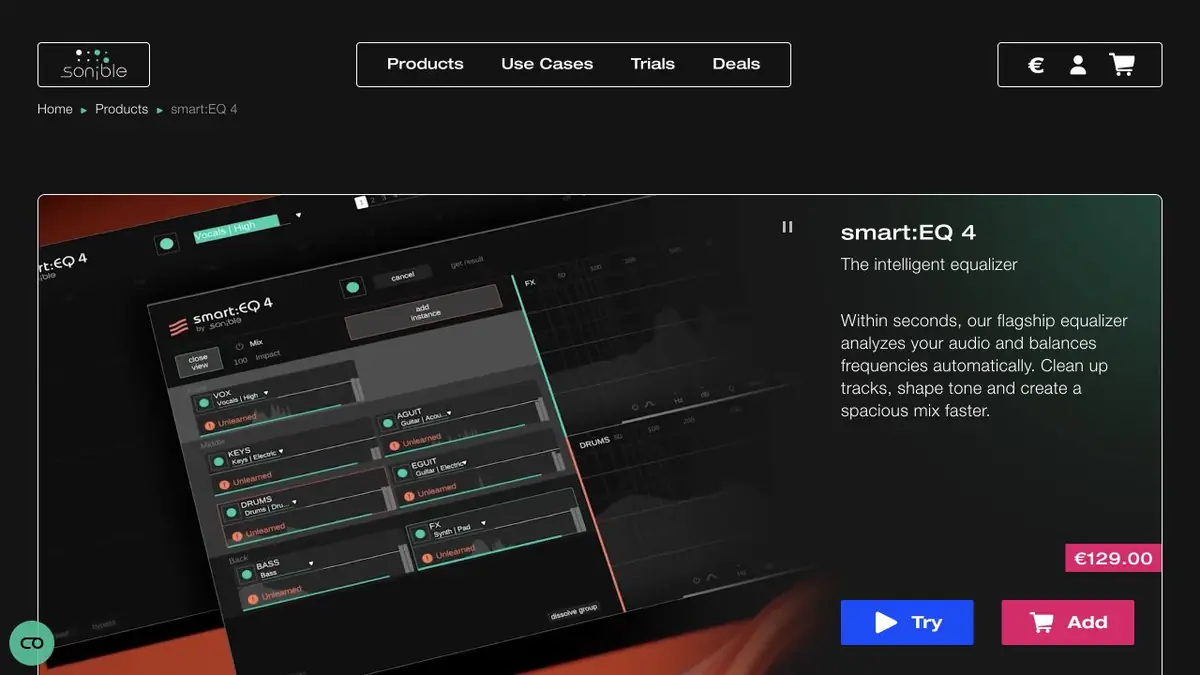
Frequencies that compete across tracks
smart:EQ analyzes the spectrum of an individual signal and suggests an adjustment. When working with a group, you can specify the priority of tracks. This is useful when the voice sounds pure on its own, but is lost behind a guitar or keys. smart:filter has different modes. One changes the balance of the track, the other reduces its competition with neighboring signals. The choice depends on whether to keep the original timbre.
A voice over accompaniment
In the training mix, take two of your own tracks, a voice and a dense batch of keys. Select the chorus where they sound at the same time, and add instances of the plugin to one group. Set your voice priority and compare the result at close volume. Make sure that the words are legible, but the keys have not disappeared attack. Then listen to a quieter verse. Processing that fits a dense area may sound too prominent where the voice is almost alone.
If you want to correct only one word, first check the volume of this phrase. Frequent editing of the entire mix for such a task is superfluous.
Save the settings
Save the options in one project and check the result on another system. The sonible documentation lists processing modes, installation and compatible formats. Group work requires separate copies on the tracks, so when transferring a project, specify whether the other participant has the right plugin. Independent exports can be prepared for listening.
Suitable tasks
- Free up voice space in a tight mix
- Compare the tonal balance of the two tracks
Strengths
- You can prioritize within the group.
- Separate modes of balance and reduction of camouflage
Limitations
- Automatic changes should be heard with the group
- The purpose of processing depends on the material
Selection and conditions
- Free access
- Not confirmed
- Trial period
- Not confirmed
- No sign-up required
- Not confirmed
- Russian interface
- Not confirmed
- Local installation
- Not confirmed
- API
- Not confirmed
“Not confirmed” means there is not enough information. The feature may still be available; check the developer’s terms.
- Input formats
- Audio
- Result
- Audio
Terms
Install the plugin into a compatible sound program. For group work, add instances to the selected tracks.From task to first result
Practical example
- Task
- Free up voice space in a tight mix
- What to prepare
- Several separate tracks of voice and accompaniment in one project.
Task brief or prompt
Set up a balance in a repetitive area where the tools prevent you from hearing the speech. Compare at close volume.
Expected result
Black balance tracks for manual inspection.
How to check the result
- Check the voice in a quiet and loud part.
- Check if the useful frequencies of the escort have disappeared.
An editorial teaching example of a task brief, not the result of hands-on testing of the service. Check that the required mode is available, that you have rights to the source material and that the intended use of the result is permitted.
Check details
Official sources
This description is based on the developer’s material. Features, prices and availability may change; check the primary source before use.