

A spherical panorama generator for digital environments. Blockade Labs also provides an API for integrations.
What a spherical panorama is for
Skybox AI creates an environment you can look around by turning the camera. The prompt describes the location, visual style, and atmosphere. A panorama is useful for comparing backgrounds before building the environment. If the project needs geometry, decide how you will obtain it. Different export formats retain different aspects of the original panorama.
A greenhouse outside the set
Imagine the decoration with windows, behind which you can see the evening greenhouse. Describe a glass roof, rare tables with plants and soft diffused light. Keep the far plan calm so that it does not argue with the object in the frame. The first option is to load into the spherical viewer and turn the camera around. The table or frame of the window can be repeated at the junction, although the central frame looks solid.
Look up and down as well. When editing the environment around the scene, these areas are often only visible after the camera animation.
What matters when exporting
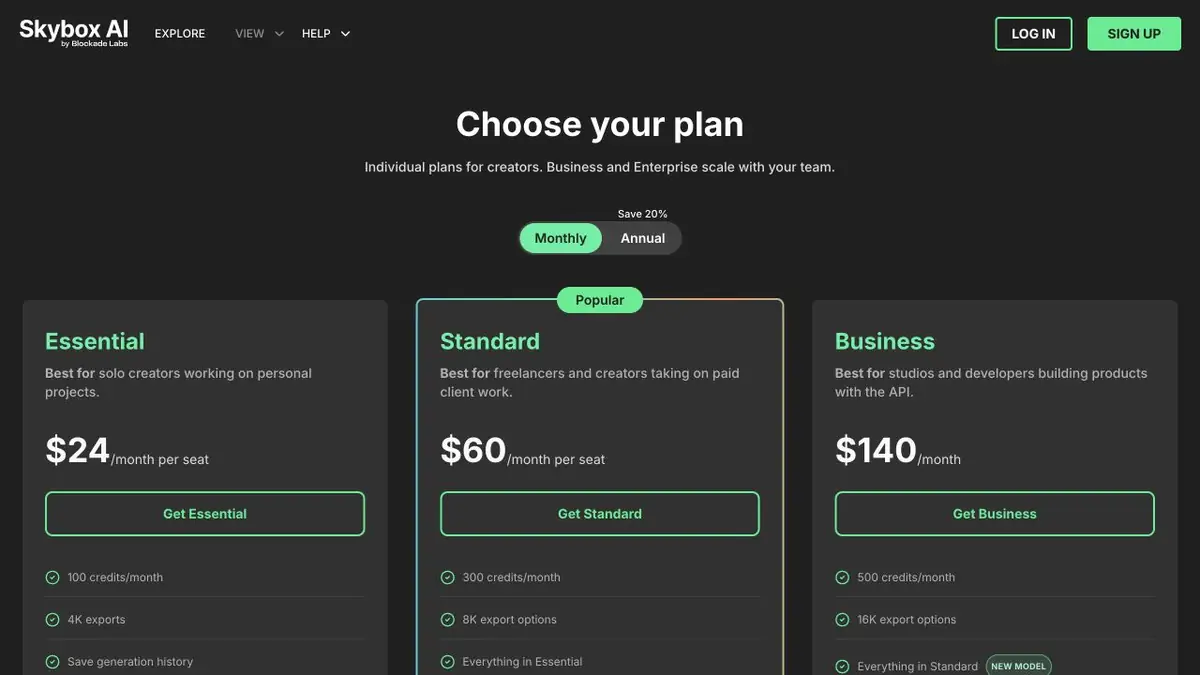
The API documentation lists several formats, including panoramic images and HDRI. Export options depend on the selected model and subscription. If you use the panorama for lighting, render a simple test object with matte and reflective surfaces. Check whether the dynamic range is sufficient and whether the bright areas are in the right direction. For background use, inspect the level of detail at the intended output size. Check how the background looks at the widest camera angle.
Suitable tasks
- Create an environment for pre-visualization
- Check the color and horizon of the virtual space
Strengths
- Spherical coverage of the scene
- API for generation and export
Limitations
- Formats are different for models
- The panorama may contain a noticeable seam or distortion at the poles
Selection and conditions
- Free access
- Not confirmed
- Trial period
- Not confirmed
- No sign-up required
- Not confirmed
- Russian interface
- Not confirmed
- Local installation
- Not confirmed
- API
- Yes
“Not confirmed” means there is not enough information. The feature may still be available; check the developer’s terms.
- Input formats
- Text
- Result
- Image
Terms
Panoramas can be created in the browser. Access to API, formats and models depend on the plan.From task to first result
Practical example
- Task
- Create an environment for pre-visualization
- What to prepare
- Description of the imaginary space for the background of a three-dimensional scene.
Task brief or prompt
Create a panorama of an empty greenhouse with a uniform horizon and soft light. Look at the image all around.
Expected result
Panorama for checking in the browser or engine.
How to check the result
- Check the seam at the junction and the area at the poles.
- Match the format with the engine requirements.
An editorial teaching example of a task brief, not the result of hands-on testing of the service. Check that the required mode is available, that you have rights to the source material and that the intended use of the result is permitted.
Check details
Official sources
This description is based on the developer’s material. Features, prices and availability may change; check the primary source before use.