

Semantic Scholar uses machine learning to find scientific papers and show connections between them. It helps to collect the source literature, notice relevant links and organize further reading.
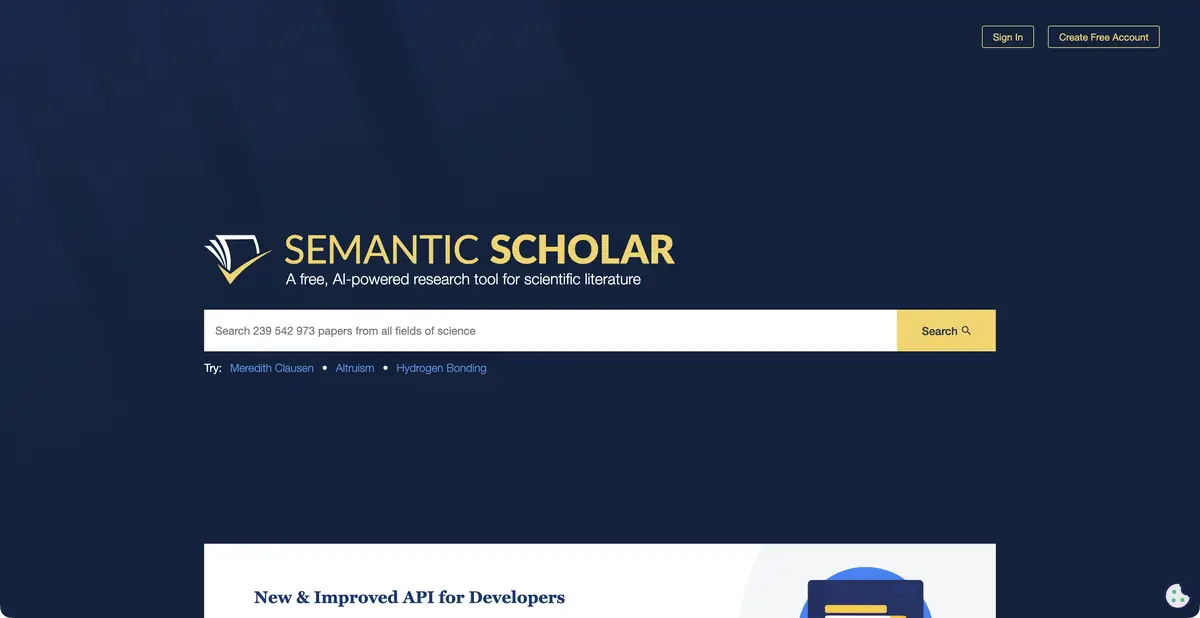
Find papers and decide where to start reading
Semantic Scholar is Ai2's scientific search service, not a chat that generates answers to any question. It analyzes metadata and content from available publications, helps find related research and navigate large result sets. Short TLDR summaries are available for some papers and provide guidance before reading.
It is especially useful to start with a well-known article or an accurate set of terms. Searching by common word gives too heterogeneous a picture, whereas the name of the method, the subject of research and the desired sample allow you to quickly separate the main material from neighboring topics.
Library and recommendations
Publications can be viewed without creating an account. An account adds a library, notifications and personalized research recommendations. Saving papers in topic folders gives context to further searches; it does not automatically provide an exhaustive review.
Citation links help you move from an initial paper to earlier and later research. Explore both directions to see the approach's origins and subsequent changes. Citation count remains a bibliographic indicator, not a complete assessment of quality.
How to read with Semantic Reader
Semantic Reader provides additional reading context for supported papers. It can show citation information and other AI guidance while you read a publication. Individual features depend on the corpus and document type; identical processing for every PDF cannot be promised.
The service indexes materials from different sources, but does not issue permission for their use and does not guarantee free full text. If the link leads to the publisher, the terms of access are determined by the publisher or subscription of the organization. A short publication card and the text itself are different levels of access.
Example: expand the collection for the thesis
Choose a relevant publication on speech recognition in noisy environments. Explore related materials, references and subsequent citations, then save several directions in separate folders: data, methods and quality assessment. Do not combine studies of different languages and acoustic conditions into one table without qualifications.
Before including a source in a review, check the year, authors, publication version and availability of the text. Search helps discover literature; the review's author must define inclusion criteria and explain contradictions.
Programmatic access and limitations
The official Academic Graph API and datasets let you use scientific metadata in your own research tools. Ai2 documentation also describes programmatic access via MCP. Separately comply with API key terms, request limits and data attribution requirements.
The main search is free. The translation of the interface into Russian in this card is not confirmed, and the quality of the tips varies by language and field of science. The service helps to find and understand publications, but does not automatically confirm all the statements contained in them.
Suitable tasks
- Find and organize scientific literature on the topic
- Track the links between publications and methods
- Receive recommendations for saved works
- Use scientific metadata through the official API
Strengths
- Free publication search and viewing without an account
- Library and personal research recommendations
- Citation context and short TLDR summaries for part of the corpus
- Official API and research data from Ai2
Limitations
- The found publication is not always available in full text
- TLDR and Semantic Reader do not cover all materials
- Recommendations depend on the source collection
- Bibliometric indicators do not replace assessment of the research
Selection and conditions
- Free access
- Yes
- Trial period
- Not confirmed
- No sign-up required
- Yes
- Russian interface
- Not confirmed
- Local installation
- Not confirmed
- API
- Yes
“Not confirmed” means there is not enough information. The feature may still be available; check the developer’s terms.
- Input formats
- Text
- Result
- Text
Terms
The search is free and available without an account; the library and personal recommendations require logging in. The full text depends on the source.From task to first result
Practical example
- Task
- Find and organize scientific literature on the topic
- What to prepare
- A research topic and a few precise terms; if available, the title of a known relevant research paper.
Task brief or prompt
Task: find publications using specified terms, check abstracts and follow related links. Separate relevant papers from materials with similar titles. For each saved article, record why the review needs it.
Expected result
A verifiable collection of sources for further reading, rather than an automatically proven answer to a scientific question.
How to check the result
- Open the abstract and available full text of every key paper.
- Check the DOI, publication version, research subject and access conditions.
An editorial teaching example of a task brief, not the result of hands-on testing of the service. Check that the required mode is available, that you have rights to the source material and that the intended use of the result is permitted.
Check details
Official sources
This description is based on the developer’s material. Features, prices and availability may change; check the primary source before use.