

remove.bg solves a specific problem: it separates the foreground of the photo from the environment. The output is a cut-out object or image on the selected background, rather than a new scene as described.
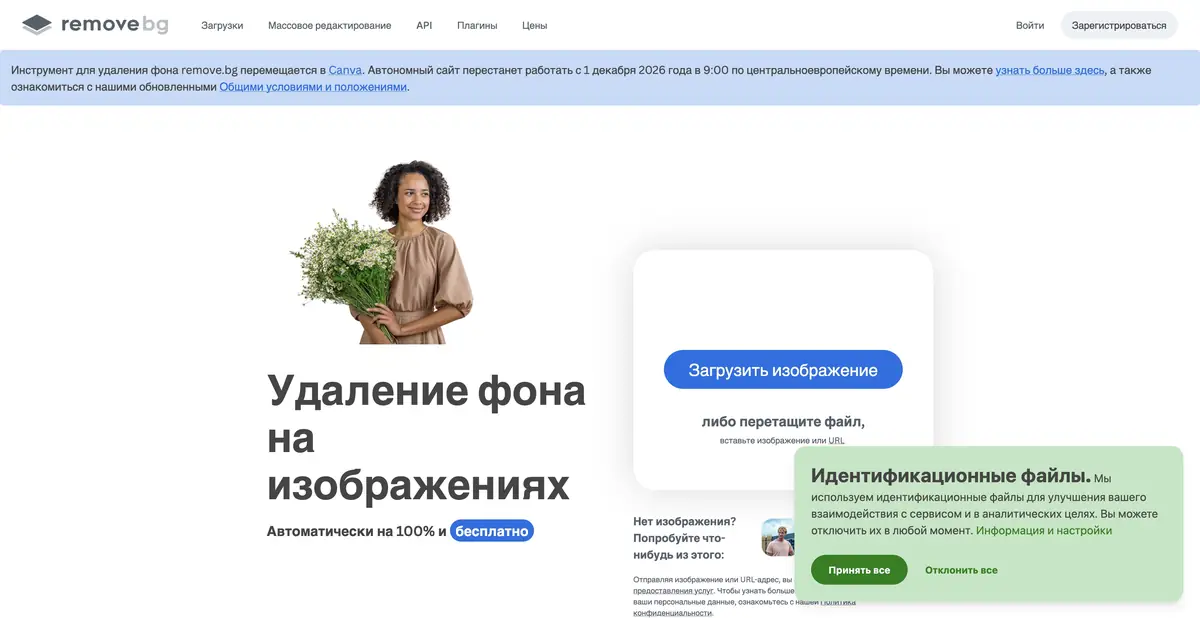
Usefulness begins with a clear outline
When you need to place a photo of an item in a catalog or presentation, manual background highlighting can take longer than assembling a layout. remove.bg automates this step. The user uploads the image, the service determines the foreground and forms the cut object. The result is suitable for further composition, if the boundaries are allocated correctly.
The object must be distinguished on the source. Hair, wool, clear glass, thin wires and reflections require special attention. The service does not automatically know what part of the complex scene you consider a product or an important element. The clearer the original composition, the easier it is to check the resulting mask.
Transparency depends on format
The program documentation provides different formats of the result. PNG and WebP support transparency, and JPEG retains an opaque background. For large images, separate restrictions and ZIP with color image and alpha mask are available. You can not choose the format only by the file size: you need to take into account how it will open the next tool.
The white background on the preview does not prove a lack of transparency, nor is the checkered substrate part of the finished PNG. After downloading, place the result on a light and dark surface. The contrast shows the remains of the old background, loss of fine details and a colored border around the object.
Example: ceramic mug for menu
Photograph your own mug in full, leaving space around the edges. Upload the photo and inspect the outer outline, handle opening, reflections on the glaze and underside of the base. If background remains inside the handle, refine the selection with the available tools or return to a better source image. Avoid hiding a blurred outline with extra sharpening.
Place the cut object on the color substrate of the future menu. Choose the scale and shadow in the editor so that the mug does not look suspended. Do not call the resulting composition a new photo of real serving: the environment is assembled after shooting. Save the original and transparent option to reuse the object in a different size.
Web-tool and automation
On the official website declared free access, and high quality, volume and automation have their own conditions. The public API accepts a file or image link. For the series, you need to take into account size constraints, response format and error handling. The client application or integration itself does not confirm offline processing without transferring data to the service.
As of the review date, remove.bg is still operating, but its official banner announces the tool’s move to Canva and the closure of the standalone site on 1 December 2026 at 9:00 Central European Time. The API documentation separately states that background removal is moving to Leonardo.Ai from 1 December 2026. For a new project, check the transition terms for both access methods; do not assume that previous settings or payment terms will remain available after that date.
Suitable tasks
- Cut item for catalog
- Get an image with transparency
- Automate background removal via API
Strengths
- Narrow and understandable task of removing the background
- Transparent formats and alpha-mask
- Public API documentation
Limitations
- Thin and transparent parts require verification
- Limits vary in format
- The standalone website closes on December 1, 2026; an API transition has been announced
Selection and conditions
- Free access
- Yes
- Trial period
- Not confirmed
- No sign-up required
- Not confirmed
- Russian interface
- Not confirmed
- Local installation
- Not confirmed
- API
- Yes
“Not confirmed” means there is not enough information. The feature may still be available; check the developer’s terms.
- Input formats
- Image
- Result
- Image, Mask
Terms
Free access is limited by processing conditions and image resolution. The standalone site will stop operating on 1 December 2026 at 9:00 CET as the service moves to Canva; the API documentation separately announces a move to Leonardo.Ai. The apps do not establish that AI processing runs locally.From task to first result
Practical example
- Task
- Cut item for catalog
- What to prepare
- Own photo of an object with a distinctive silhouette, completely placed in the frame.
Task brief or prompt
Task: separate the foreground from the background and download a transparent result. Check the outer outline, openings inside handles and thin details against light and dark backgrounds. Do not change the product’s shape or add accessories.
Expected result
A cut object with a transparent background or alpha mask for further composition.
How to check the result
- Check the transparency of the file and the remnants of the old background around the edges.
- Check the format limits, resolution and rules for transferring images to the service.
An editorial teaching example of a task brief, not the result of hands-on testing of the service. Check that the required mode is available, that you have rights to the source material and that the intended use of the result is permitted.
Check details
Official sources
This description is based on the developer’s material. Features, prices and availability may change; check the primary source before use.