

Relume begins work on the site with its structure and a set of agreed sections. After that, you can refine the design, use ready-made components and choose the appropriate way to publish or transfer the project.
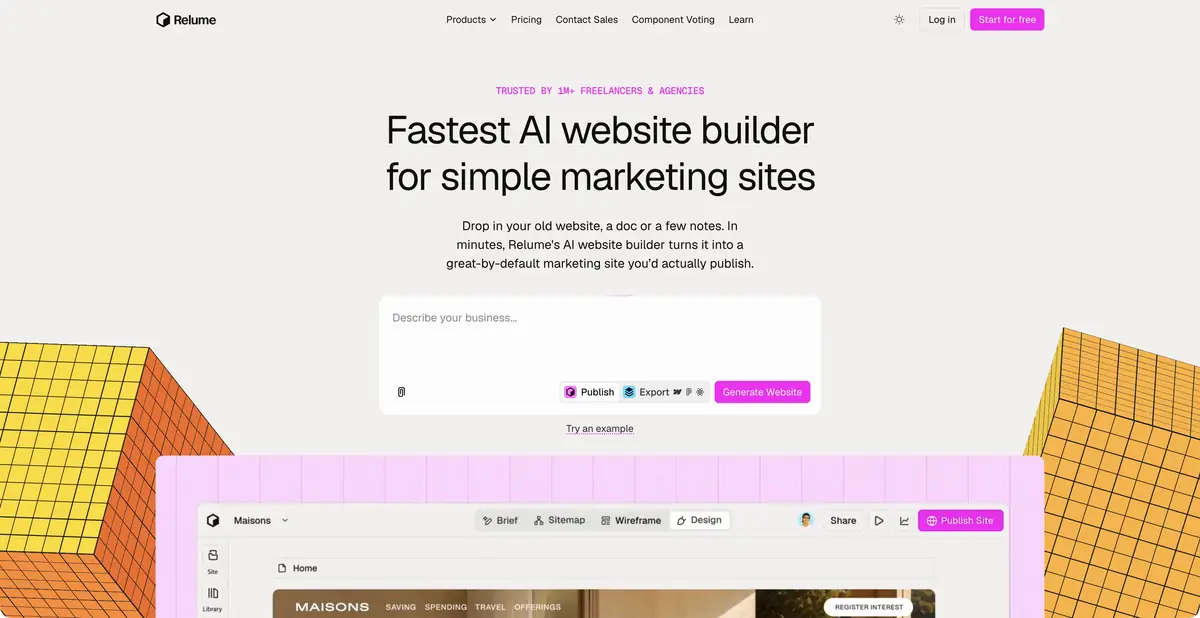
First, understand what pages are needed.
A small website's problems often begin before color selection: sections overlap, an important answer is hidden and the homepage mixes different tasks. Relume helps turn a project description, documents or an existing website into a page structure and wireframes. Its own component library underpins the workflow and can then be used in design and development.
From structure to design
Site Builder lets you change section order and content, then apply a style guide. Design View shows how shared colors, typography and elements work across pages. The help explicitly warns that this does not replace final refinement of every spacing detail and animation.
The platform offers different paths forward: publishing on the platform, working in Webflow or Figma, and using React components. For React, the documentation describes exporting a section, a page or the entire structure. Do not assume every export path preserves all styles and settings equally: test this before starting a client project.
Example: small studio website
Define the initial brief: the studio takes product photographs, displays its work and receives inquiries. First request a structure with a homepage, portfolio examples, preparation requirements and contact details. State which information is already available and prohibit invented customers or results.
Then review the wireframes from a visitor's perspective: is it clear whether the studio suits their product, what they need to prepare and how to ask a question? If one answer repeats across four sections, fix the structure rather than decorating each copy.
After approval, test the selected export on one page. Check which components and styles transferred, where further work is needed and how real forms will function. Then transfer the remaining sections.
Components in your own development environment
The official Library MCP lets a compatible AI editor retrieve actual Relume components and integrate them into a project. A separate Publish MCP handles website creation and publishing. These are documented programmatic connections, not a promise of universal REST access to every dashboard operation.
When transferring React components, check dependencies, styles and compatibility with your build requirements. Having a component does not confirm that forms, payments or user accounts work. External integrations and server-side functions must be implemented and tested separately.
Plans and task boundaries
A free tier offers limited use; paid offerings distinguish creation, export and hosting capabilities. Custom domains and published websites have separate terms. Compare the specific route you intend to use to finish the project.
Relume is particularly useful for marketing website structure and reusable sections. For a complex application with custom logic, first check that the component approach supports the main task. Before publication, check the mobile version, links, content, accessibility and actual handlers yourself.
Suitable tasks
- Prepare the structure of the marketing site
- Agree on page wireframes before development
- Transfer components to Webflow, Figma or React
- Use the library via the official MCP
Strengths
- Process from brief to structure and sections
- A shared component foundation
- Several handoff and publishing routes
- Documented MCP connections
Limitations
- Exporting to different tools retains different capabilities
- React handoff requires checking styles and dependencies
- Server logic and real forms are checked separately
Selection and conditions
- Free access
- Yes
- Trial period
- Not confirmed
- No sign-up required
- Not confirmed
- Russian interface
- Not confirmed
- Local installation
- Not confirmed
- API
- Not confirmed
“Not confirmed” means there is not enough information. The feature may still be available; check the developer’s terms.
- Input formats
- Text, Document
- Result
- Website structure, Prototype, Code, Website
Terms
Free limits usage. Creation, export and hosting have their own terms; programmatic integration is described as MCP.From task to first result
Practical example
- Task
- Prepare the structure of the marketing site
- What to prepare
- Brief description of the workshop, its services, audience and tasks of the future site. All facts about the company are provided by the owner.
Task brief or prompt
Propose a sitemap and page wireframes for a small workshop website. Separate services, the work process and answers to questions. Do not invent reviews, prices, guarantees or team information. Show the path from choosing a service to making contact.
Expected result
A draft website structure and wireframes for further work in the selected editor or through a supported export.
How to check the result
- Each page solves a separate problem and does not repeat the next one.
- Check the composition of components, navigation and mobile layout.
- Check which styles and elements are actually transferred to the selected export format.
An editorial teaching example of a task brief, not the result of hands-on testing of the service. Check that the required mode is available, that you have rights to the source material and that the intended use of the result is permitted.
Check details
Official sources
- The official Relume platform
- Pricing and publishing options
- Export to React
- Limitations of Design View
- Official MCP connections
This description is based on the developer’s material. Features, prices and availability may change; check the primary source before use.